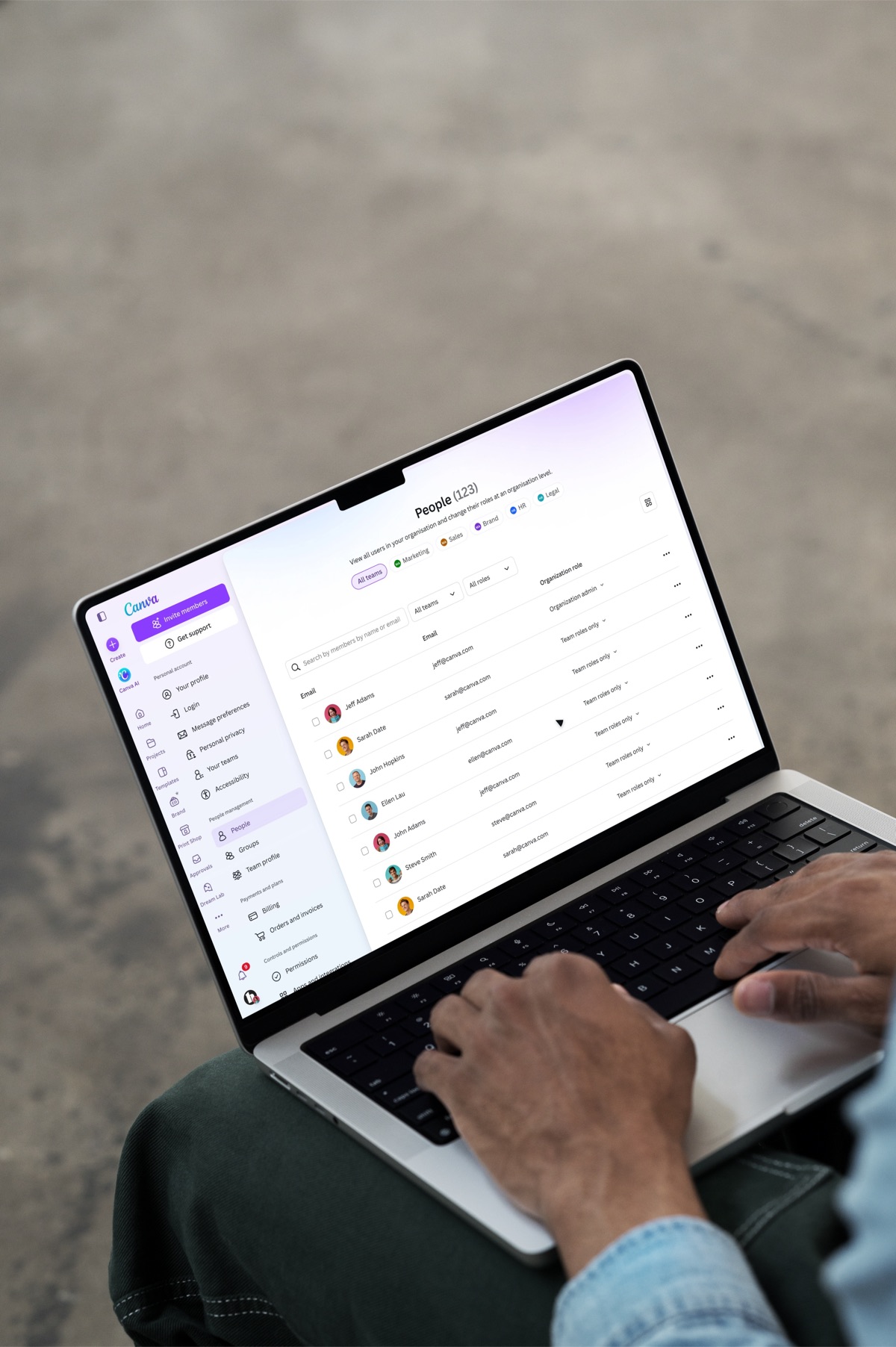
Canva — Every Prompt On Brand
AI interaction design, Product strategy, Research
Canva AI could design a whole deck from one sentence, but not in your brand. Organisations had spent years building Brand Kits, and the AI ignored them unless someone remembered to pick one first. I led the design of Every Prompt On Brand across three teams: the admin's kit is on before anyone types, every design starts from the brand, and Canva AI always shows which brand it used and asks before breaking it.
- Role
- Principal Product Designer
- Team
- Teams & Enterprise, Brand, Canva AI
- Timeline
- 2026
3.8×
Brand Kit applications in Canva AI after launch
−41%
brand edits made by hand after generation
2.1×
Brand Template starts from Canva AI
The problem
Fast, but off-brand
Ask Canva AI for a launch deck and six pages arrive in seconds. The speed was real. The brand wasn't: the deck landed in Canva AI's own colours and fonts. To get it on brand, you had to notice, find the brand picker, and ask again.
Before · Canva AI with no brand
A brand picker already existed: a small "Select brand" button under the prompt. Almost nobody used it, because brand was a step you had to remember, not a state you were in.
What the data said
- 31%
Of negative Canva AI feedback mentioned fonts, colours or "not our brand"
- 64%
Of AI designs from teams with a Brand Kit were edited for brand in the same session
- 9%
Of Canva AI chats on those teams had a Brand Kit applied at all
Why it mattered beyond the chat
Brand Kits are one of the main reasons teams pay for Canva. If the AI ignored them, the most-used new surface was teaching people that the brand was optional, and admins were starting to ask for AI to be switched off.
Enterprise deals stalled
"Will AI follow our brand?" was a top-five question in enterprise security and procurement reviews.
Admins turned AI off
Brand and marketing admins disabled Canva AI rather than review every design it made.
Kits went unused
The assets admins had built sat idle in the one place most new designs now started.
My role
Principal designer, setting the direction across three teams
I led the design end to end and wrote the strategy that aligned Teams & Enterprise, Brand and Canva AI on one approach. I worked with a product manager, an engineering lead and a researcher, and with the designers who own Brand Kits and the Canva AI chat.
What I led
The direction and the default
- The reframe from a brand picker to brand as context
- The default-kit logic, backed by usage data
- How the kit shows up on home and in chat
- The receipt, and asking before breaking the brand
- The admin controls
What I partnered on
The surfaces we built into
- The Canva AI chat and its models, with Canva AI
- Brand Kits and Brand Templates, with Brand
- The on-brand template widget, with Canva AI design
- Evaluation of on-brand output, with ML
Much of the work was alignment. Three teams had three different answers: Brand wanted a mandatory kit, Canva AI wanted zero friction, and engineering wanted the simplest default. I ran a decision log with options, evidence and a recommendation for each call, so teams outside the room could see why, and took it to design leadership for sign-off.
The reframe
It wasn't a picker problem
The brief was "add brand selection to Canva AI". But selection already existed and nine in ten people skipped it. A better picker would still be a step. So I reframed the problem as two jobs, before and after someone types.
Job one
Put people on brand
Before anyone types, the team's kit is already on. Nobody has to remember it, and everyone can see it.
Job two
Keep them there
When they ask for a design, start from the brand, show what it used, and ask before breaking it.
The shift was from brand as an input you choose to brand as context the AI carries. That changed what we designed: less about the picker, more about the default, the visibility of it, and the moments the AI has to explain itself.
Research
Who sets the brand, and who has to live with it
I ran research on both sides of the default: the admins who build Brand Kits, and the members who create with Canva AI every day.
- 12
Interviews with brand admins and members at enterprise teams
- 2
Sides of every decision: the admin who sets it, the member who lives with it
- 5
Rounds of moderated tests on the live prototype
What we heard, in four themes
"We built the kit. Use it."
Admins spent weeks on a Brand Kit, then watched AI ignore it
Off-brand designs reached customers before review caught them
Admins fixed the same fonts and colours by hand, deck after deck
Some admins had switched AI off rather than police it
"Don't make me pick every time"
Members forgot the kit, or didn't know it was there
Picking a brand before every chat felt like admin work
The "Select brand" button read as optional, so it was skipped
New starters didn't know which kit was the right one
"But let me break it, sometimes"
Event and campaign work needs a different kit
Agency teams switch between client kits in the same day
A one-off colour shouldn't mean turning the brand off
"Show me what it used"
Members wanted to know what the AI changed, not just that it had
Nobody could tell which kit a design came from
Without proof, people re-checked every slide anyway
QIn their words
We spent a quarter on our Brand Kit. Then AI gave everyone a fresh excuse to ignore it.
I don't mind it using the brand. I mind not knowing it did.
Half my week is client work. If it locks me to our kit, I'm out.
Which kit should be the default?
Engineering's proposal was to default to the first kit in the list. It was simple, and for most teams it would be right. I pulled 30 days of brand usage data to check what "most teams" hid.
Brands with Brand Kit usage in the last 30 days
The more kits a brand has, the worse "the first kit" gets
First kit is the most-used First kit unused in 30 days
Predictive test across multi-kit brands
Which default matches the kit a brand uses most next month?
- 84.5%
Of active brands have one kit, so any default is right
- 48.3%
How often the first kit is the most-used, for brands with two or more
- 83.6%
How often the previously most-used kit is right, nearly twice as accurate
Source: brand system usage, last 30 days, run 29 July 2026. A predictive test over two 30-day windows across multi-kit brands.
The first kit was only safe because most brands have one. For brands with two or more kits, it hadn't been used in a month almost half the time: exactly the large, brand-conscious customers this was for. So the default became an explicit choice the admin makes, and when there isn't one, Canva AI remembers the kit you last used. Engineering agreed in the same meeting, and the cost was one extra field.
Principles
Three rules for an AI that applies a brand on its own
The research turned into three principles. Every option in the exploration had to pass all three, which made most decisions quick.
01Principles
Every prompt starts on brand
The right kit is on before anyone asks. Picking a brand should never be a step before every chat.
02Principles
Always say which brand, and what it changed
If the AI applies a brand on its own, people need to see it: the kit, why it's on, and what it did to their design.
03Principles
Easy to change, never silently broken
Switching or removing a kit takes one click and keeps the content. When a request breaks the brand, the AI asks first.
Exploration
Seven decisions, each with its options
I explored each decision in the real Canva AI interface, with the options side by side and a recommendation. These are the boards from the decision log, redrawn in the shipped components.
Decision 1: where the kit lives
The kit shapes every answer, so it has to be visible in the composer. The question was where.
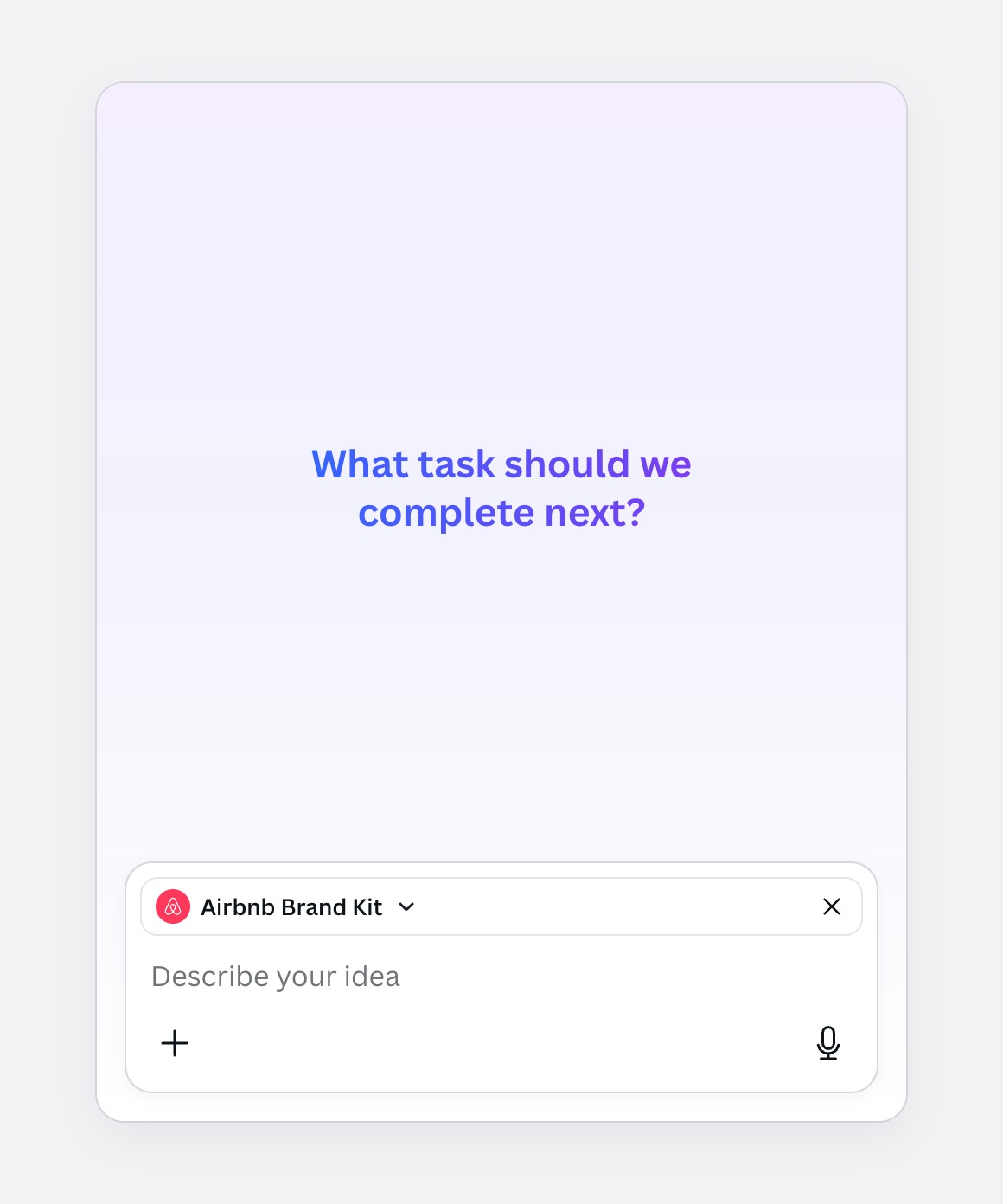
Option 1
On the input
A labelled row on the field. Clear, but it competes with the prompt.
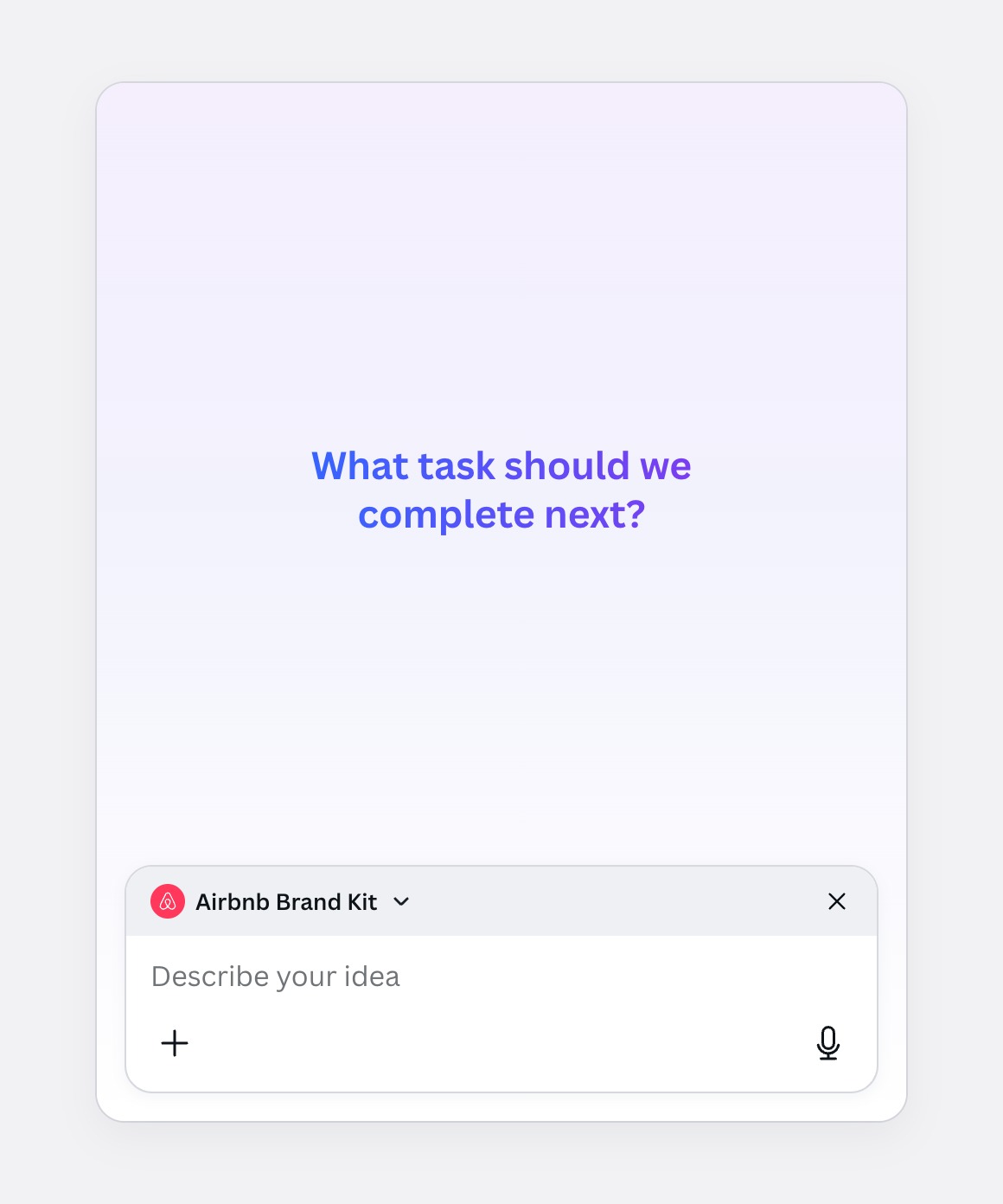
Option 2
In a sunken panel
Quieter, but heavy for something that's always on.
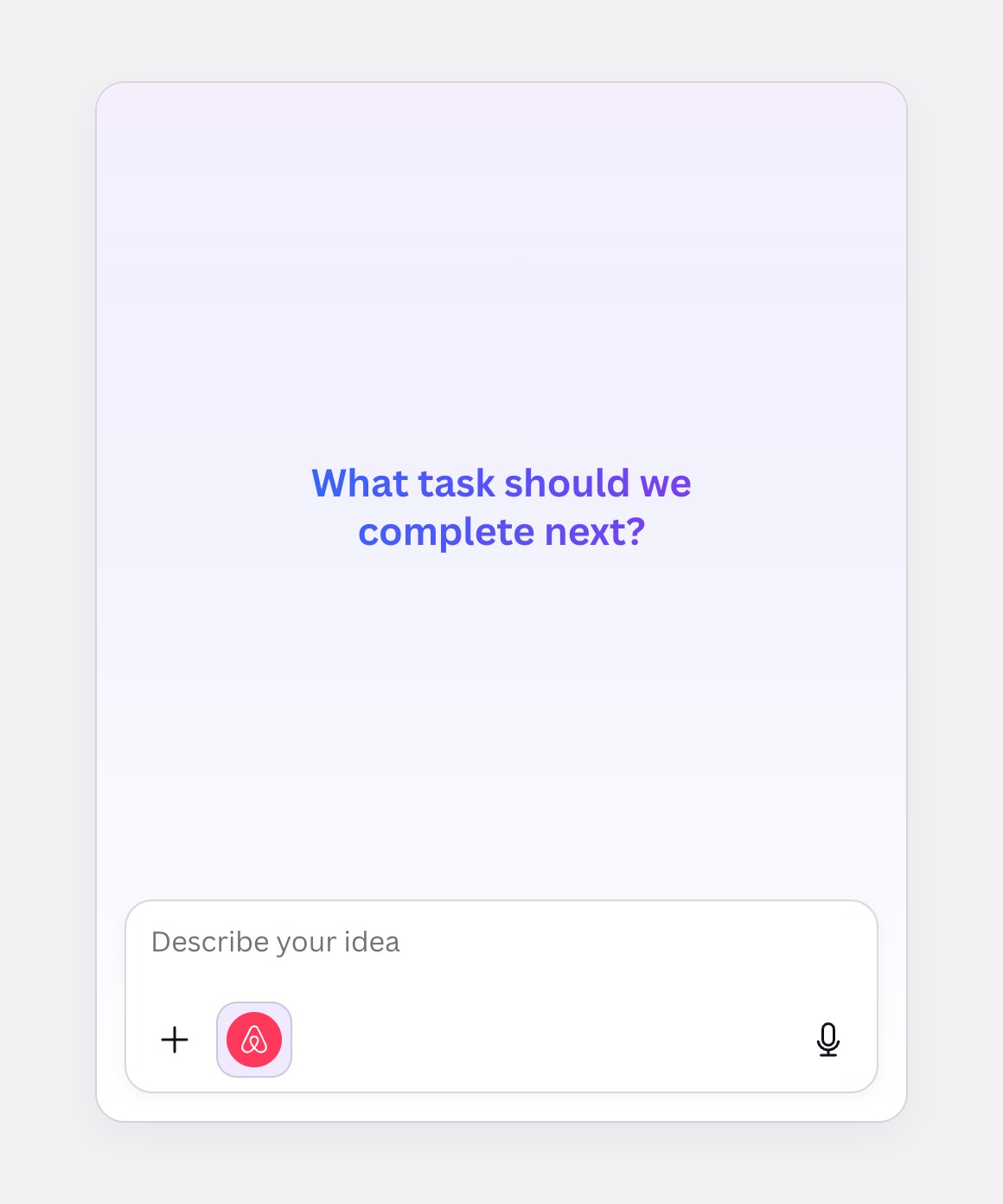
Option 3Chosen
With the attachments
The kit is context, like a file, so it sits with the other things that shape the answer.
Decision 2: how much of the kit to show
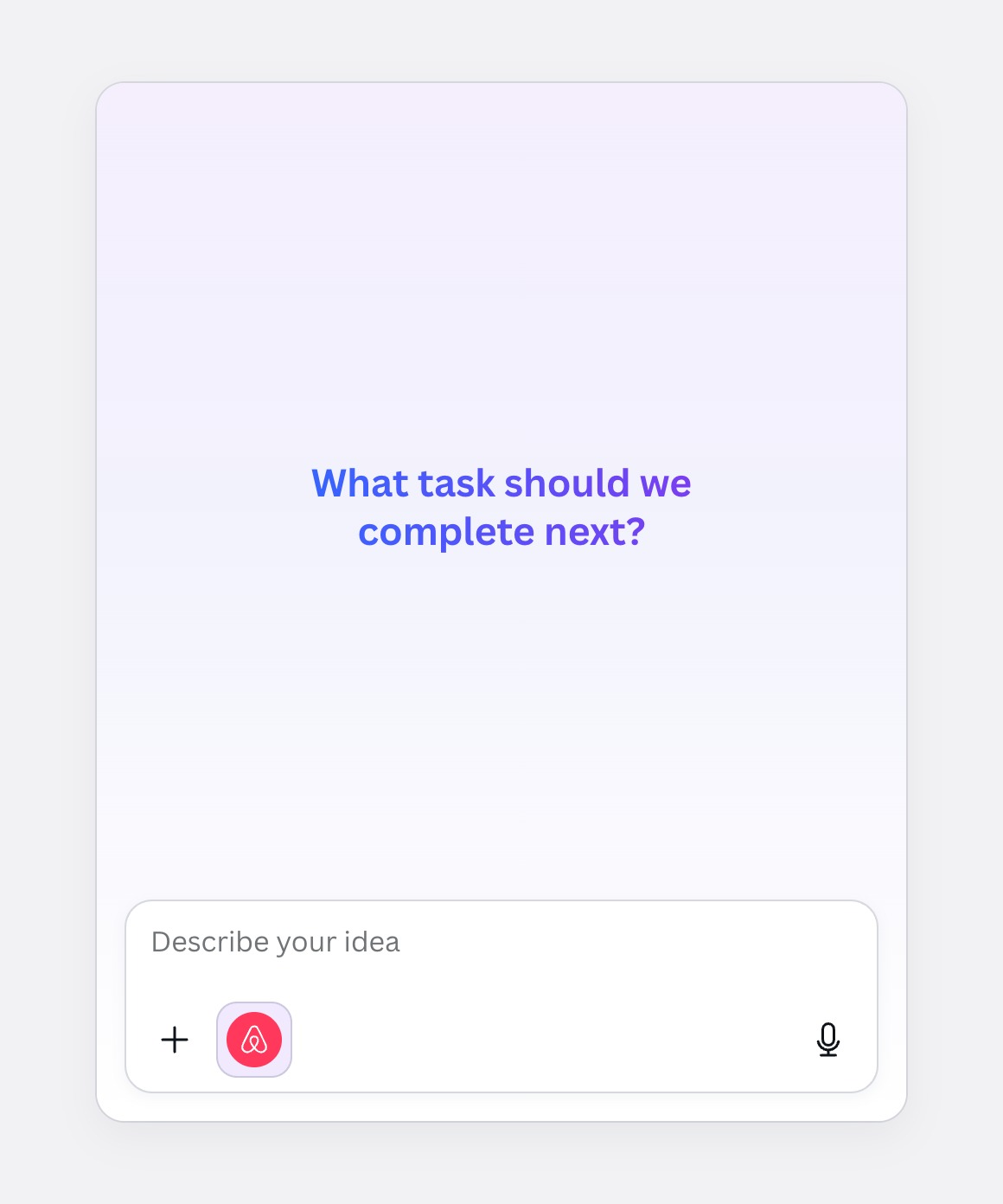
Option 1Chosen
Logo only
Reads as part of the composer and leaves room for the prompt on mobile.
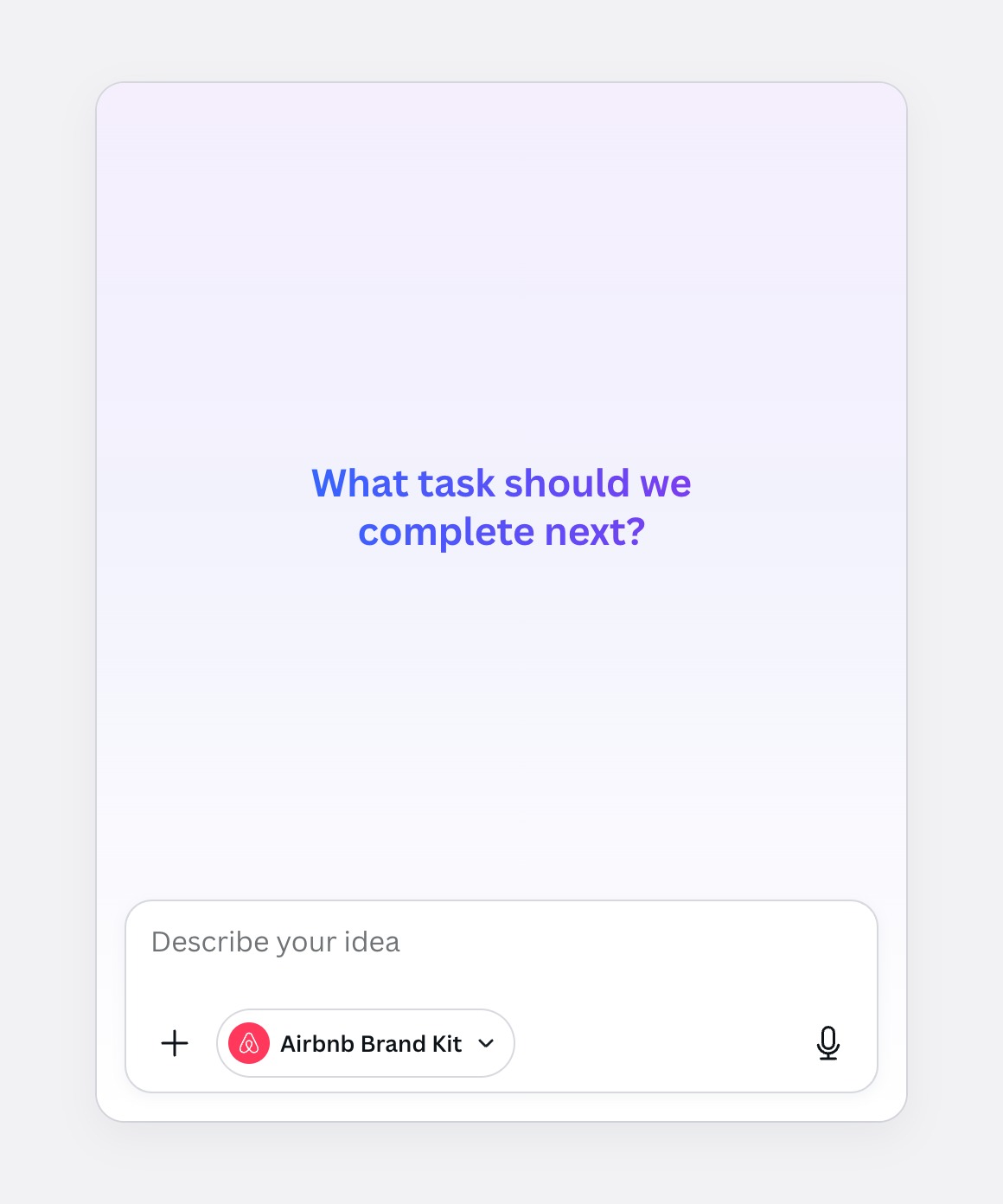
Option 2
Logo and name
Unmissable, but long kit names truncate and crowd the prompt.
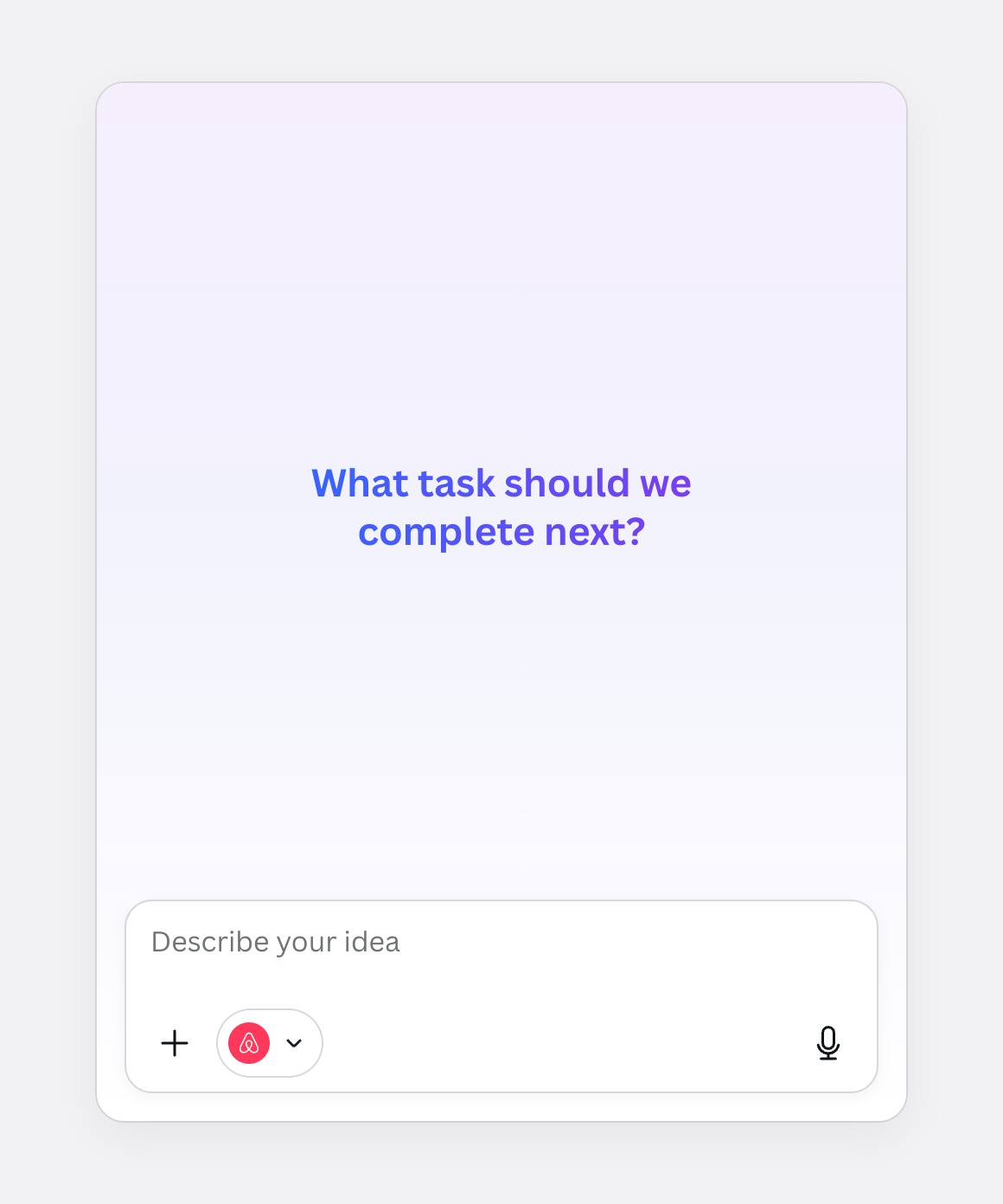
Option 3
Logo and chevron
Says "menu", but makes the kit look like a setting rather than context.
Decision 3: the kit on the home screen
Home is where most requests start, so it's the first place the default has to show. The question was how loudly.
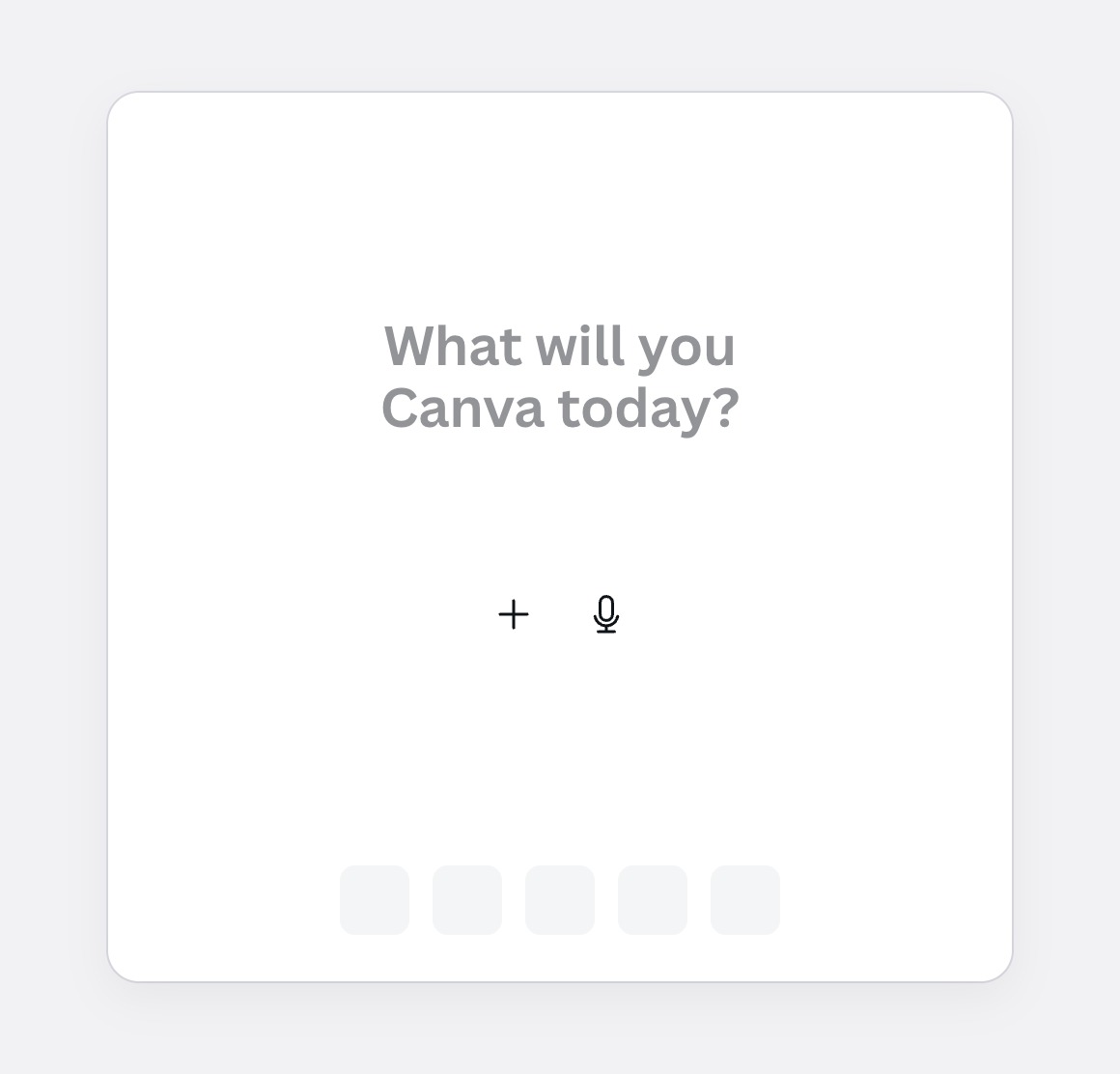
Option 1
Nothing on home
Clean, but the brand arrives as a surprise on the result.
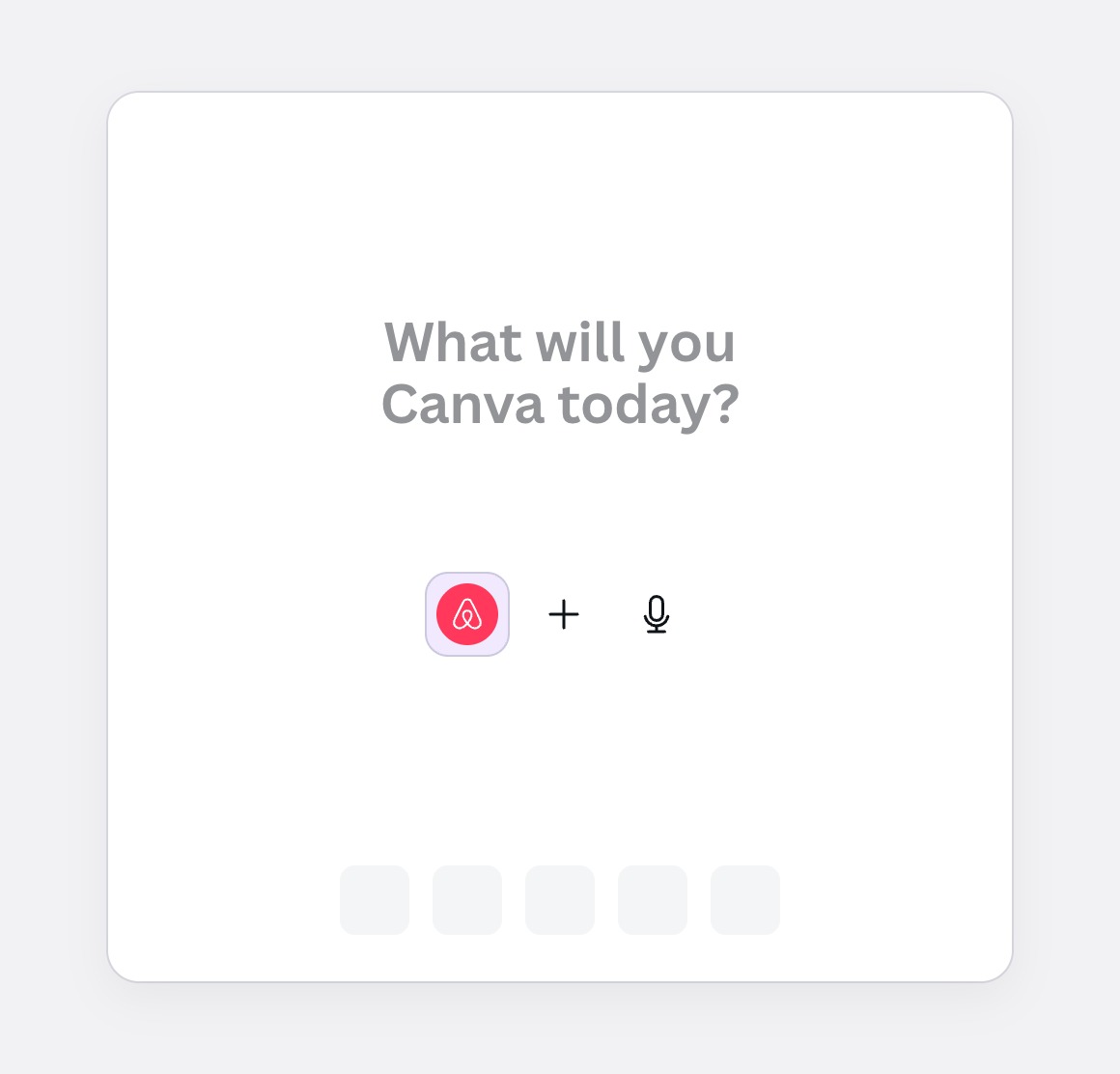
Option 2
The logo chip
Consistent with chat, but a bare logo says little at the emptiest moment.
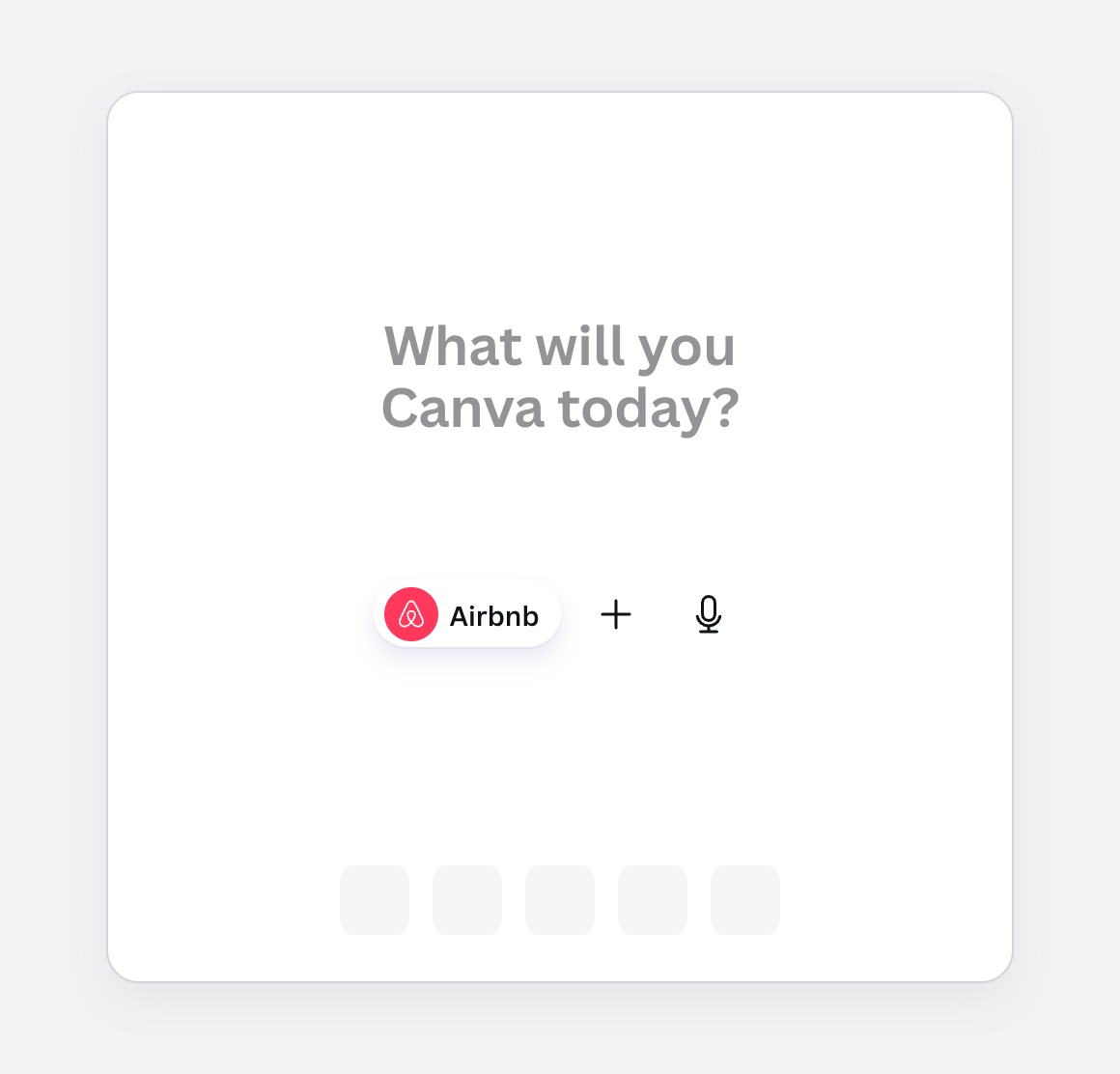
Option 3Chosen
A named pill
Home has room for the name. It shrinks to the logo once the chat starts.
Decision 4: saying why it's on
You didn't pick this kit, so the pill has to answer "why is this here?" without saying it on every visit.
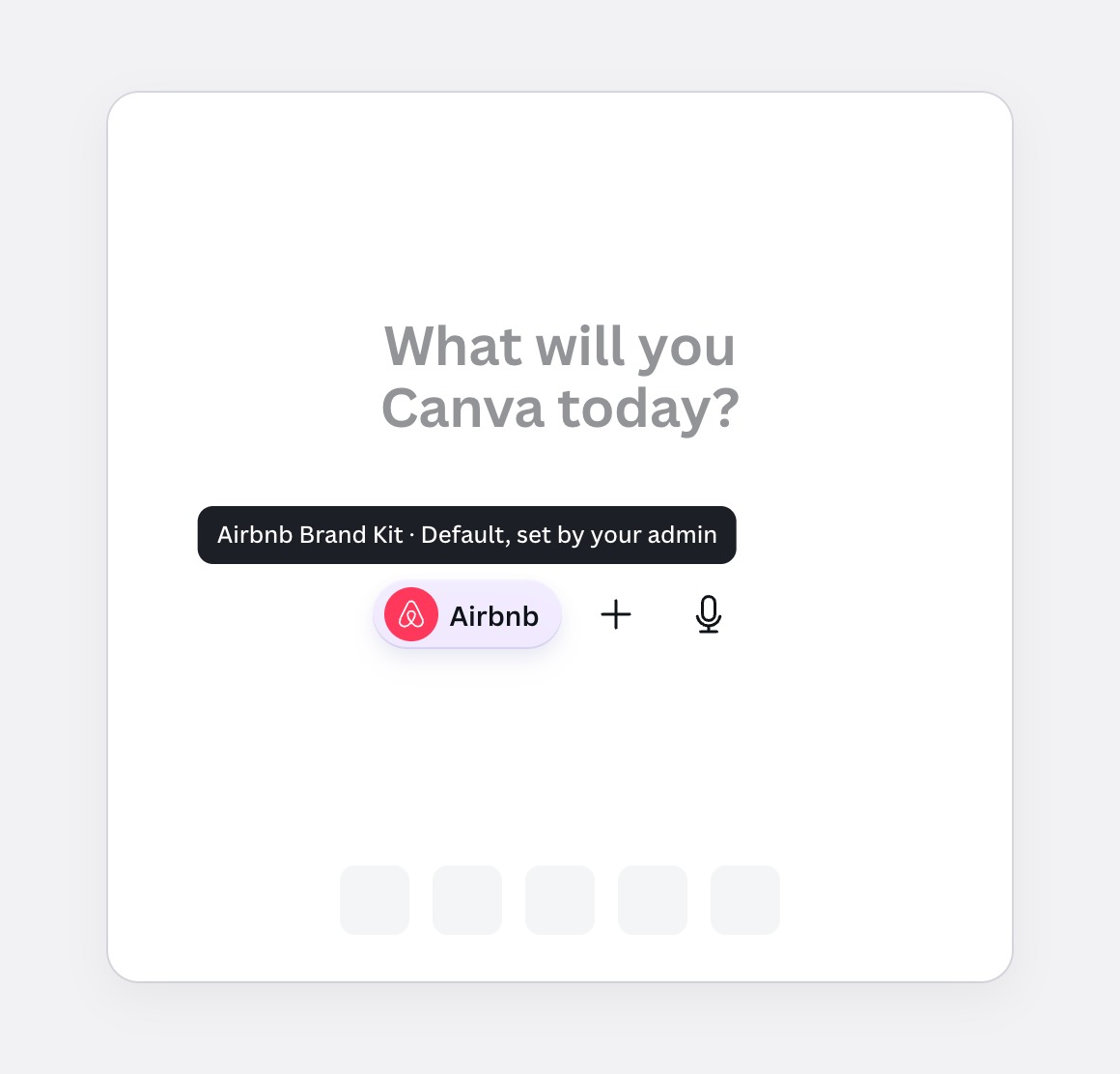
Option 1Chosen
A tooltip on hover
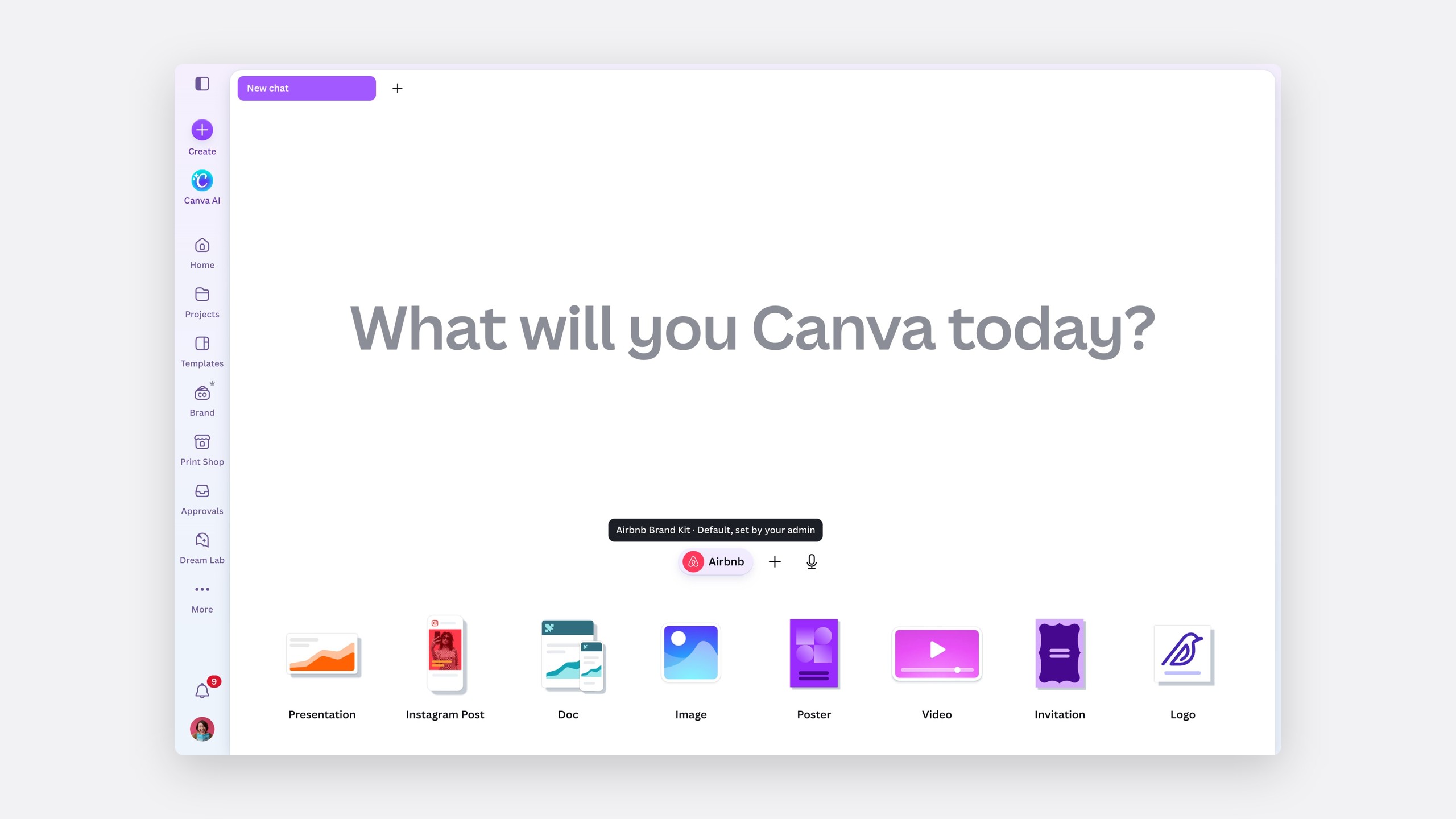
The kit and who set it, one hover away. Quiet until you ask.
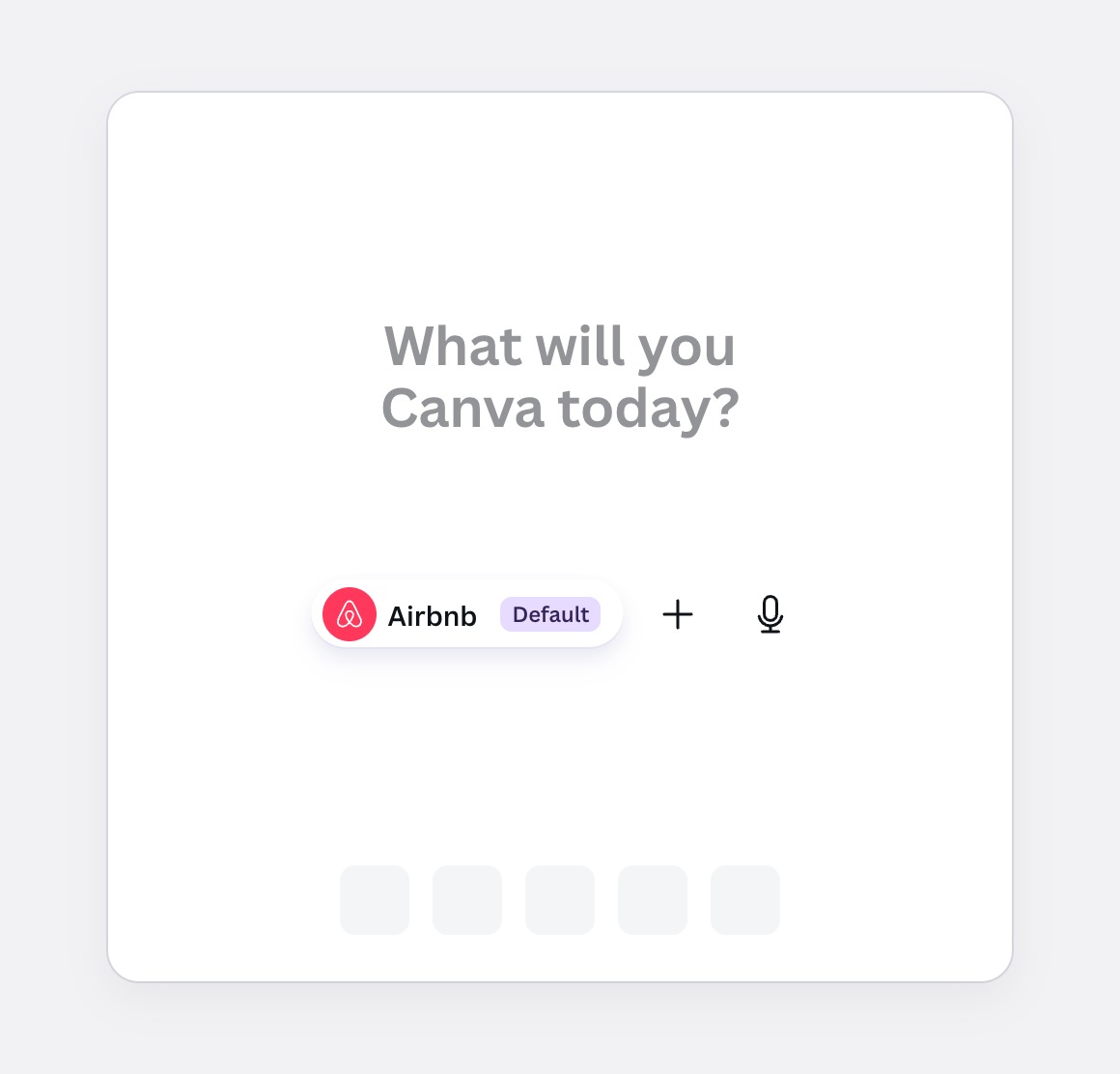
Option 2
A Default tag
Always visible, but the same news every visit, at twice the width.
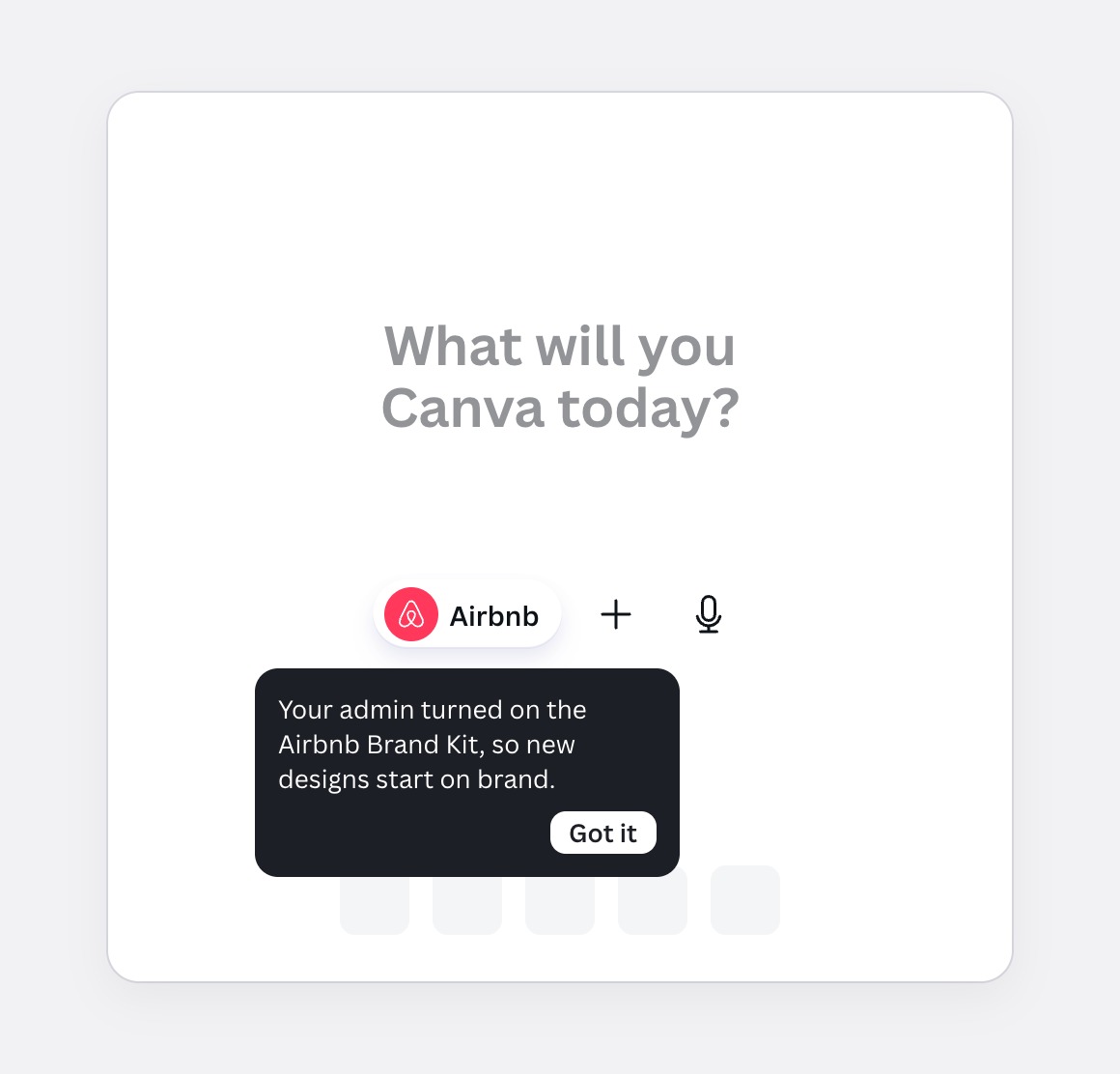
Option 3
A one-time coach mark
Explains it once. Anyone who dismissed it is back to guessing.
Decision 5: changing or removing it
Attachments show a small × on hover. For something applied by default, removing it shouldn't be one slip away.
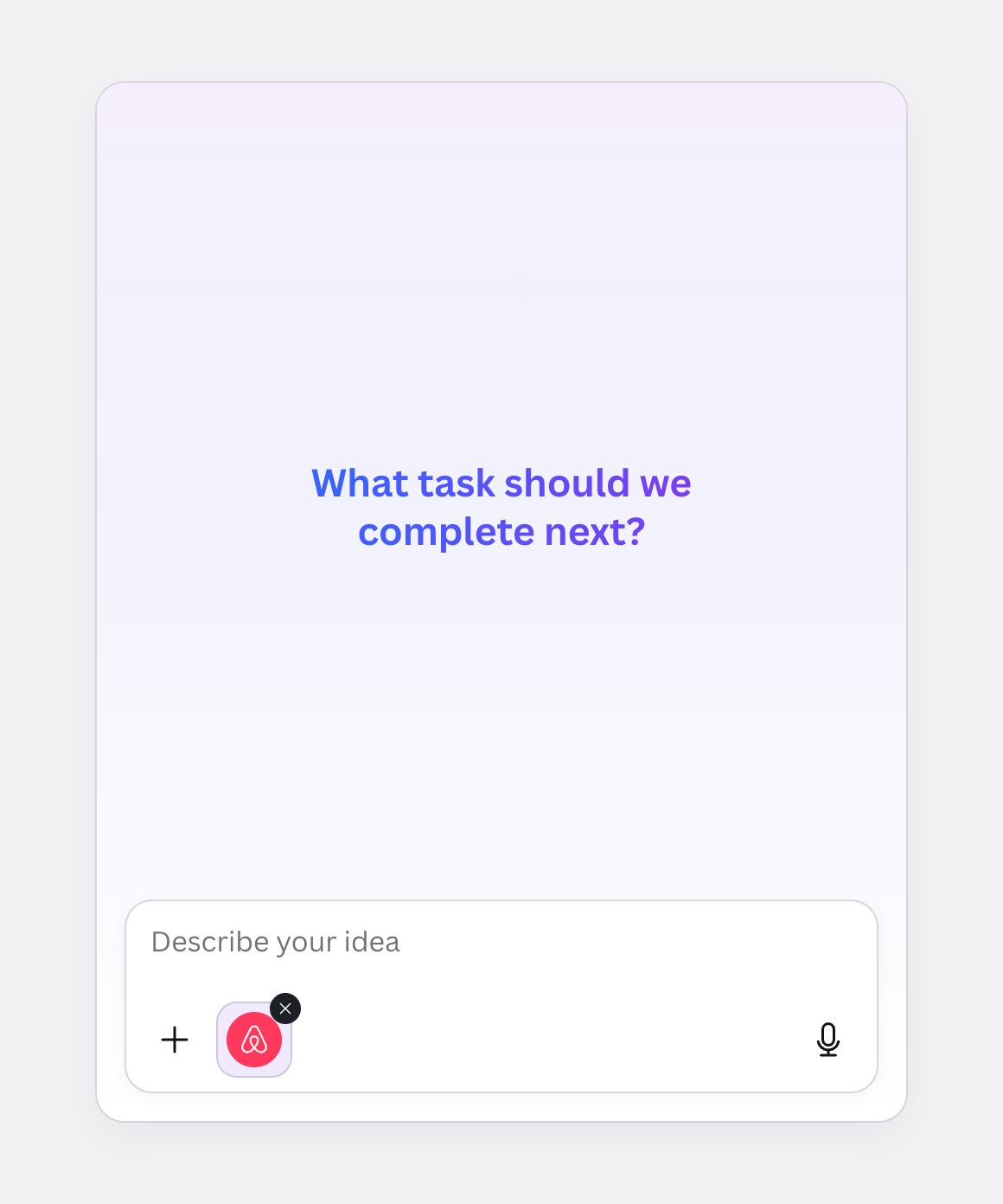
Today
A × on hover
Easy to hit by accident, and it can only remove, not change.
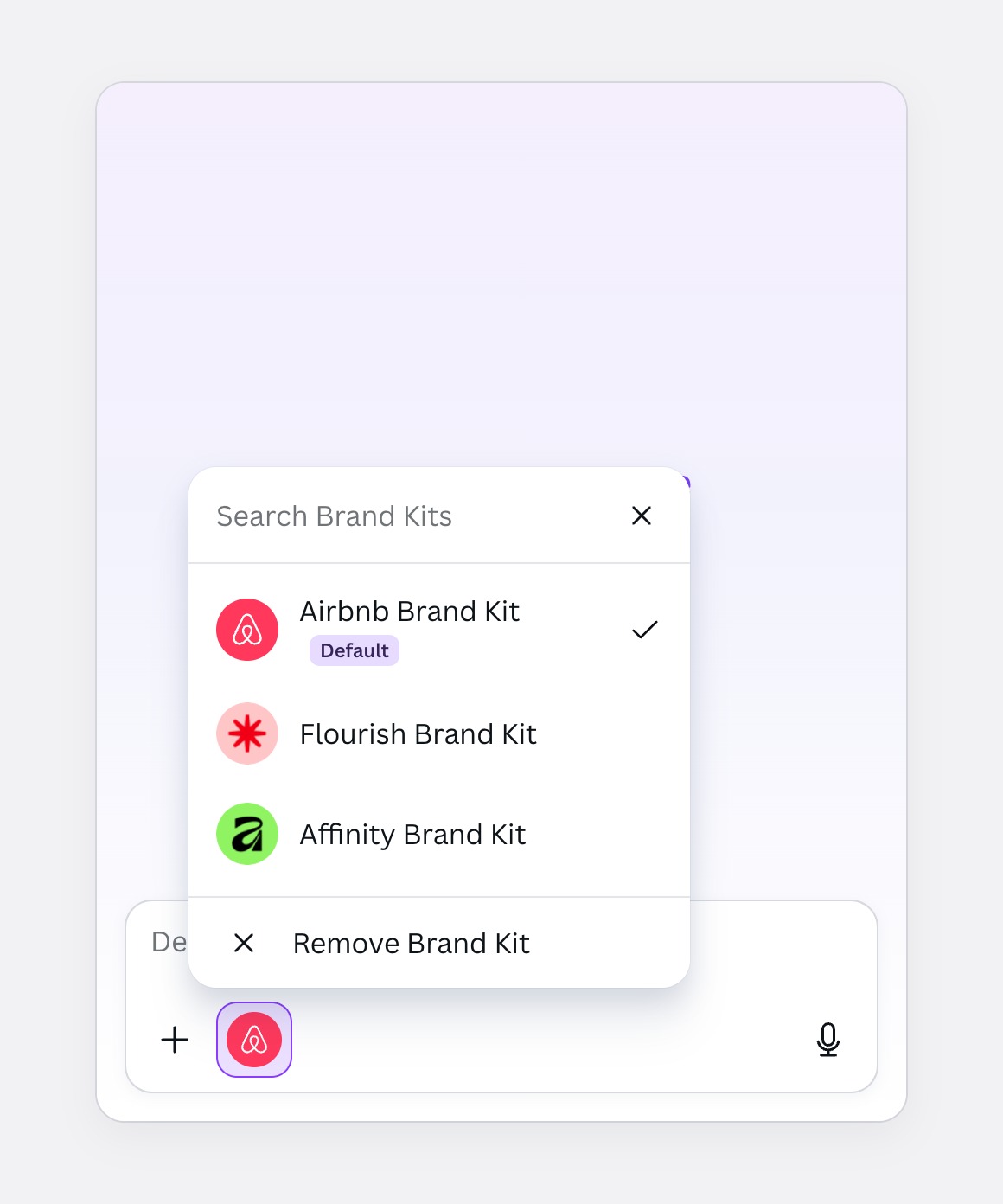
Option 1Chosen
Click for the kit list
Change and remove become two clear actions, with remove set apart.
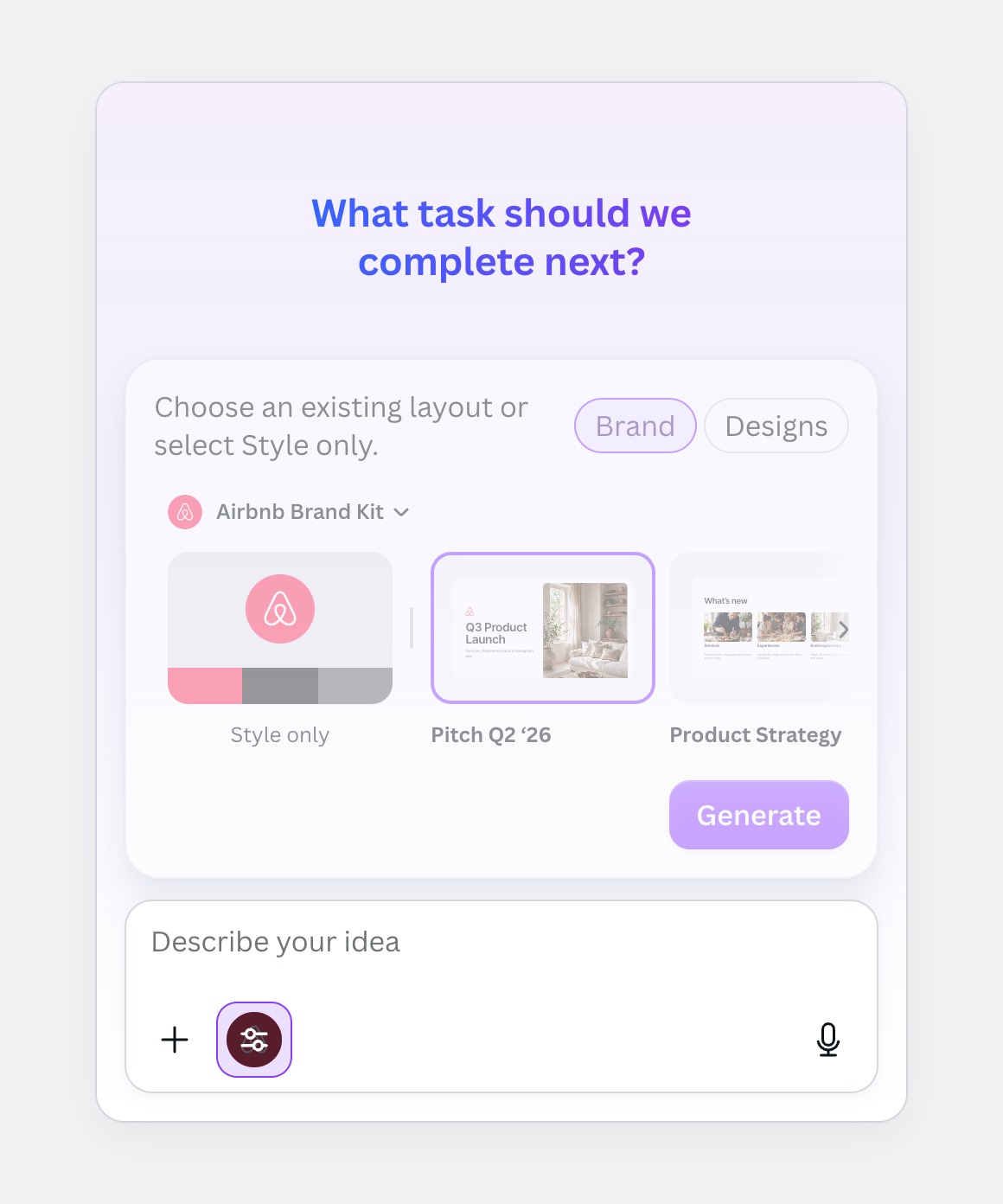
Option 2
The template picker
Everything in one place, but a quick switch hides behind a browser.
Decision 6: what you start from
Asking for a deck opens the on-brand widget. With the kit already on, what should it offer first?
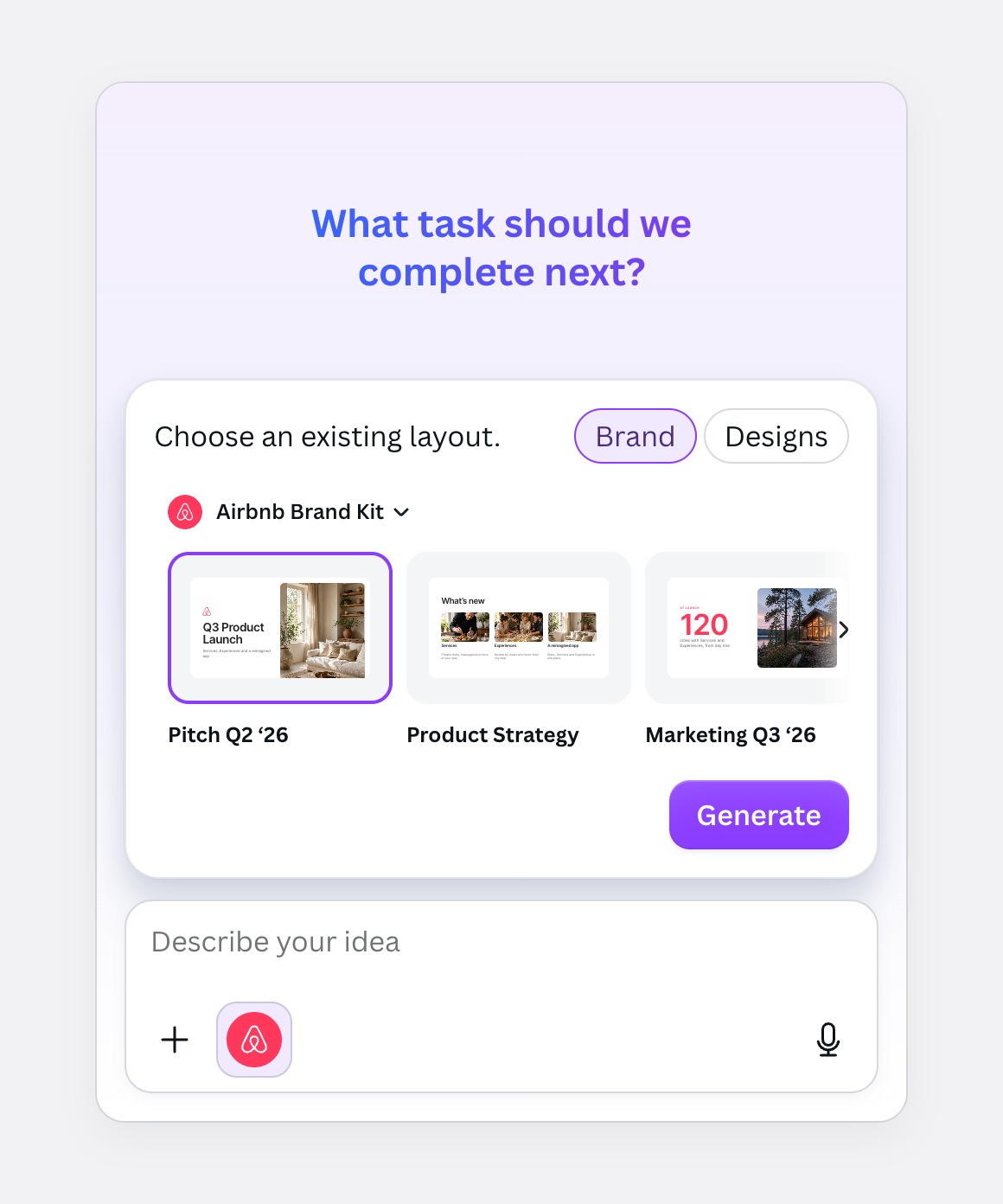
Option 1
Brand Templates only
If no layout fits, there's no way to keep the brand and let Canva AI lay it out.
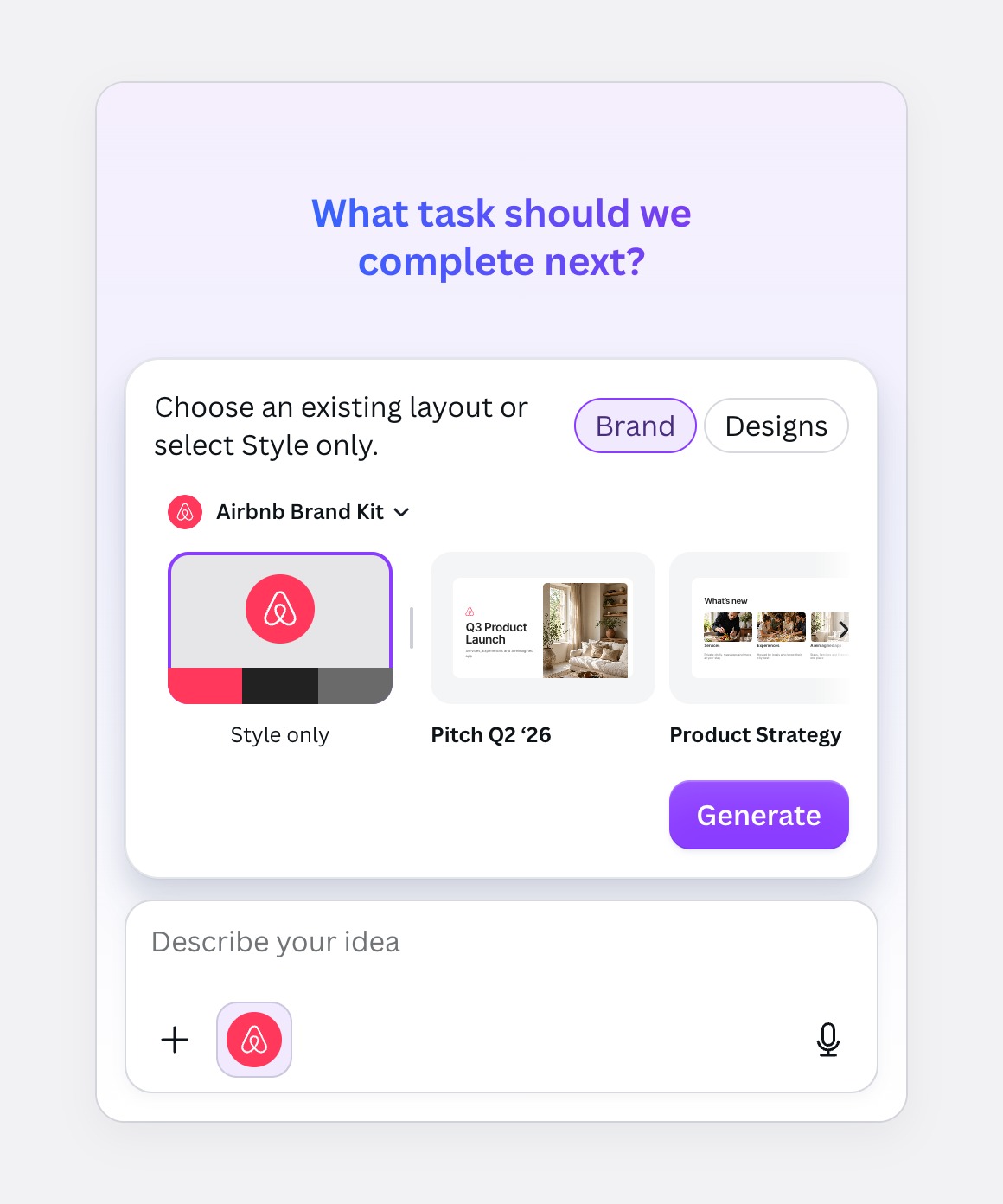
Option 2Chosen
Style only, then templates
The first tile is the kit itself: colours, fonts and logo on a fresh layout.
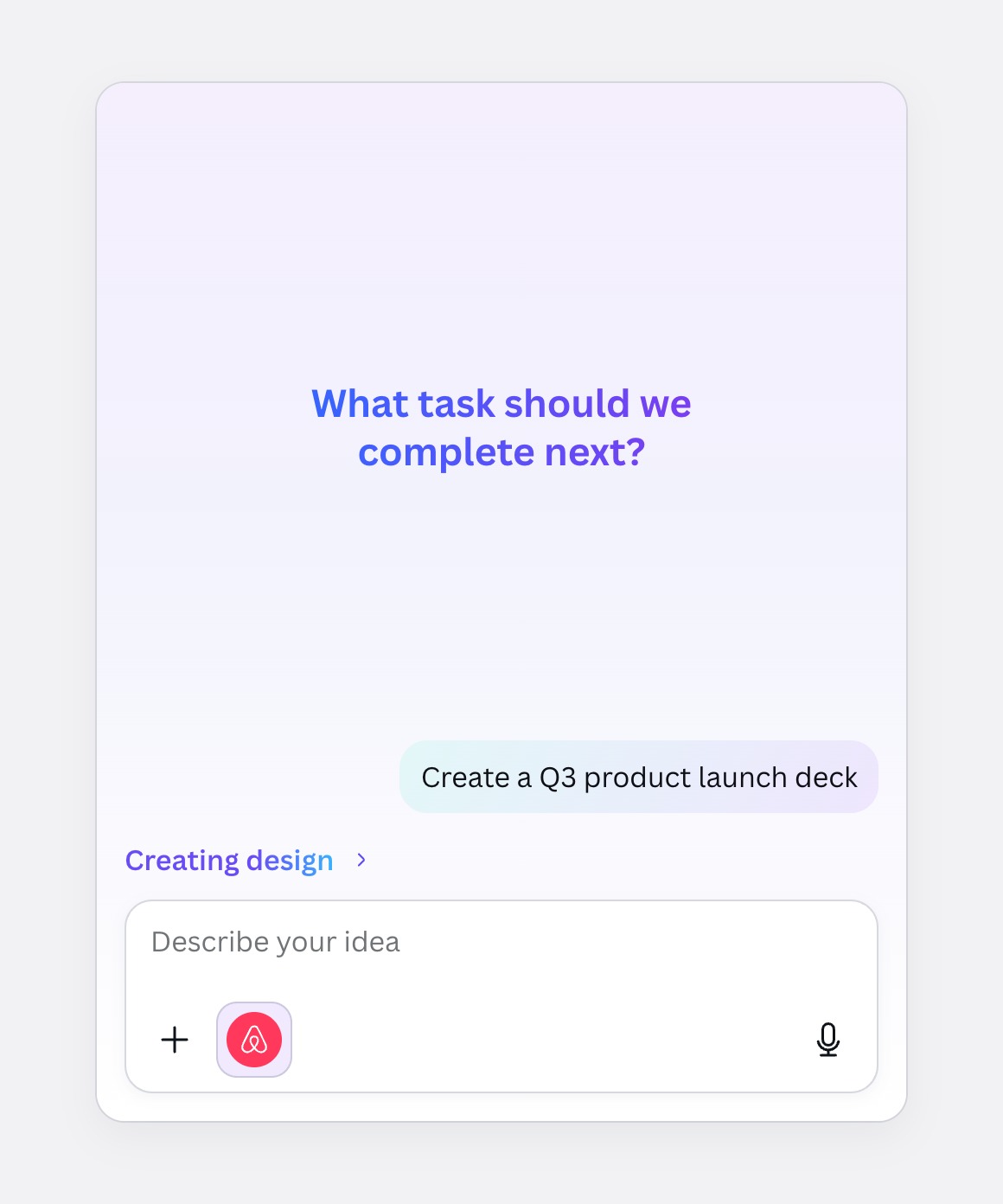
Option 3
Skip the widget
Fastest, but people never learn their team has Brand Templates.
Decision 7: adding a kit
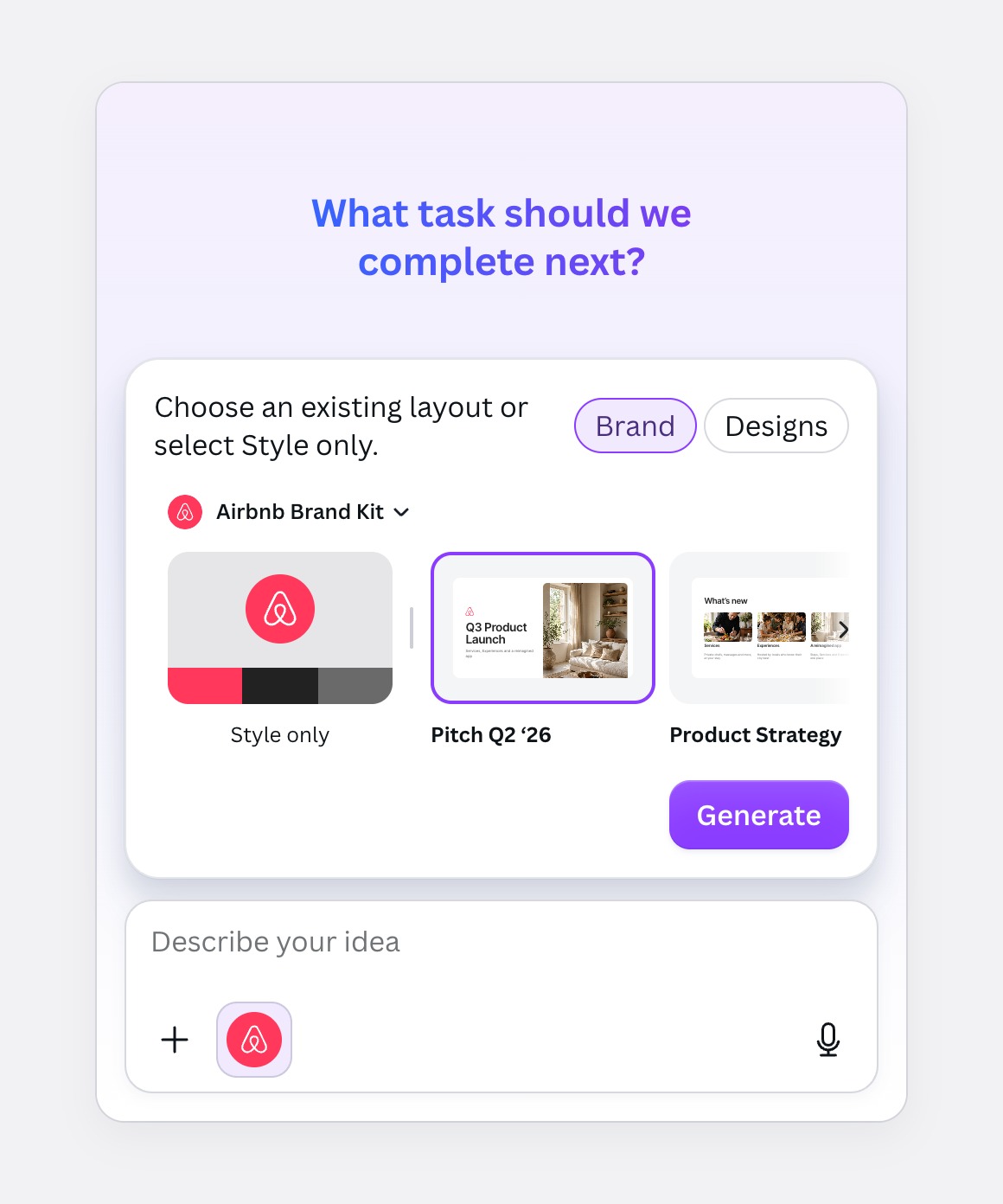
Option 1
A template picker in chat
Rich, but it takes over the conversation every time.
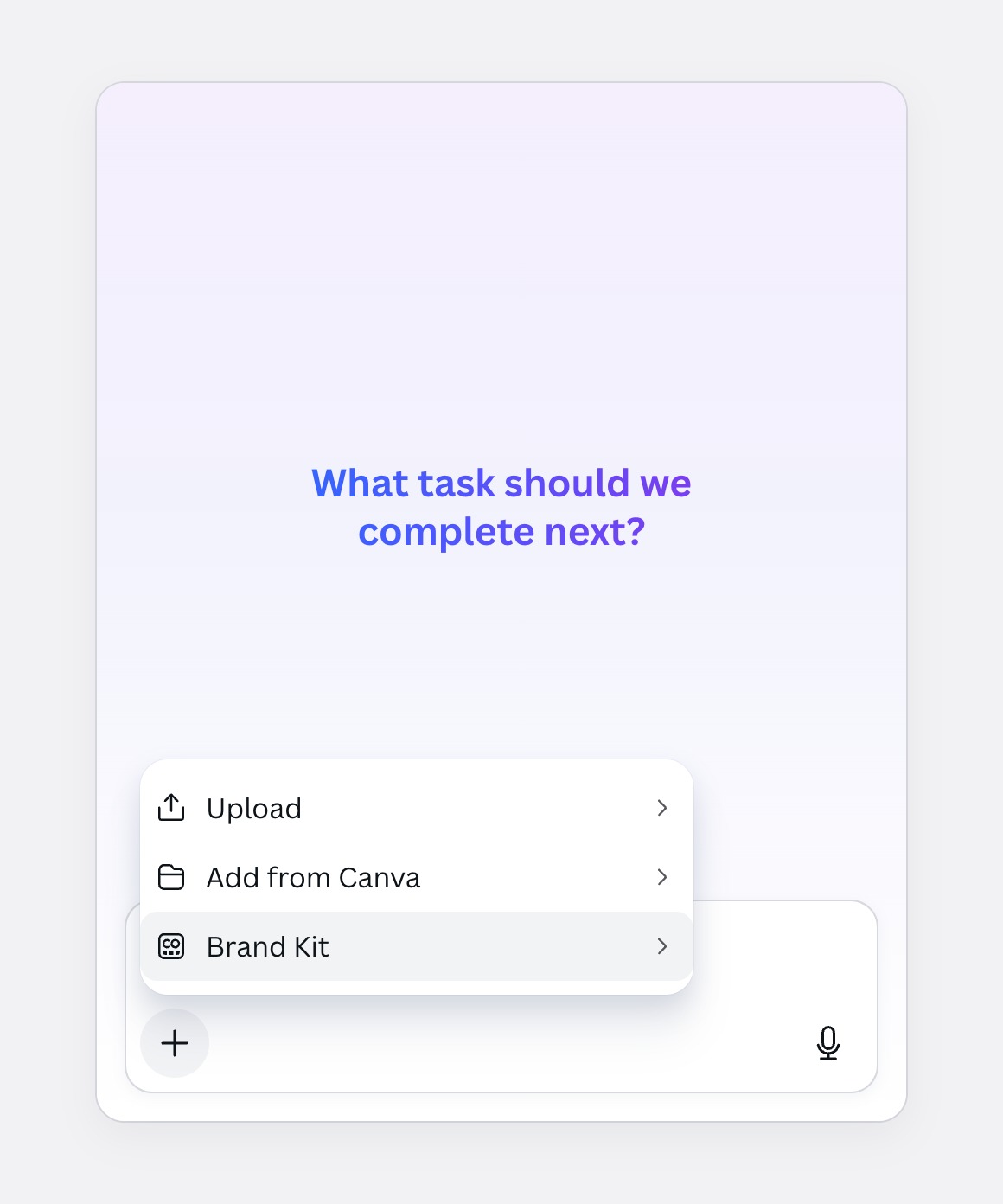
Option 2Chosen
The + menu
Brand Kit joins Upload and Add from Canva. No new pattern to learn.
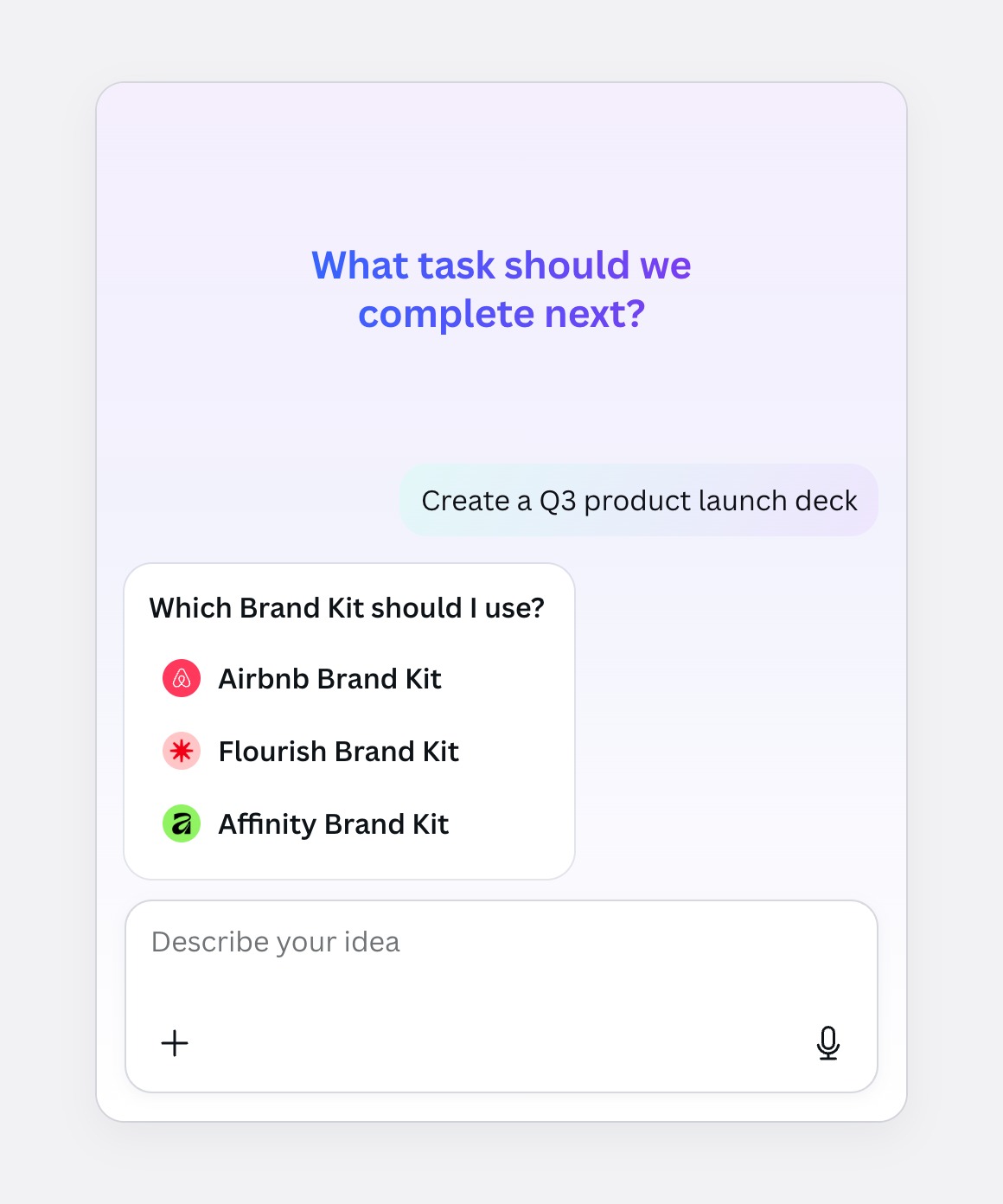
Option 3
Ask which kit first
Clear when no kit is on, but it adds a step to every off-brand request.
User testing
Five rounds on the live prototype
Static frames couldn't show the loading, the streaming or a deck restyling mid-conversation. So I built a clickable prototype in code against Canva's design system, and ran five rounds of moderated sessions on that live build with members and admins at enterprise teams. Every image and video on this page is that prototype.
Round 1 · 6 participants
People didn't notice the kit was on
2/6noticed a Brand Kit had been applied before seeing the result
The logo chip on home was read as decoration.So home shows a named pill.
Nobody asked who set the kit.So a tooltip says default, set by your admin.
QIn their words
Oh, it tells me what it used. Then I don't have to check every slide.
That's the bit I wanted. On by default, but people still have an out.
The design
Put people on brand, then keep them there
The admin sets a default
Once, in Brand Controls.
Everyone starts on it
The kit is on before anyone types.
Designs start from the brand
Style only or a Brand Template, in that kit.
The result shows its work
A receipt of what it used, and easy ways to change it.
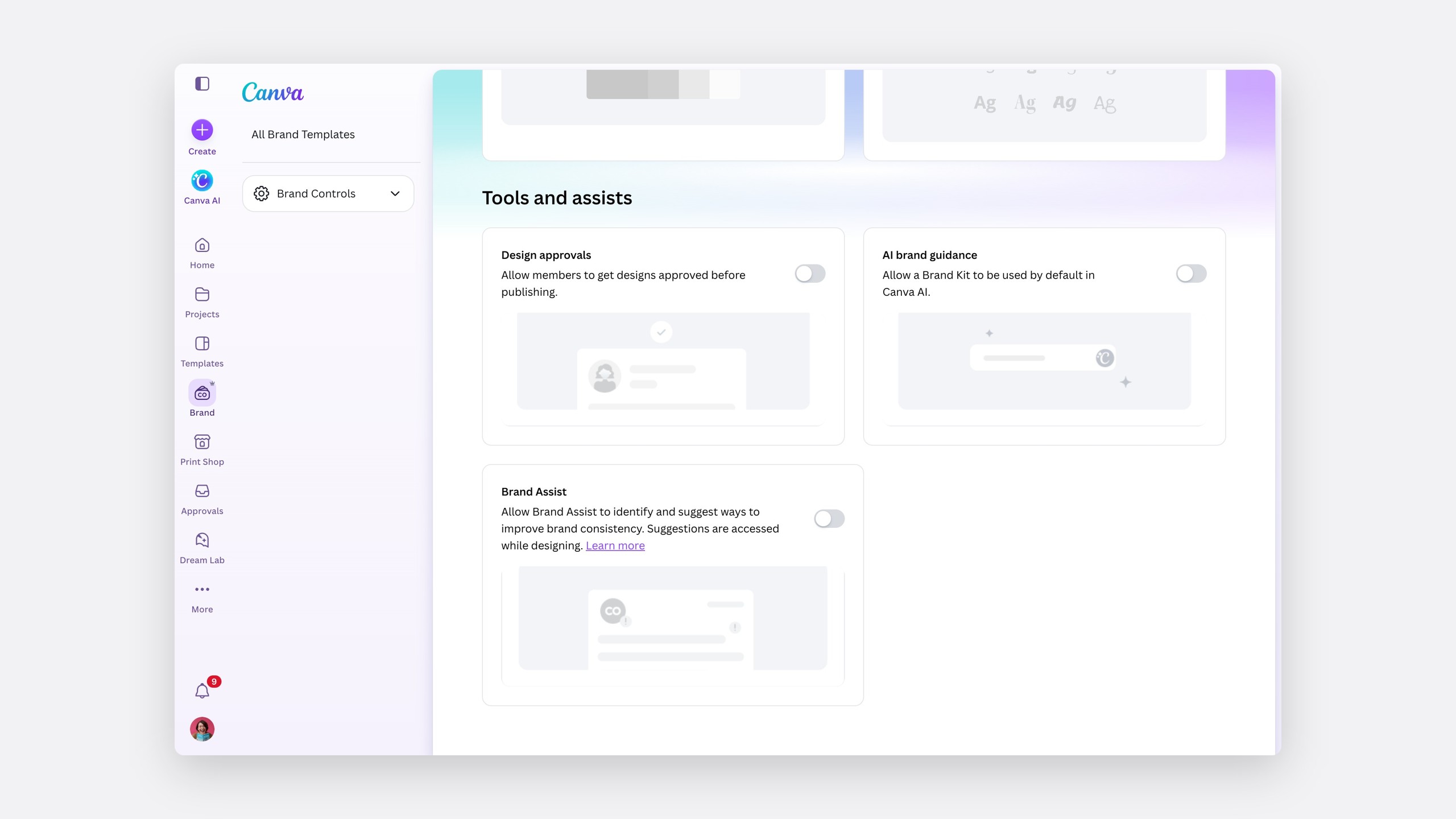
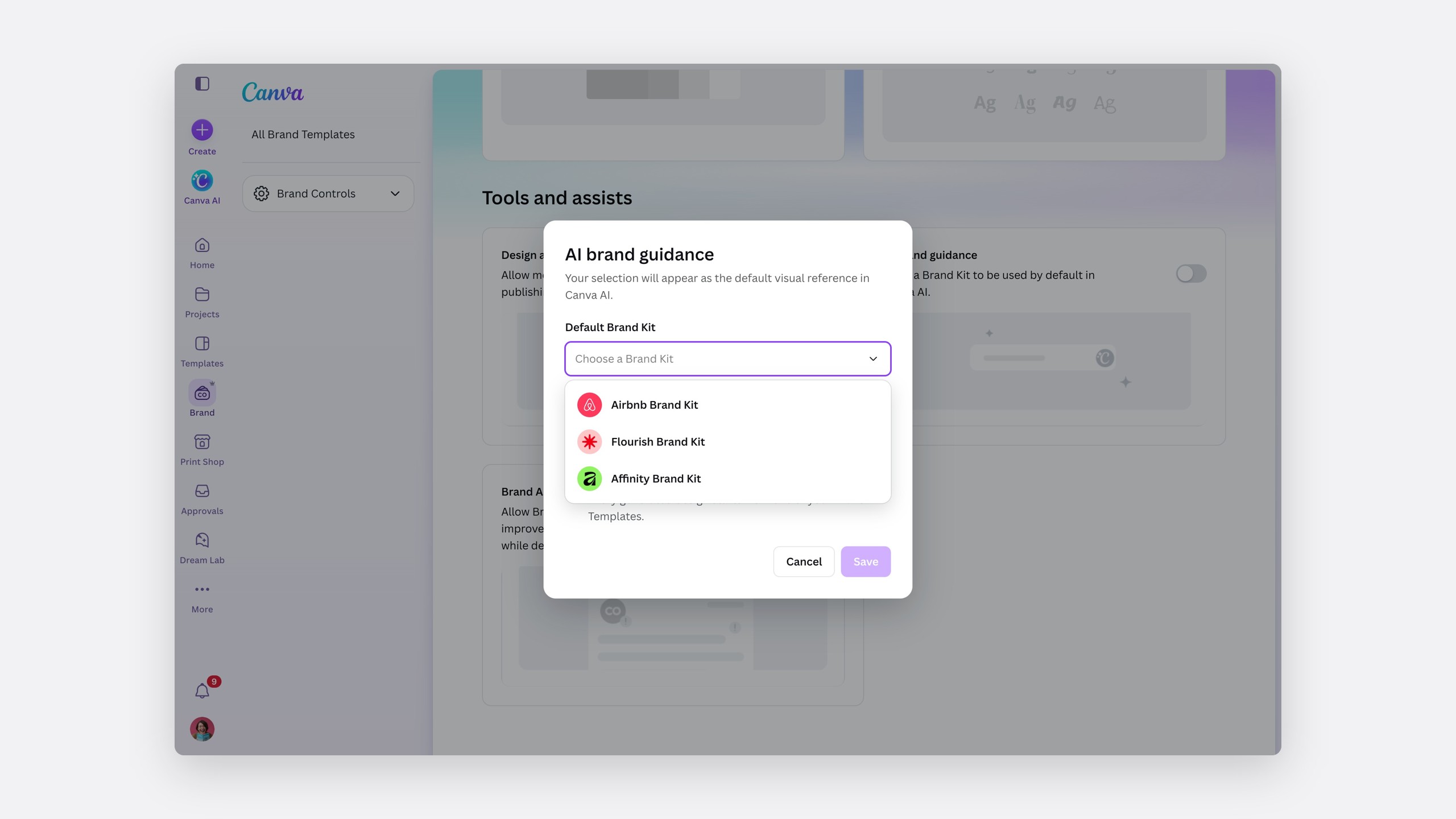
Part one: the default
Admins choose it once
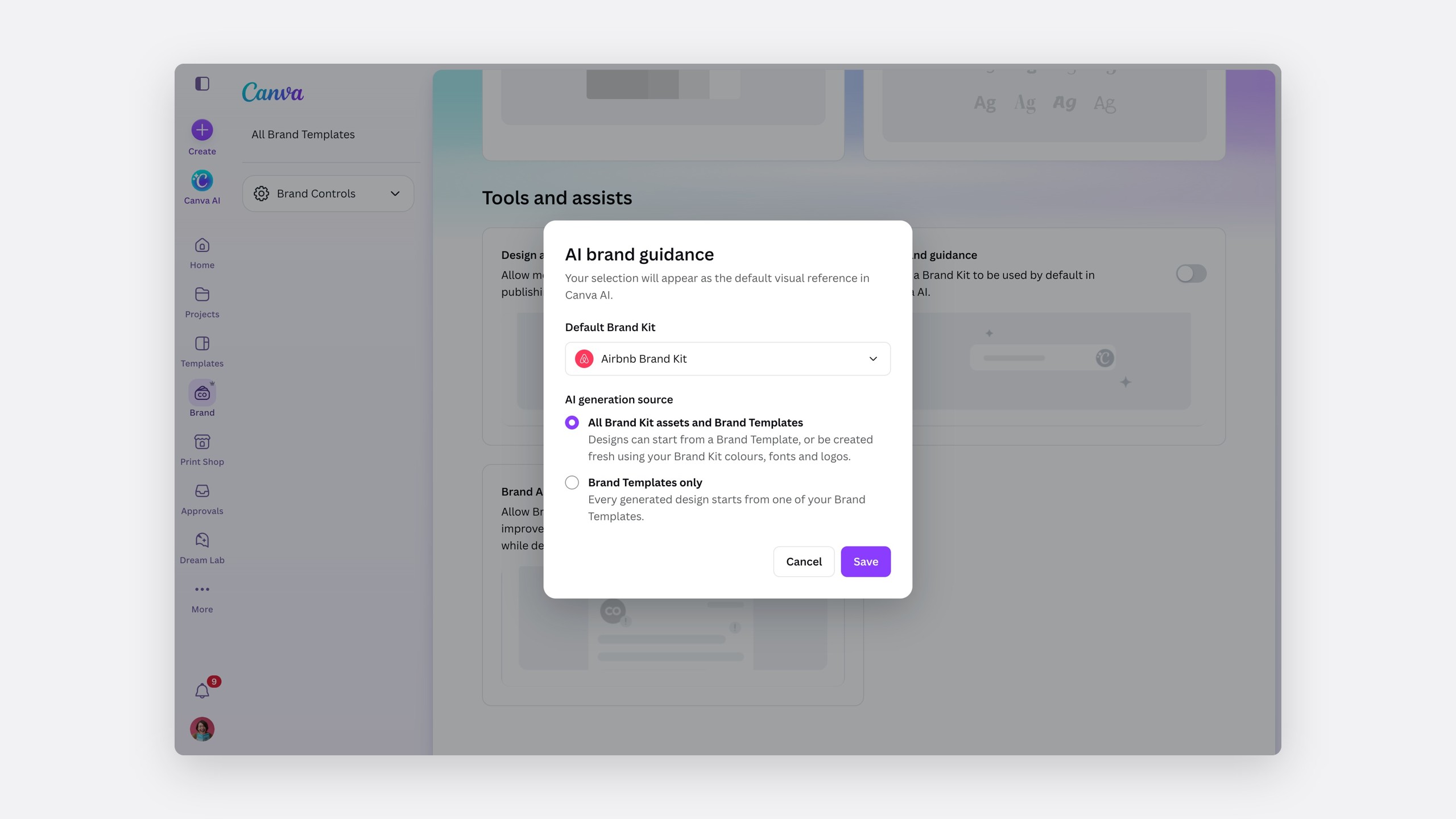
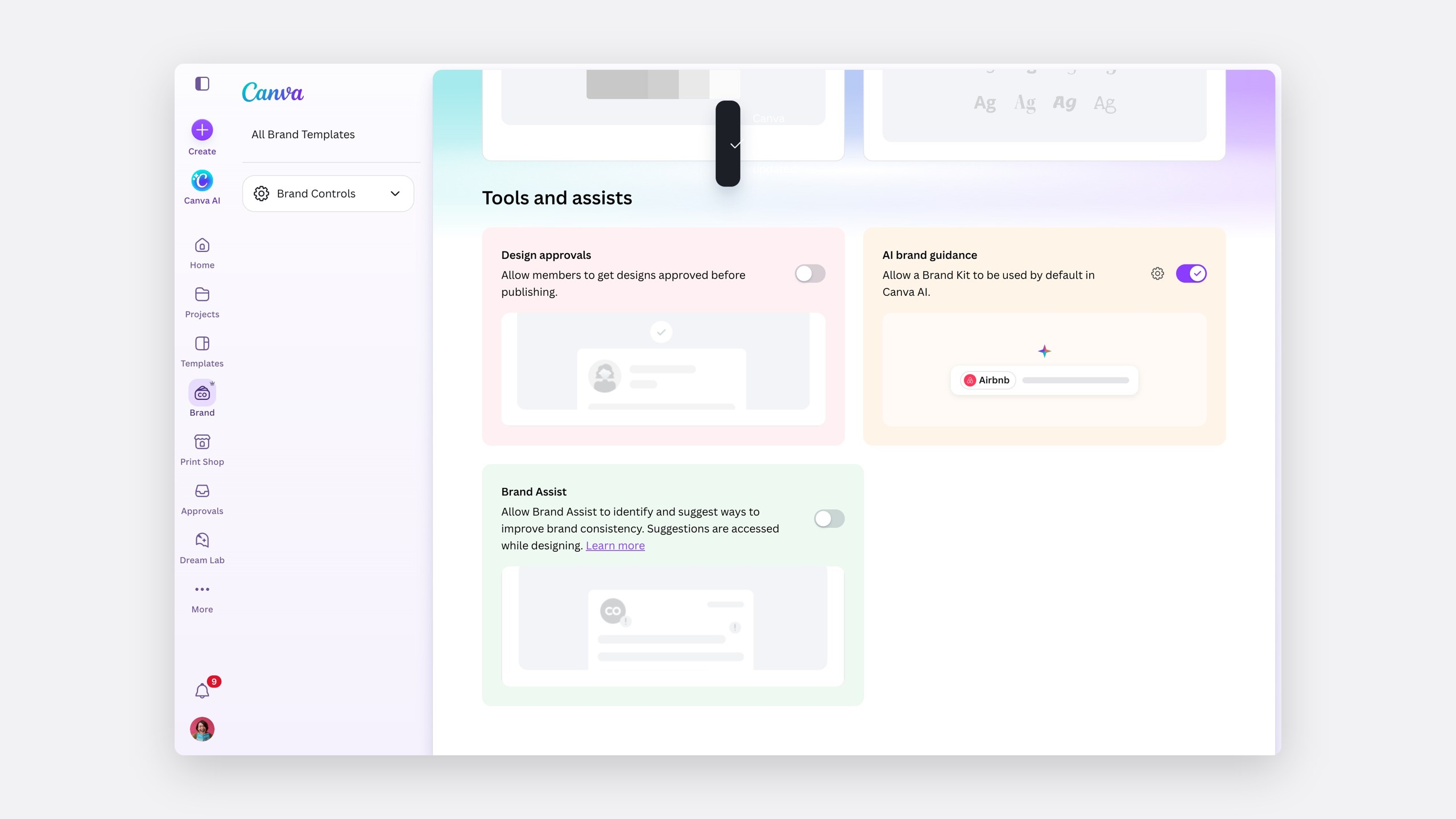
In Brand Controls, under Tools and assists, AI brand guidance sits beside Design approvals and Brand Assist. An admin picks the default kit and what Canva AI may use: every asset, or Brand Templates only.
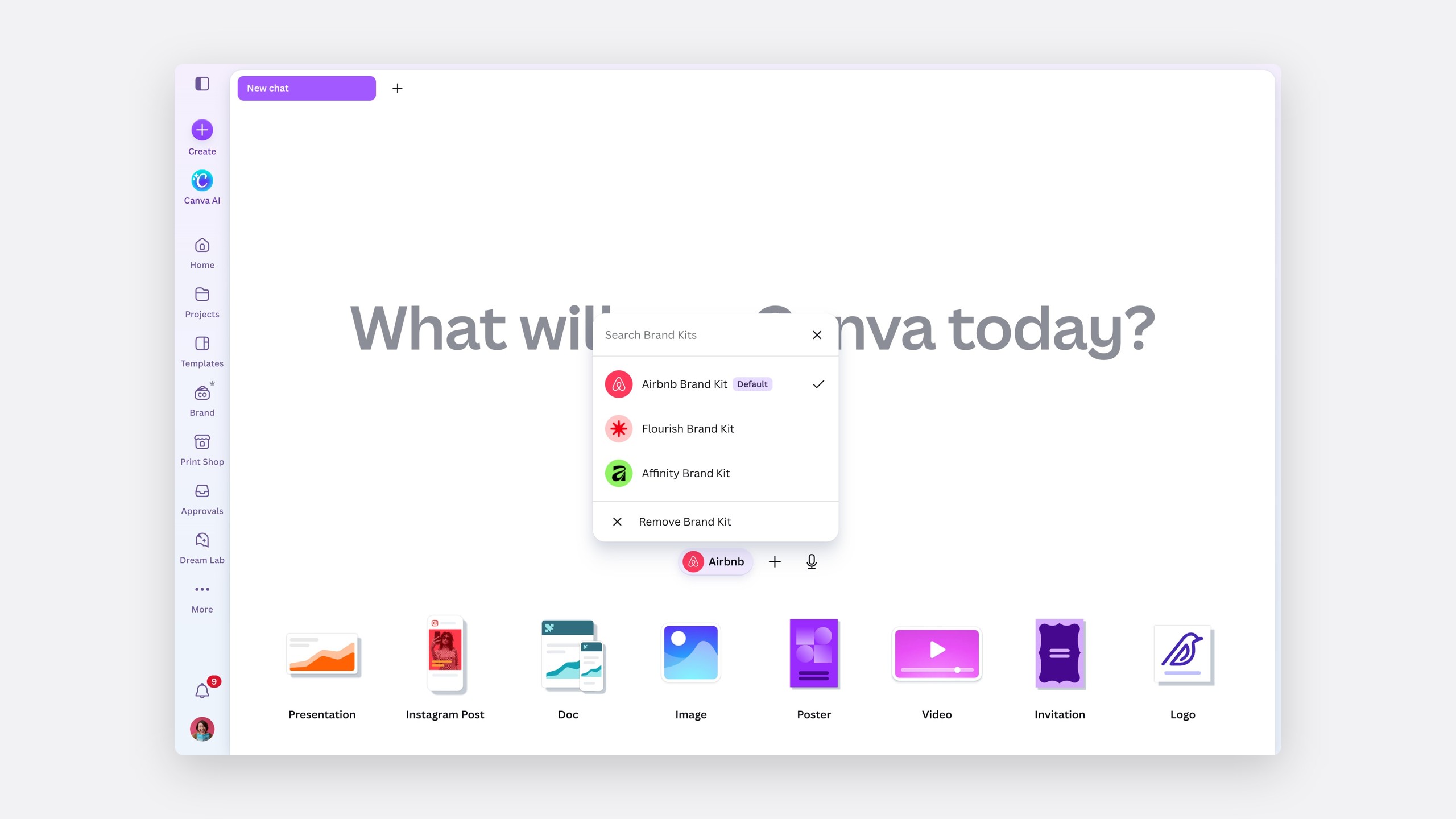
Everyone starts on it
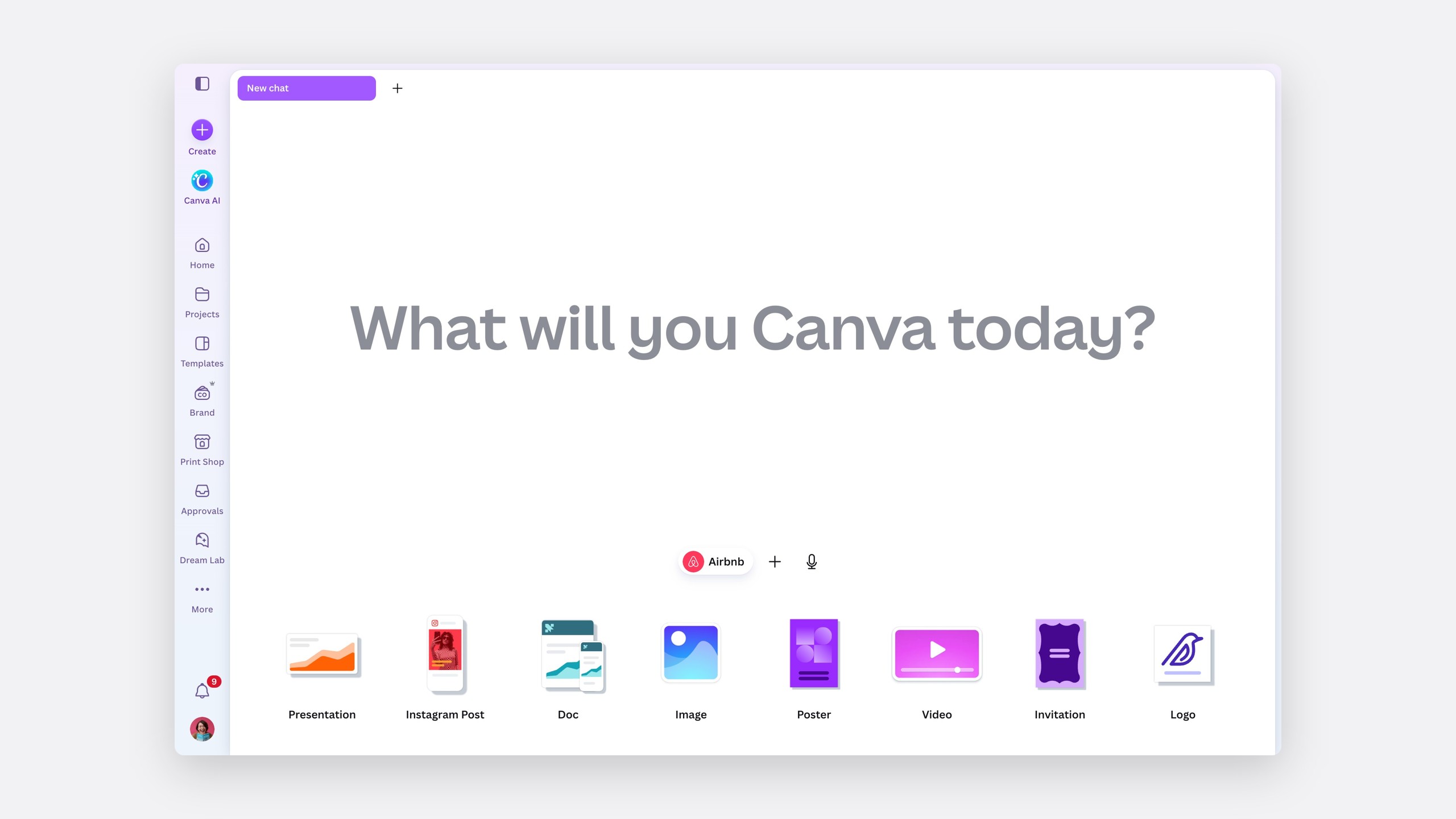
Open Canva AI and the Airbnb Brand Kit is already beside the prompt. Hover to see who set it, and click to change or remove it.
Part two: generating on brand
Start from the brand
Ask for a deck and Canva AI answers with the on-brand widget. Style only comes first: the kit's colours, fonts and logo on a layout Canva AI designs. Brand Templates follow, and the kit can change right there if this one's for another brand.
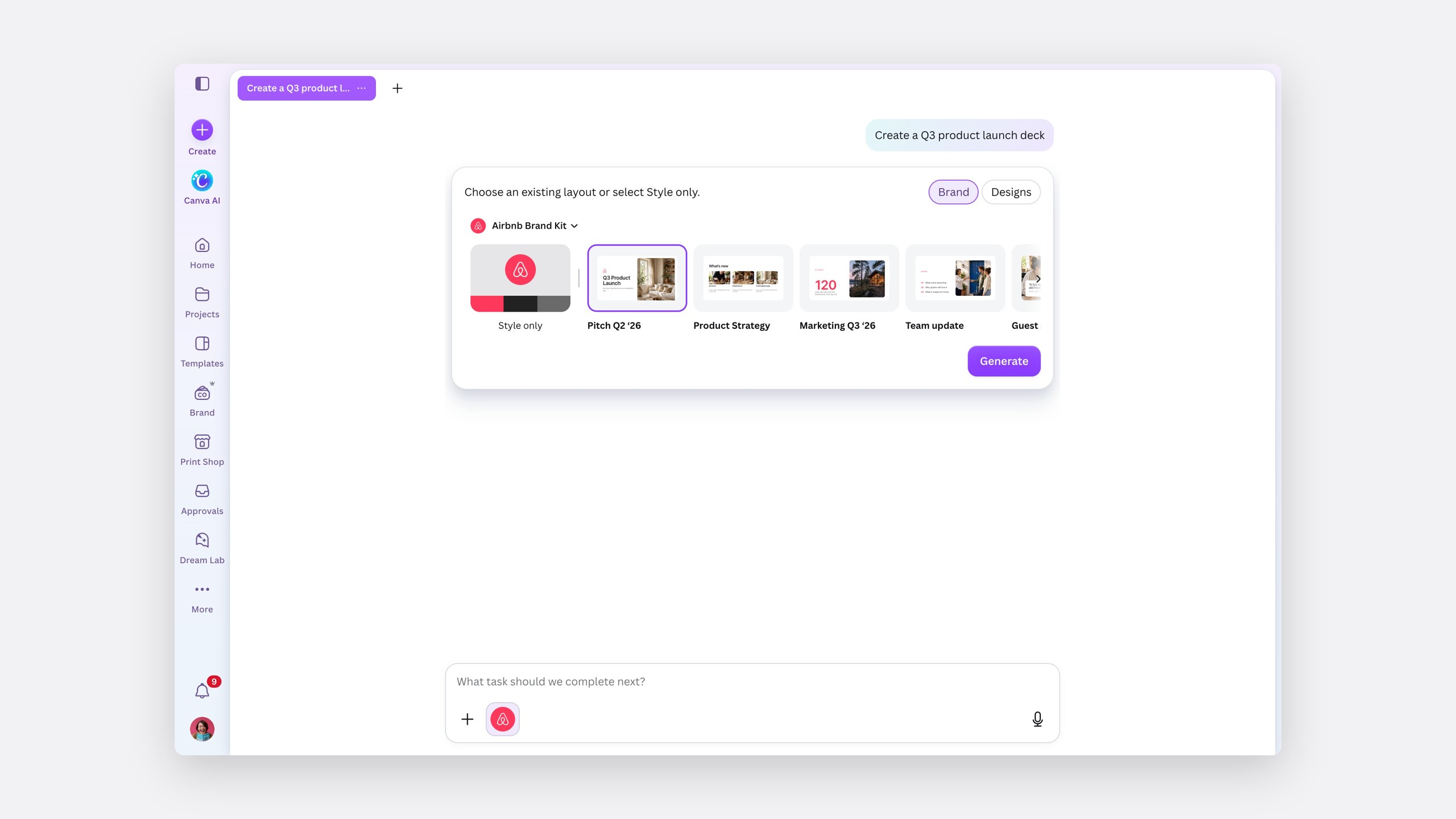
- 1
The kitChange it here, and the templates change with it.
- 2
Style onlyThe brand without a template, for when no layout fits.
- 3
Brand TemplatesThe team's own layouts, already in the kit.
- 4
Brand or DesignsStart from the brand, or from a design you've made.
- 5
GenerateNothing is designed until you choose.
Show the work while it happens
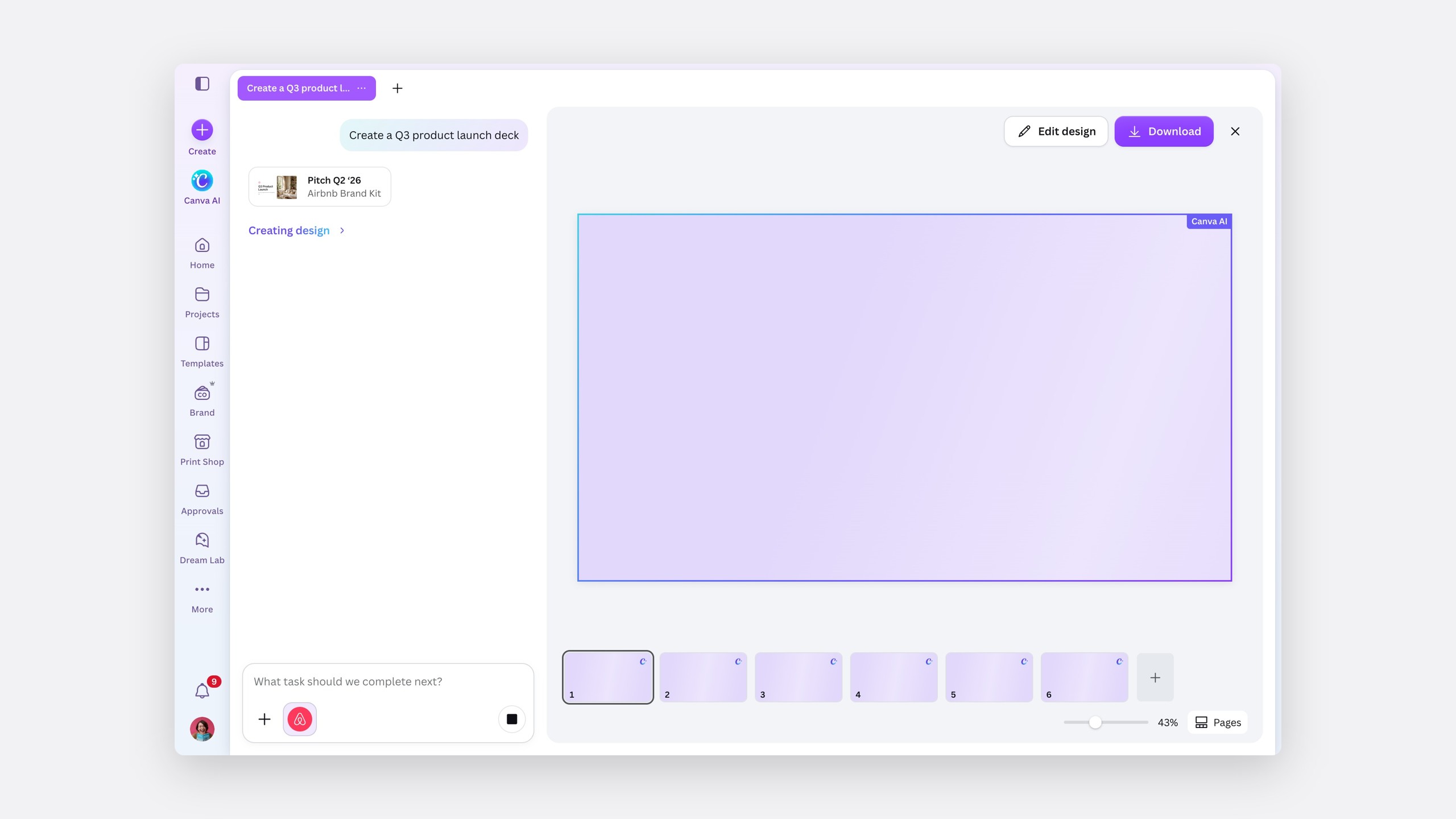
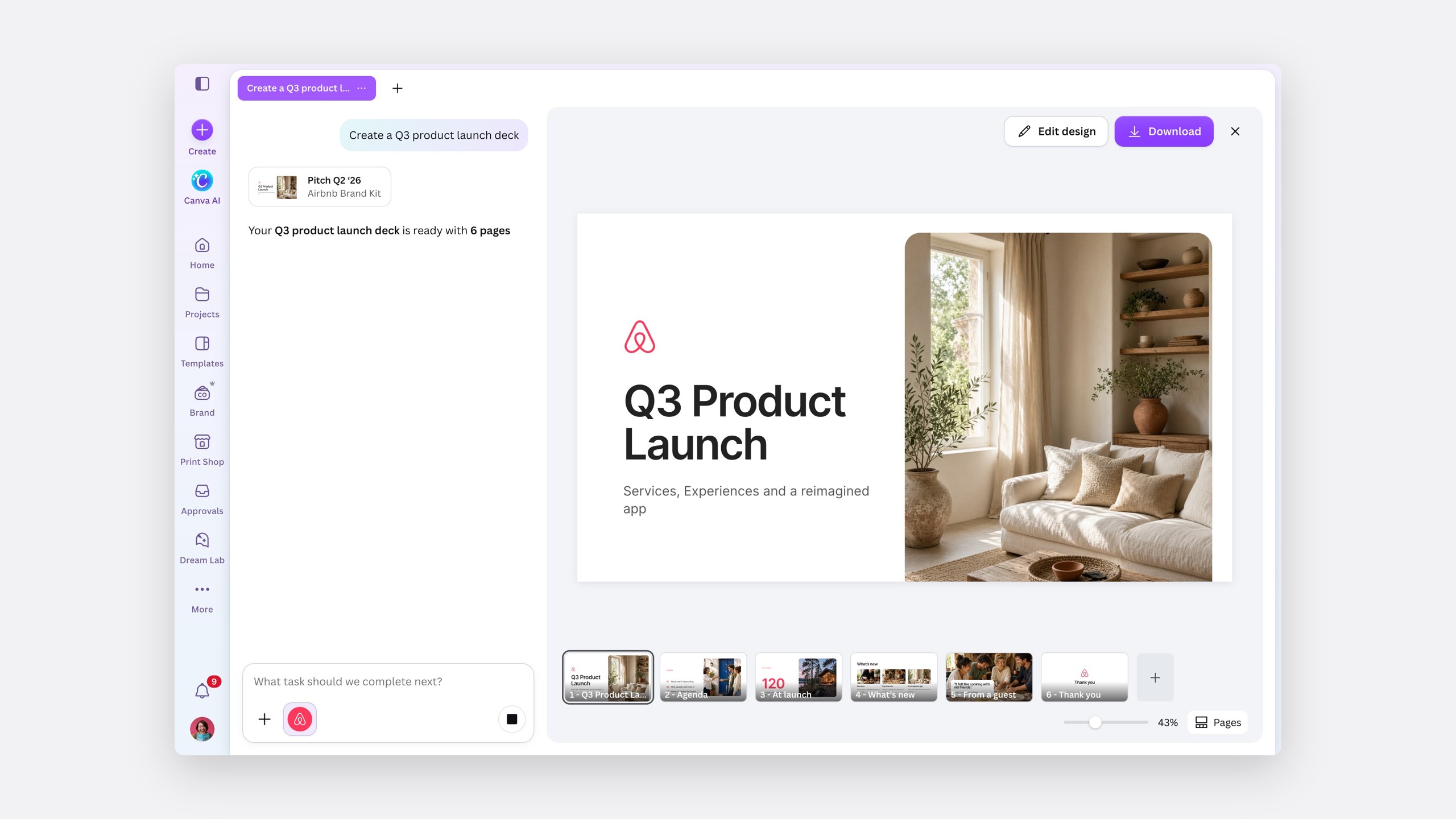
Six pages take a few seconds, so the canvas shows each page arriving while the reply streams in beside it.
Creating
Streaming
Every branded result has a receipt
Under every result, Canva AI says which kit it used and what it applied: colours, fonts and voice. Small pills offer what's likely next, starting with trying another kit.
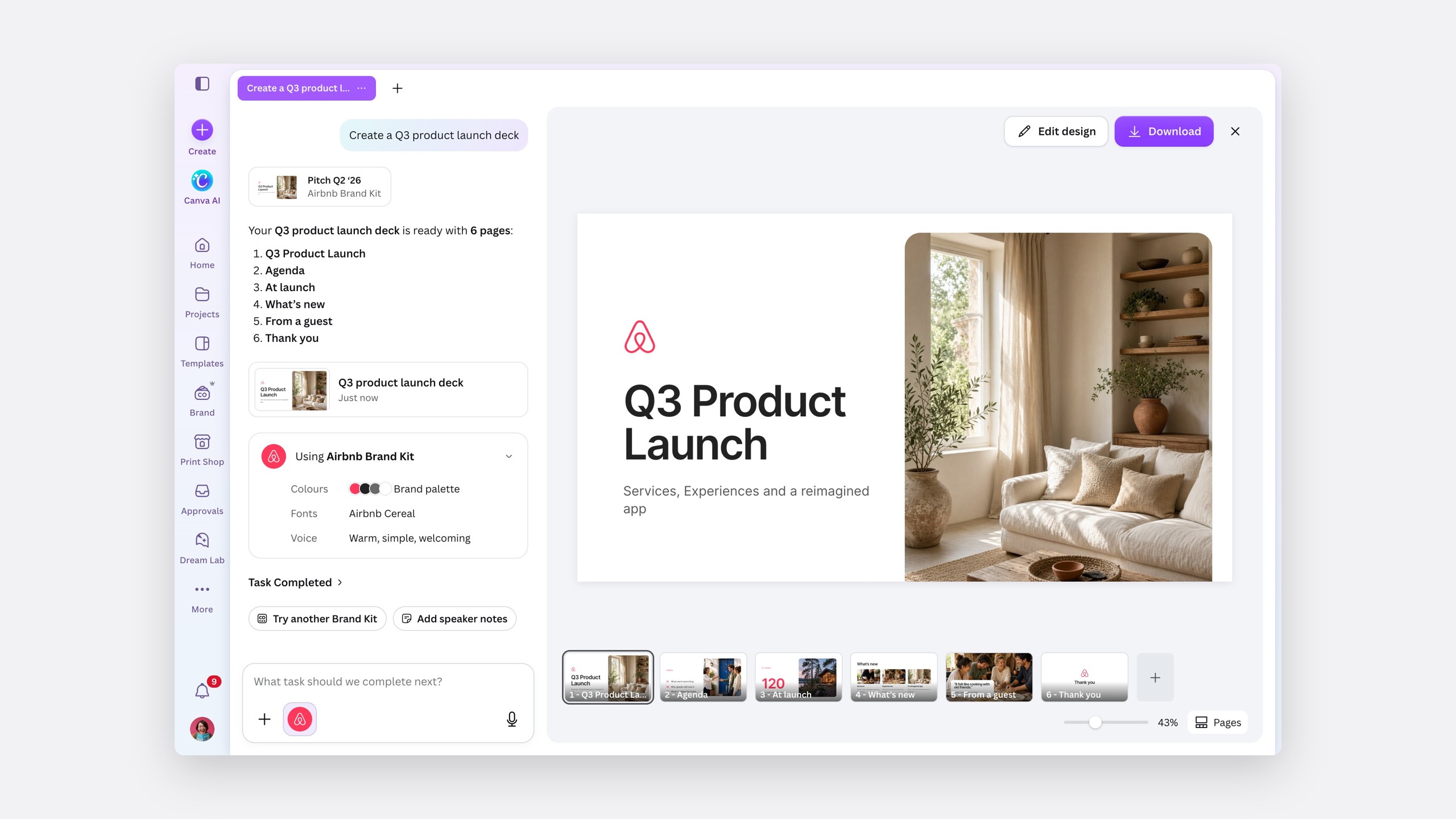
- 1
The designOpens in the editor, versioned as the brand changes.
- 2
The receiptWhich kit, and the colours, fonts and voice it used.
- 3
Next actionsTry another Brand Kit, or keep going.
- 4
The kit, still onThe same chip in the composer, for the next request.
- 5
On brand from page oneSix pages, in the kit's type, colour and voice.
Change your mind mid-conversation
Trying another kit keeps the content and restyles the deck in place. The old design stays under a shimmer until the new one lands, so it never feels like starting over.
Try another Brand Kit
When the prompt and the brand disagree
Asked for neon green, a colour the brand doesn't have, Canva AI asks before breaking the brand, and the receipt flags the exception it made.
Ask first
Edge cases
Stop, don't guess
If a kit fails to load, nothing is generated. An off-brand design that looks finished is worse than no design.
No dead ends
A team without a kit is offered one, rather than the feature quietly disappearing.
Off is always an option
Remove Brand Kit sits in every kit menu, and the chat says when the brand is off.
Beyond brand
A pattern for any context the AI carries
Brand was the first context Canva AI applied on its own, but not the last. The same moves work for anything the AI uses without being asked: a team's tone of voice, an uploaded style guide, a client's assets. I wrote them up as a pattern for the Canva AI design system, so the next team doesn't start from a picker.
Context you can see
01
Show it before
The context sits in the composer as a chip, with a tooltip that says where it came from.
02
Make it changeable
One click opens a list: switch it, or remove it. Content stays.
03
Start from it
When the AI designs, it starts from the context, not around it.
04
Account for it after
Every result ends with a receipt of the context it used and what it changed.
05
Ask at the edges
When a request conflicts with the context, the AI asks instead of choosing for you.
The pattern now guides how Canva AI shows uploaded files and team style guides in the composer.
The impact
On brand, from the first draft
- 3.8×
Brand Kit applications in Canva AI after launch
- −41%
Brand edits made by hand after generation
- 2.1×
Brand Template starts from Canva AI
- +18%
Teams with an active Brand Kit creating in Canva AI each week
- 94%
Of pilot teams left AI brand guidance on after 30 days
- $4.2M
Enterprise ARR influenced in deals that cited on-brand AI
Design leadership signed off the direction in one review, and the default-kit logic shipped on the usage data rather than an assumption.
How I worked
Designing in the material
AI interactions live in their timing: the loading, the streaming, the moment a design restyles. Static frames couldn't show that, so I built the prototype in code against Canva's design system, recreated the real Canva AI motion, and ran five rounds of review on the live build. Every image and video on this page is that prototype, recorded by script.
Reflection
Trust is a design material
The default was the easy part. What made it work was the receipt: once people could see which brand the AI used and what it changed, they stopped checking every slide.
Next, I'd let admins see which kits Canva AI uses most, so the default keeps earning its place, and bring the receipt to designs edited after generation.
The same rules matter more when the AI is moving money instead of colours. An assistant that acts with a company's context, whether that's a brand or a spending policy, has to show the context before it acts, account for what it did after, and ask when a request breaks the rules, rather than deciding for the person.