Canva — Protecting Students
K-12, Safety, Permissions
Children use Canva at school every day. Across two pieces of work, four years apart, I designed the controls that let a district decide who its students can share with, who can talk to them and what they can use, without making Canva harder for their teachers.
- Role
- Product Designer, then Principal Product Designer
- Team
- Admin Experience, Canva for Education
- Timeline
- 2022–2026
- Platform
- Web
~850k
Victorian students awaiting one setting
~1.5M
students in unblocked districts
The problem
Schools could not let students in without rules
Students could share designs outside their team, and comment on each other's work like a group chat. For school systems that was a safeguarding issue, and it decided whether they would use Canva at all.
Sharing outside the school
The Victoria Department of Education would not launch until sharing outside the school could be prevented, and behind the listed districts were far more.
- 850,000
Students in Victoria, waiting on one rule
- 1.5M
Students across the listed districts
- ~200,000
Monthly active users, once they were unblocked
Meanwhile, eleven districts covering about 1.3 million students had asked for Magic Write to be turned off by hand.
Feedback that doubles as chat
Four years later the question moved inside the school, where feedback and late-night chat use the same features.
Keep
Feedback
A teacher comments on a student's poster.
Stop
Unmoderated chat
Two students message each other late at night.
Fails 01
Stop chat by stopping feedback
And the control fails the teacher.
Fails 02
Keep feedback by allowing chat
And the control fails the district.
My role
Two pieces of work, four years apart
I designed restricted sharing for districts in 2022 and 2023, and co-owned the Magic permissions with two co-workers. In 2026 I lead the design of Student Safety for Canva for Education: admin controls, student-facing states and teacher-facing feedback.
The process
Map every place the rule touches
Each control is simple to say but touches everything, so we staged the work.
- 2022–2023
Restricted sharing
Students can share inside the school, not outside it.
- First half of 2026
Comment & Receive
Who can comment on a student's design, and whose designs they can receive.
- Second half of 2026
Student-to-student sharing
Who a student can share with inside the school.
We mapped every surface the rule reaches before drawing the setting: links, invites, join codes, Google Classroom, published sites, the share menu, and what a student sees at the wall.
The rule follows the team
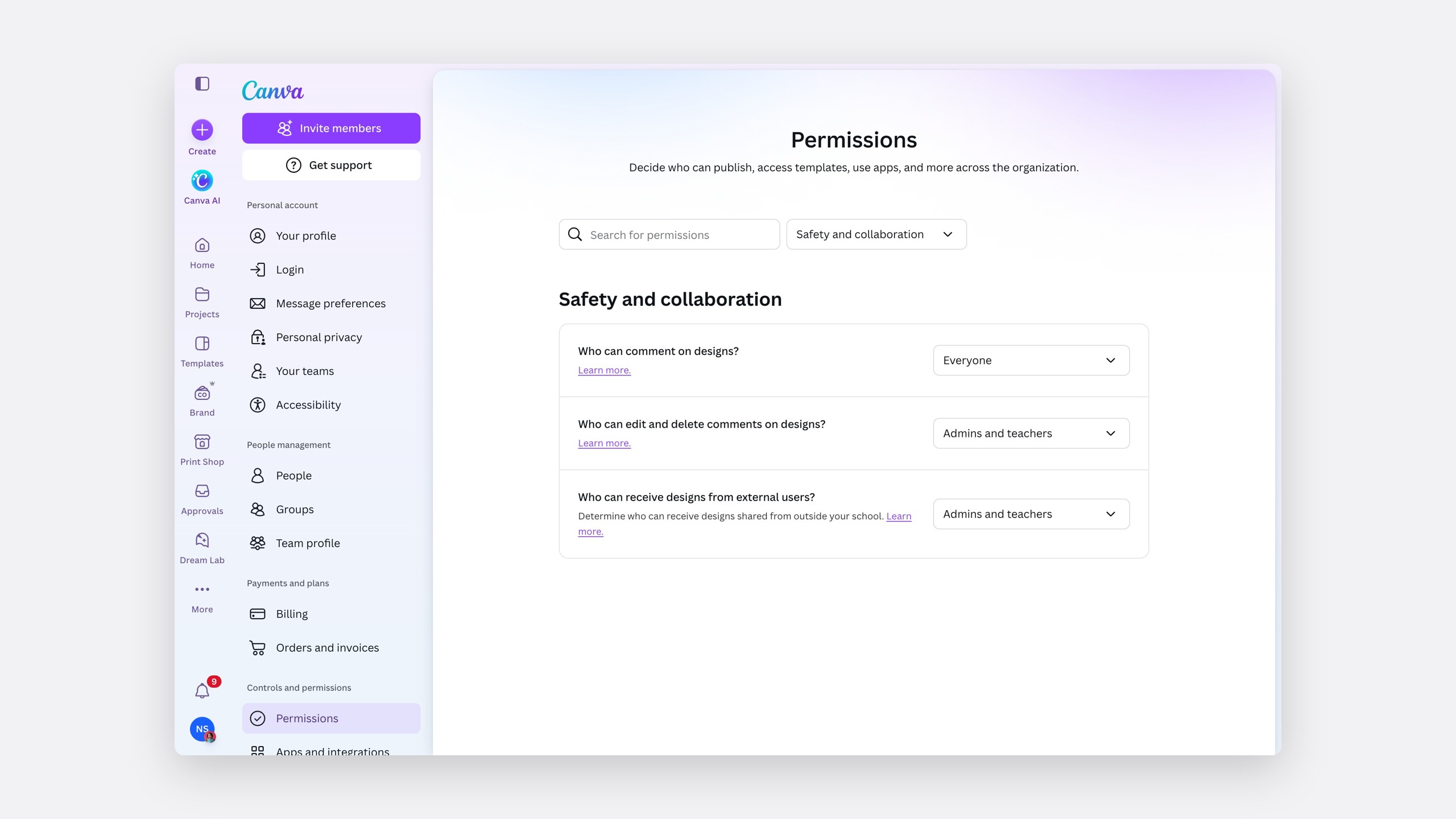
Safety follows the school's team, not an email domain, so every control lives in Permissions, under Safety and collaboration.
The solution
Simple rules, enforced everywhere
Restricted sharing
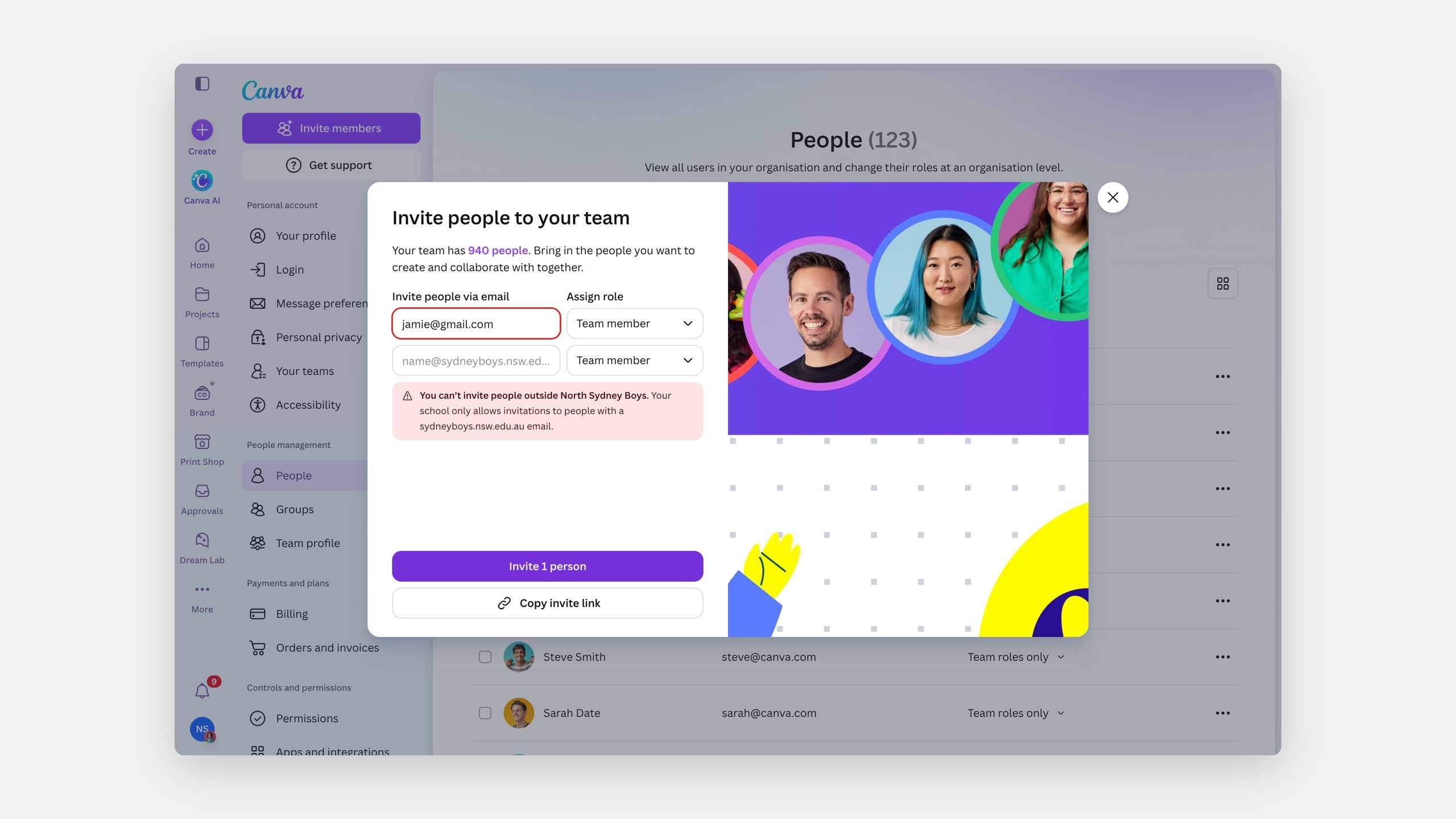
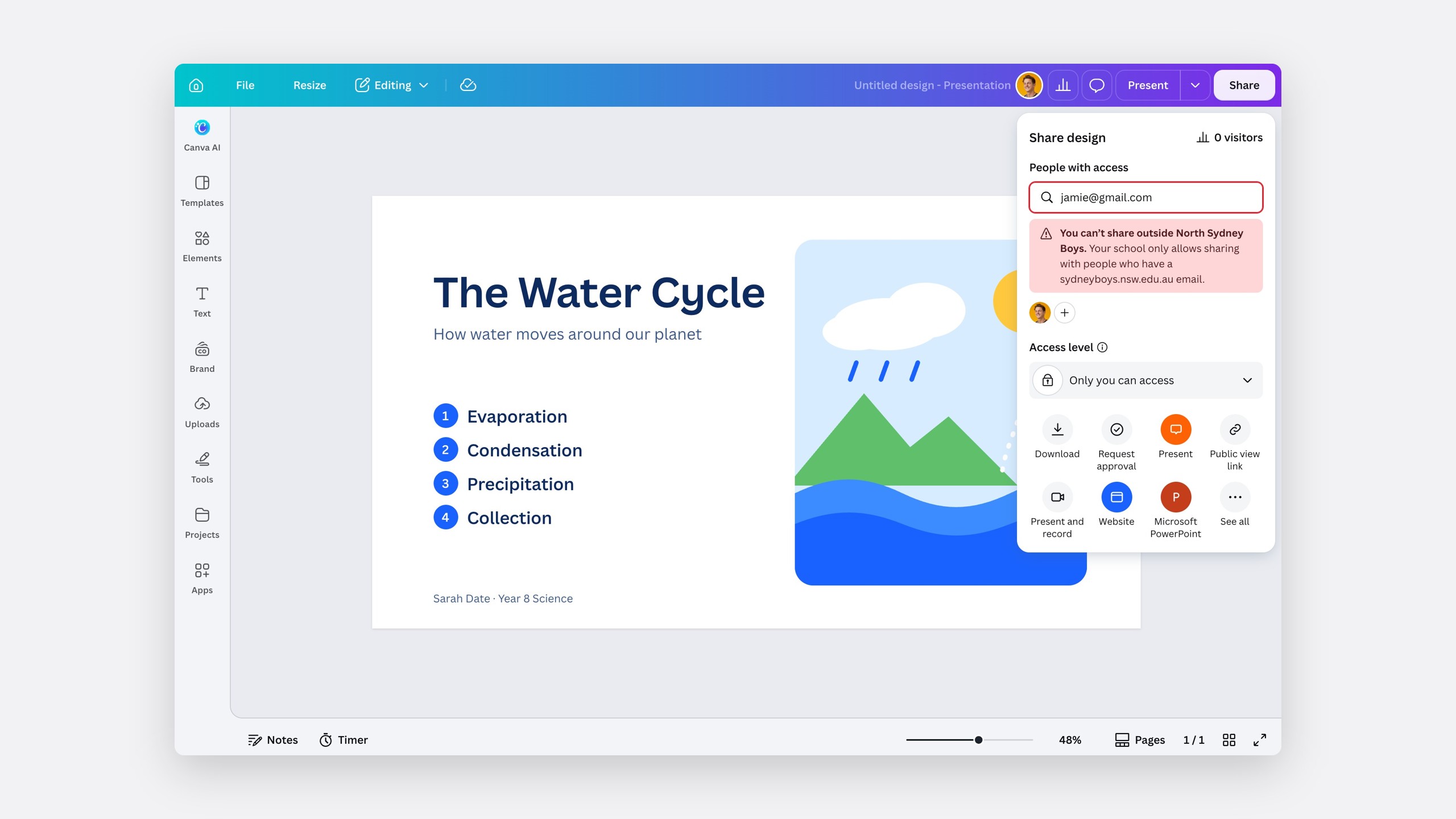
One administrator setting, enforced everywhere a teacher invites people or a student might share.
Every invite method follows the rule
Each method states the boundary where the teacher is working.
Outside addresses are flagged before sending.
Link
Held to the same boundary.
Code
Held to the same boundary.
Google Classroom
Held to the same boundary.
Clear states at the boundary
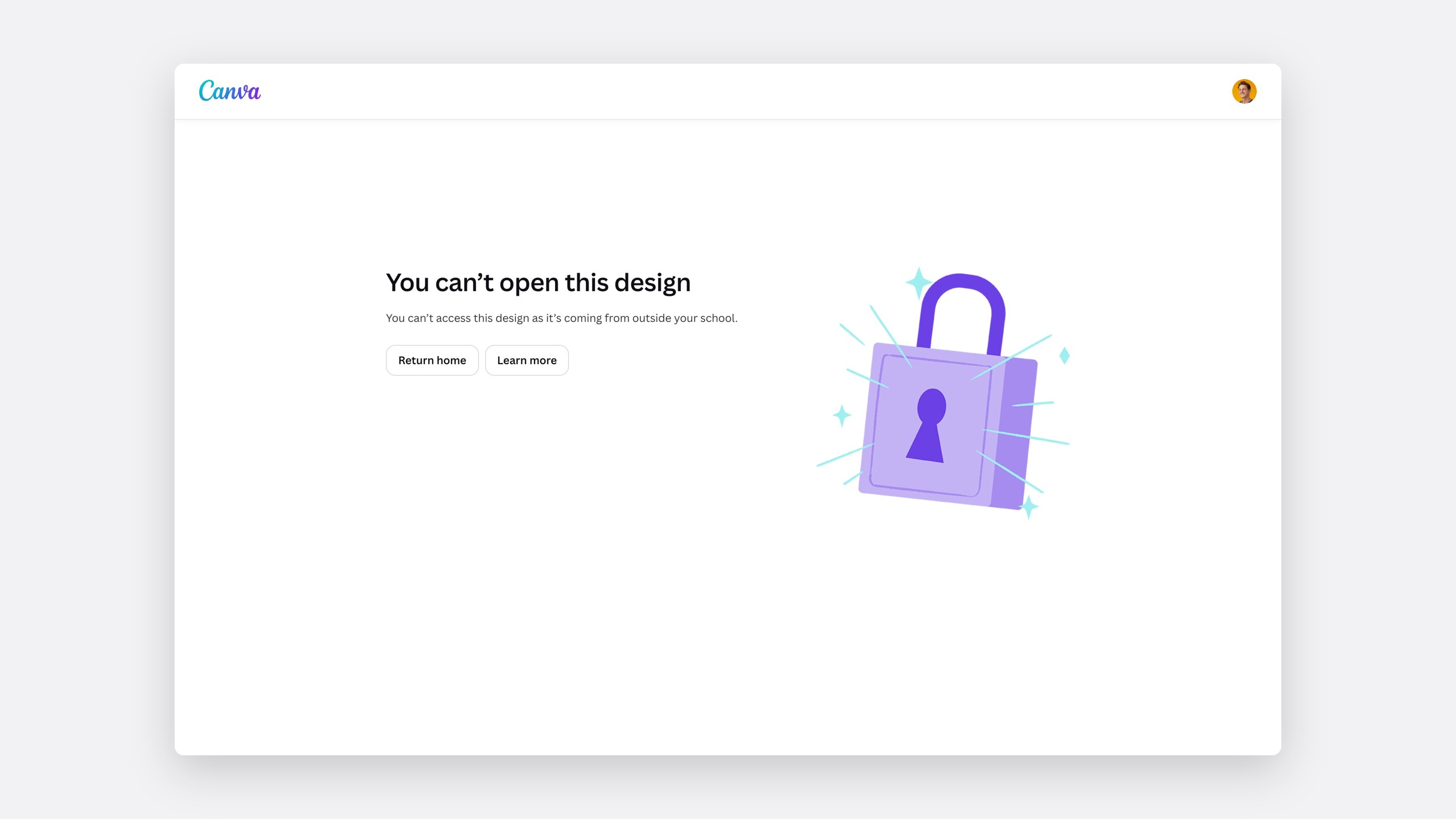
A student opening a design from outside their school is told plainly why they can't, with a way back home.
Magic, off for students
Controls across every Magic tool follow the AI permissions pattern. Education plans default to administrators and teachers only, so admins turn things on deliberately instead of off in a panic.
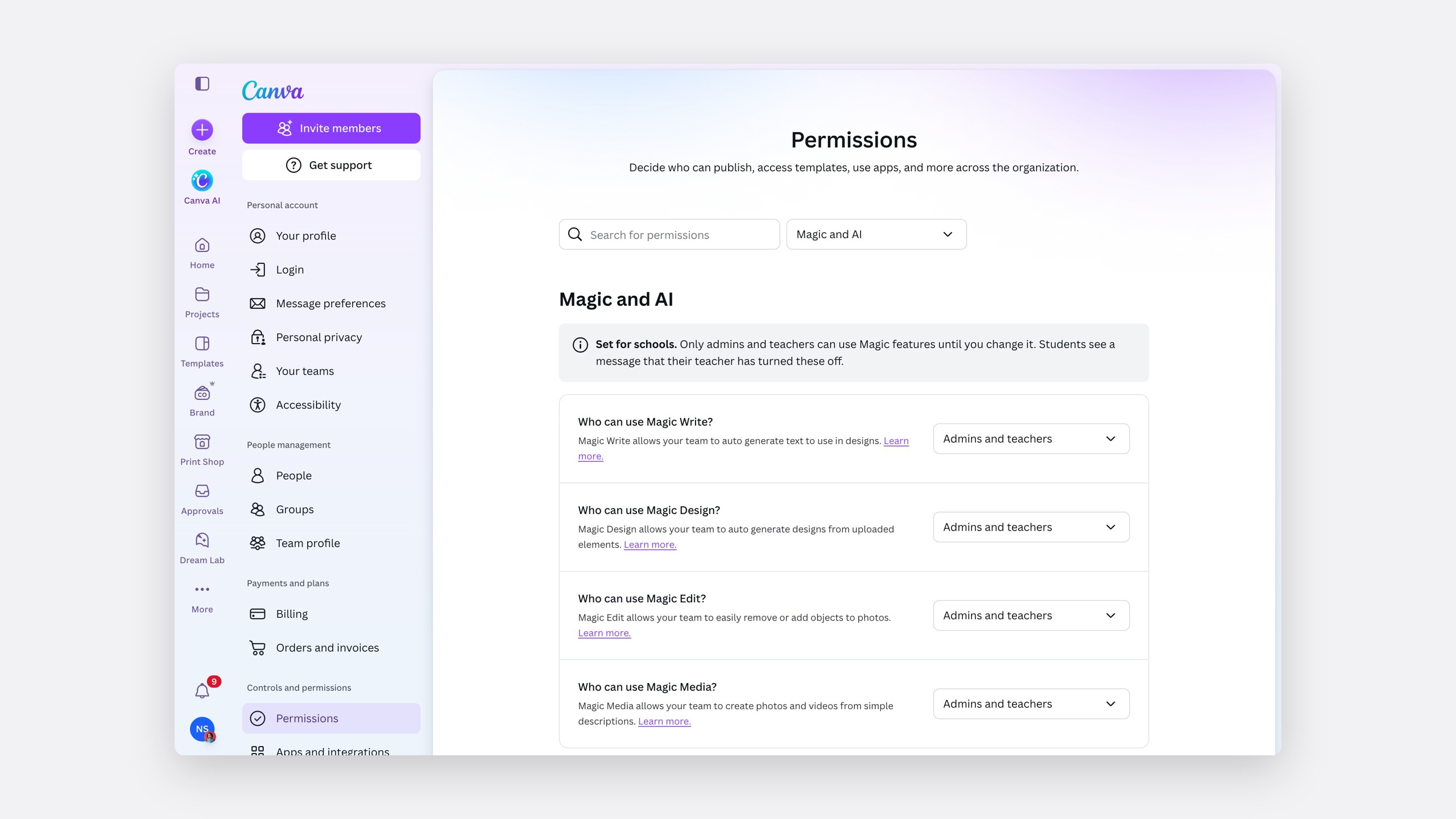
Comments that stay feedback
Commenting and receiving are a few options in plain words, not a matrix of roles and verbs. The rule is quiet for the student and clear for the adult who can fix it.
What the student sees
Quiet
No error code, just a note that the design came from outside their team.
What the teacher sees
Clear
That something was blocked, such as 25 people failing to open a design.
Students sharing with students
A proposed permission decides who students can share designs with, with options like "Only Teachers & Admins". The Share menu holds to it, and refuses an outside email with the reason.
The impact
The baseline for every later education control
Both settings became the baseline for every later education control.
Restricted sharing
850,000 students
The Victorian blocker, answered with one setting.
Magic, off for students
1.3M students
Across the districts that asked for Magic Write off.
Comment & Receive is in detailed design, and the student-to-student permission is planned for the second half of 2026.
Reflection
Safety should not feel like surveillance
Loud safety features teach children they are being watched. Every control here is the same shape, and it held up four years apart.