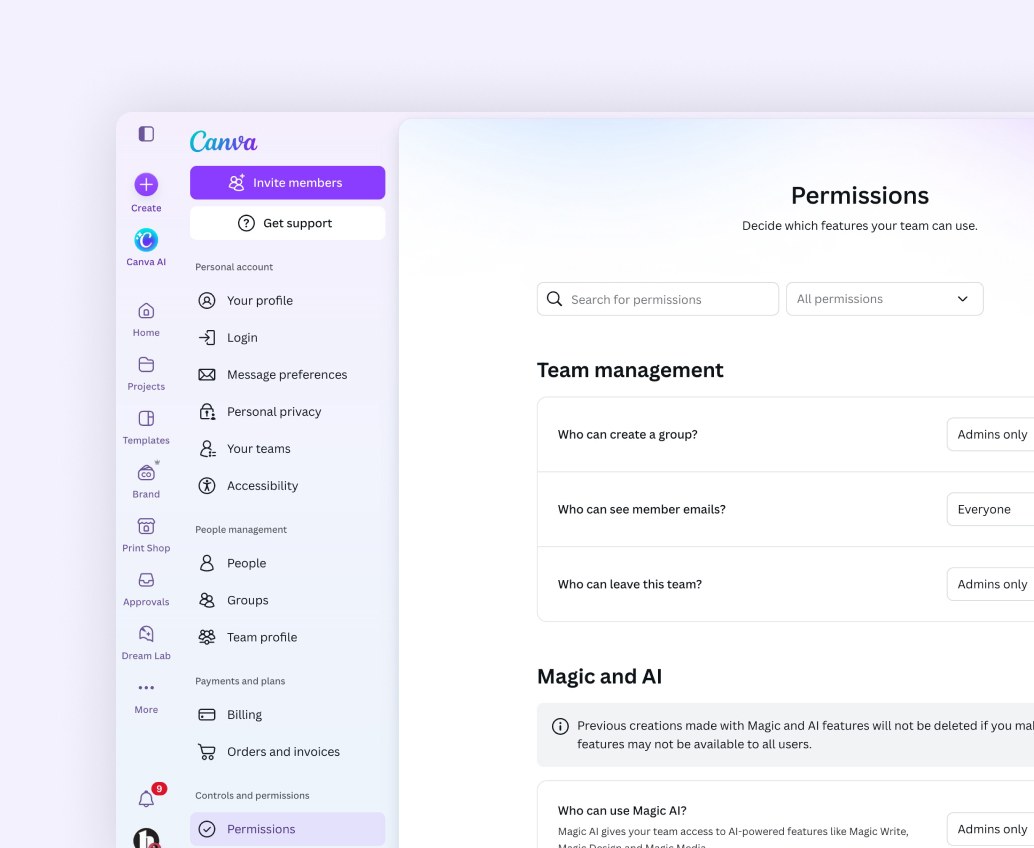
Canva — Account Consolidation
Service design, Organisations, Content design
Companies wanted their Canva use in one organisation, but their people were already inside teams no administrator had approved. I designed consolidation so every outcome depended on three facts about an account, and people were warned and given time.
- Role
- Product Designer, consolidation flows
- Team
- Organisations, Sales, Legal
- Timeline
- 2023–2024
- Platform
- Web
20+
clients placed on the pilot
30
days notice for external members
15+
stakeholder reviews on account purpose
The problem
Canva grew bottom up, and companies wanted it in one place
Canva spread one person at a time: a designer signed up with a work email, invited a colleague, started a team. A large company ends up with dozens of teams, each with its own billing, brand and admin, none visible to IT.
One team
62 teams into one
Consolidate 62 teams and more than 1,200 members into one team, with one subscription and one admin.
Multi-team organisation
62 teams into one organisation
Consolidate the same 62 teams and 1,200 members into an organisation that keeps several teams.
We tested both structures across six parts of the journey: who and what to consolidate, people, brand, billing, content, and collaboration.
What organisations actually want
IT admins asked for four things. Canva did only the first well.
01
We do thisSecure login
People can access Canva securely.
02
Need to improveUser management
The right people get access automatically.
03
Don't do this wellAccount ownership
Admins can see and control how Canva is used.
04
Don't do this wellContent ownership
The work stays with the organisation.
Why the existing approach failed
Consolidation into one paying organisation was handled manually by sales and support, one customer at a time.
Problem 01
No visibility
Admins did not know about unmanaged accounts until sales told them.
Problem 02
No motivation
Admins could not see why they should pay more to manage those teams.
Problem 03
No mechanism
Admins could not consolidate in the product.
Problem 04
No safe path for people
SSO could sweep personal teams into the company by accident, with no way to merge accounts or move content.
The cost of getting it wrong
A switch labelled "turn consolidation on" would have archived the wrong work, moved the wrong person, and treated a student like an employee.
My role
The flows, the order of operations and the sentence that says what happens
A co-worker led consolidation. I designed the flows with two other designers and was one of two product owners on Organizations Cycle 1, the structure consolidation had to fit into. The work crossed sales, support, legal, identity and billing, and my job was to make the journey make sense for everyone in it.
The process
Build the organisation first
A switch inside a team cannot consolidate a company. The organisation has to exist first.
Testing the organisation in the switcher
Six of eight participants preferred the organisation at the top of the brand switcher, and a plain Manage link transformed first-time success.
- 6 of 8
Preferred the organisation at the top of the brand switcher
- 12.5%100%
First-time success switching teams, after adding a Manage link
Personas across verticals
Competitor work across seven verticals produced five personas, because a franchise, a campus and a company mean different things by "a team". Roundtables in London tested the sequence.
Principles we would not trade
With the wider admin team, we set principles for how admin treats customer data. Two shaped consolidation.
Principle
We show rather than tell
We never use a customer's data to push them. Admins make the call.
Principle
We focus on value, not problems
We lead with the value organisations get from Canva.
Words that took 30 iterations
- 30
Iterations of the account purpose question
- 15+
Stakeholder reviews
- Weekly
Time with Legal on privacy claims and notifications
Whether a login is for work or personal use sounds like one question. It decides what happens to someone's work.
The solution
One journey, told from three sides
The flow follows the IT admin, the Canva team and the person whose account will move, with self-serve and assisted paths throughout.
The end-to-end consolidation flow
01Sales
02Visibility
03Verify
04Full report
05Add people
06Consolidated
AliceCanva sales
TonyIT admin
KateCanva advisor
RyanUnconsolidated user
Three questions decide every outcome
Three facts decide what happens to each team and person.
01
Who is the person?
Unmanaged, affiliated or managed.
02
Who owns the team?
Whether the owner is a managed member.
03
What is the plan?
Enterprise, Education or Campus.
Start with visibility
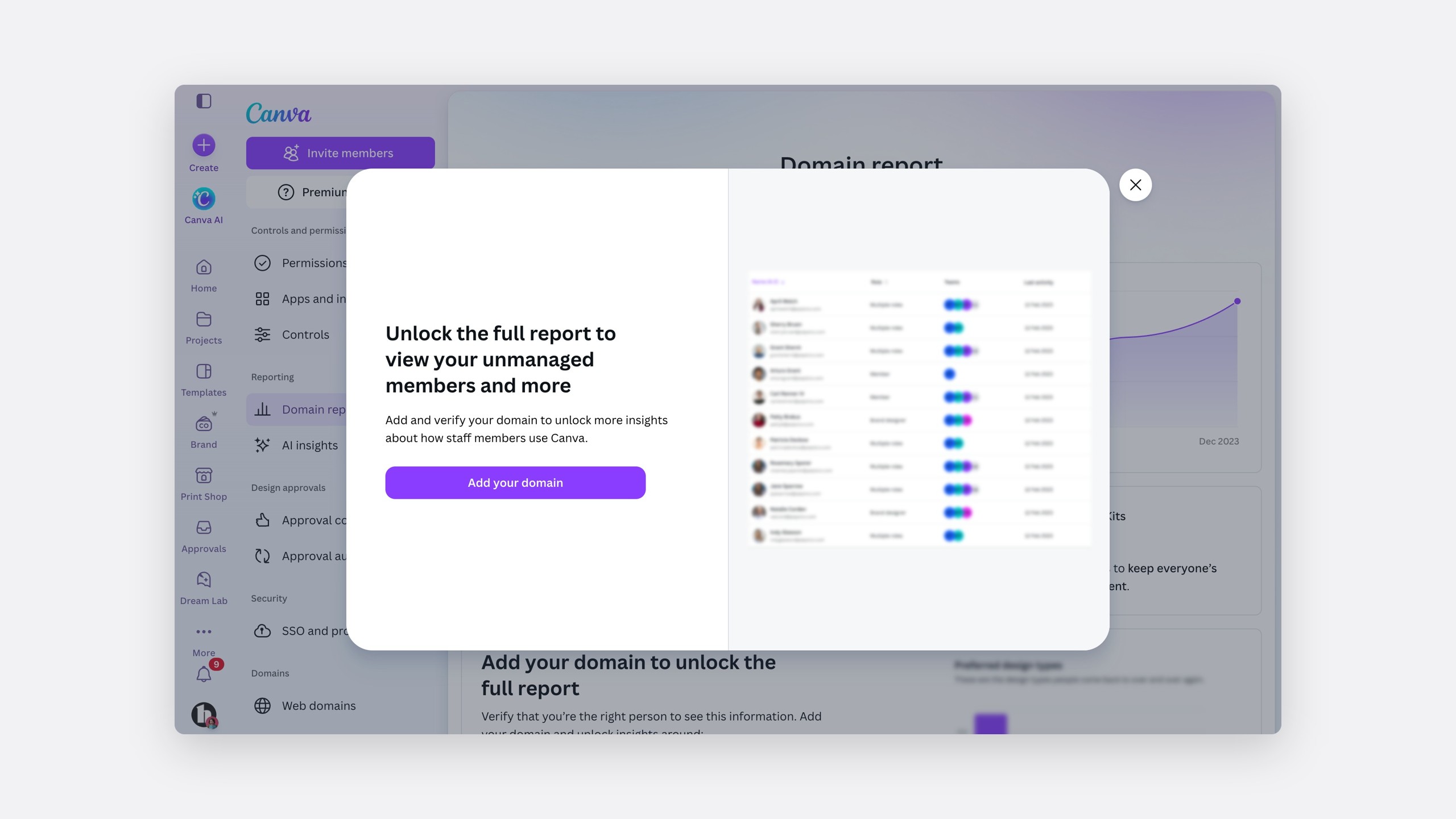
Sales move the customer to an enterprise plan, create the organisation and make a team admin its admin. The domain report then shows the admin how the company uses Canva, holding back the list of unmanaged users until verification: a teaser, not a wall.
The unmanaged user list, unlocked by verification
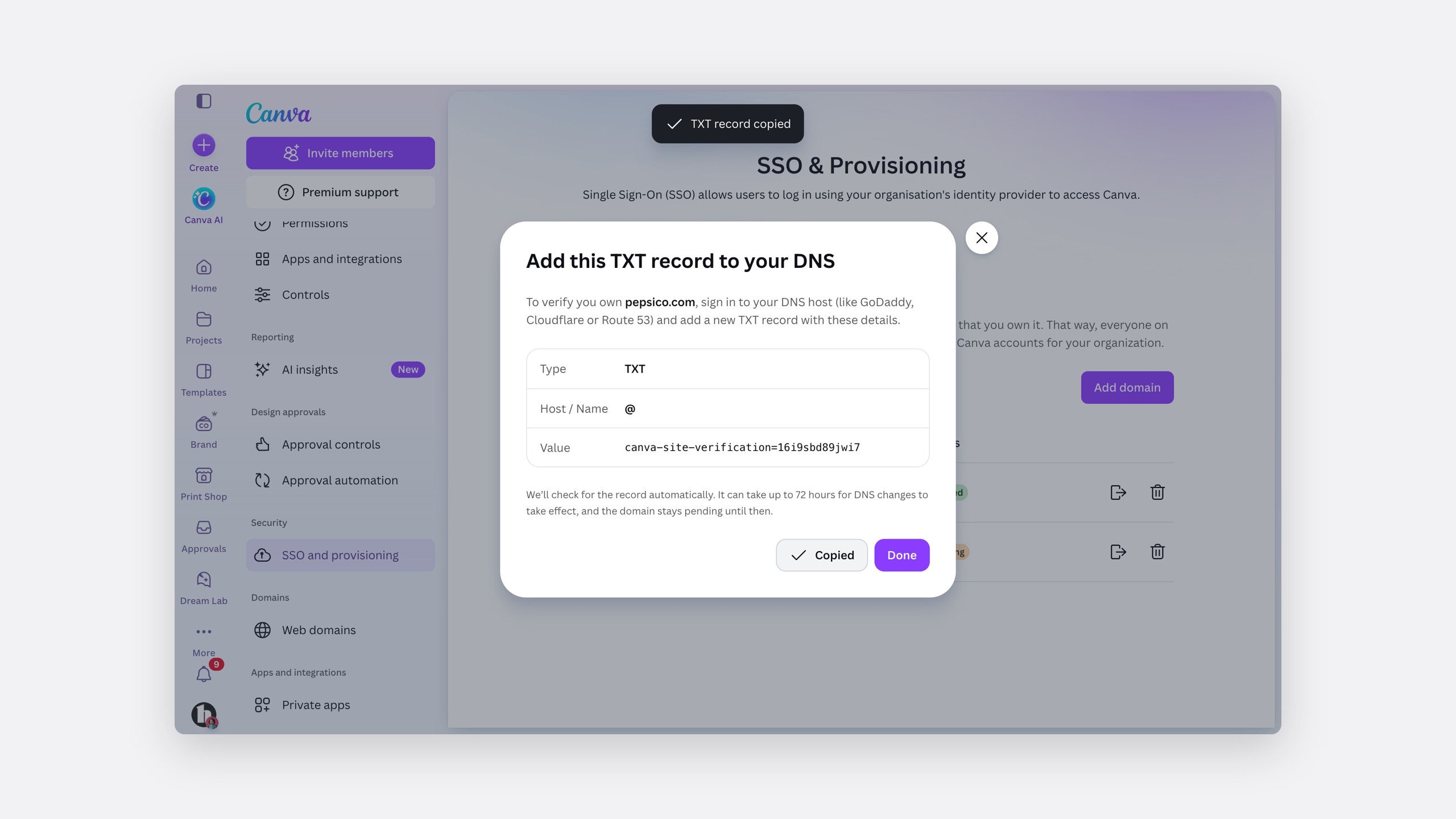
Verify the domain
Verification is a TXT record. DNS can take up to 72 hours, typically under a day, and the report says so plainly.
Waiting for verification
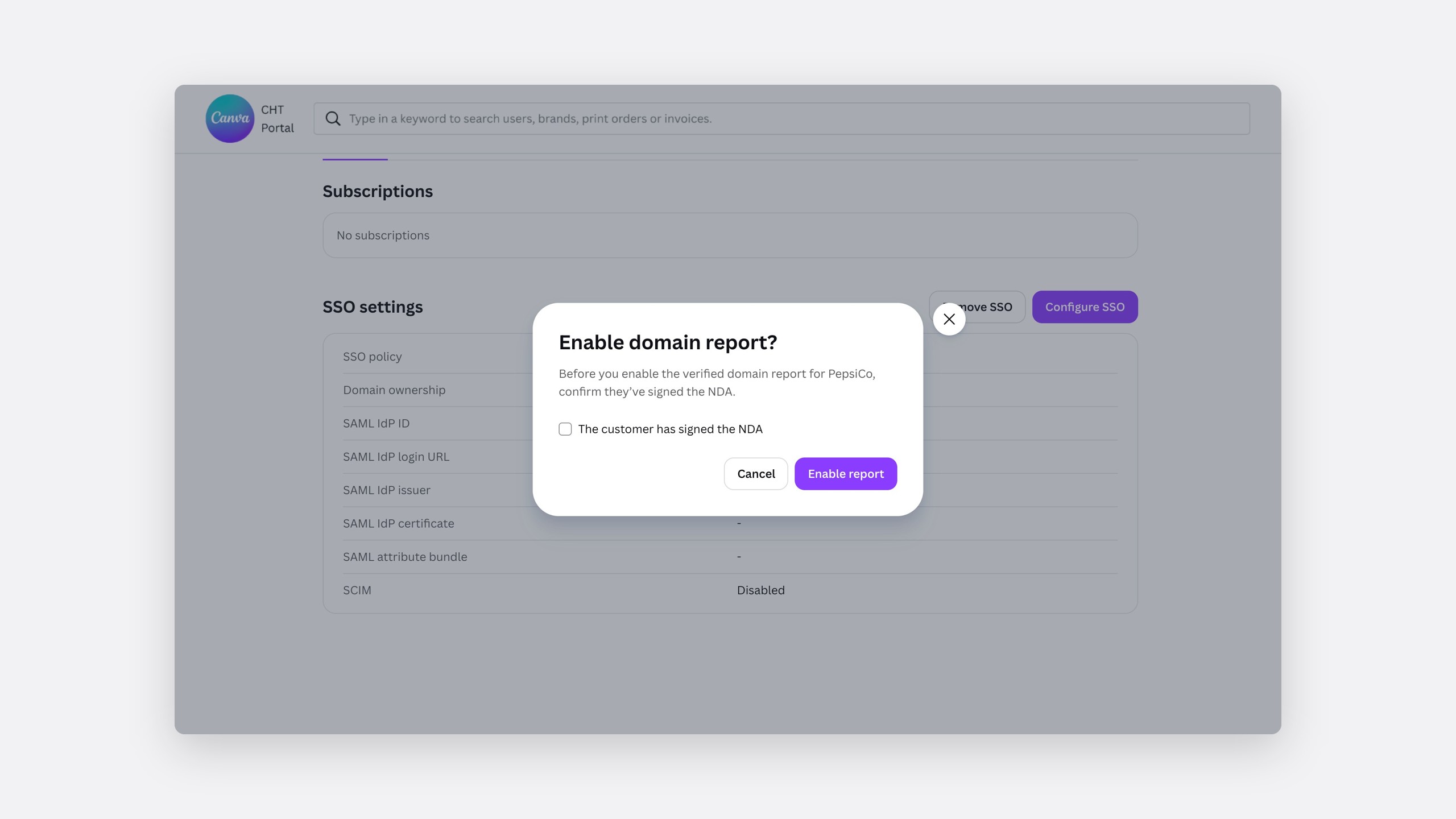
If IT is not ready, a Canva advisor can release the report under an NDA.
Releasing the report with an NDA
The verified domain report
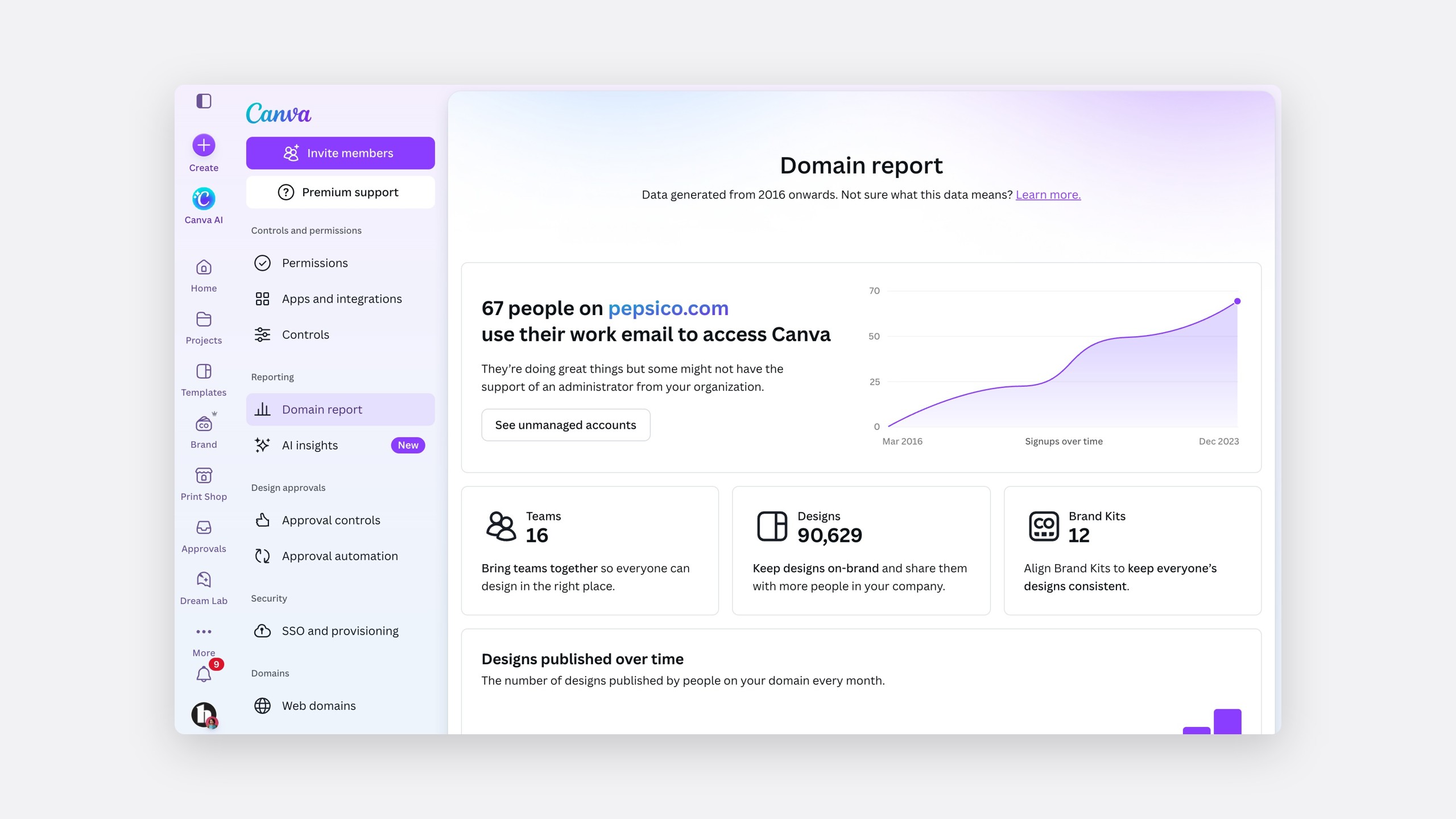
Tony, the IT admin, end to end
Ask the person, before anything moves
People with a work email are asked whether their account is for work or personal use. If it is for work, they learn their admin may add them later. Nothing changes without notice.
Confirming the account is for work
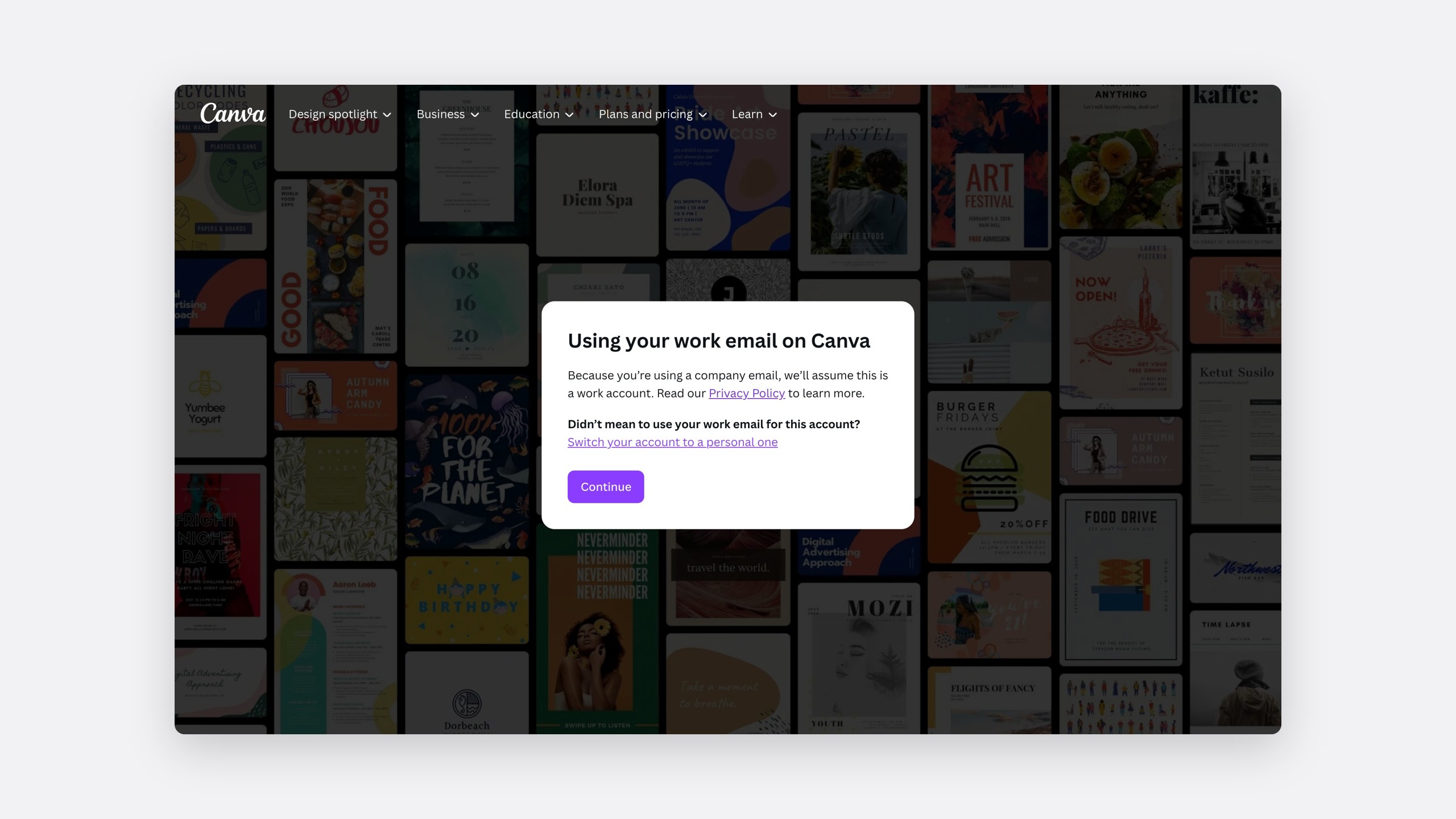
Add people, self-serve or assisted
Self-serve
The admin adds people
Straight from the verified domain report.
Assisted
A Canva advisor adds people
From a CSV the admin downloads and passes on.
Adding users in bulk
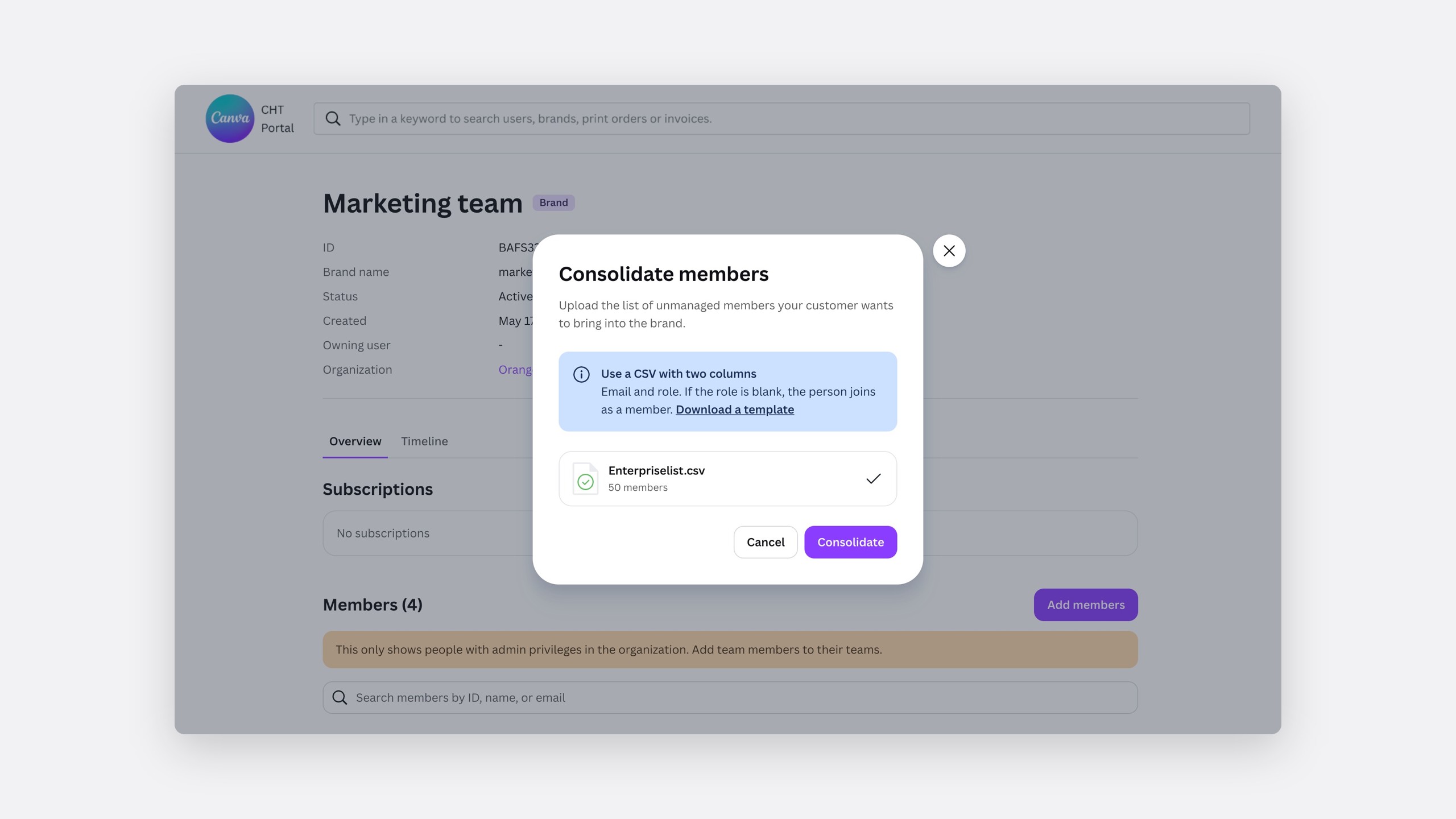
Kate, the Canva advisor, end to end
Notice and time
External members get 30 days. After verification, the next sign-in can be forced through SSO, with a message explaining why.
Joining the company account
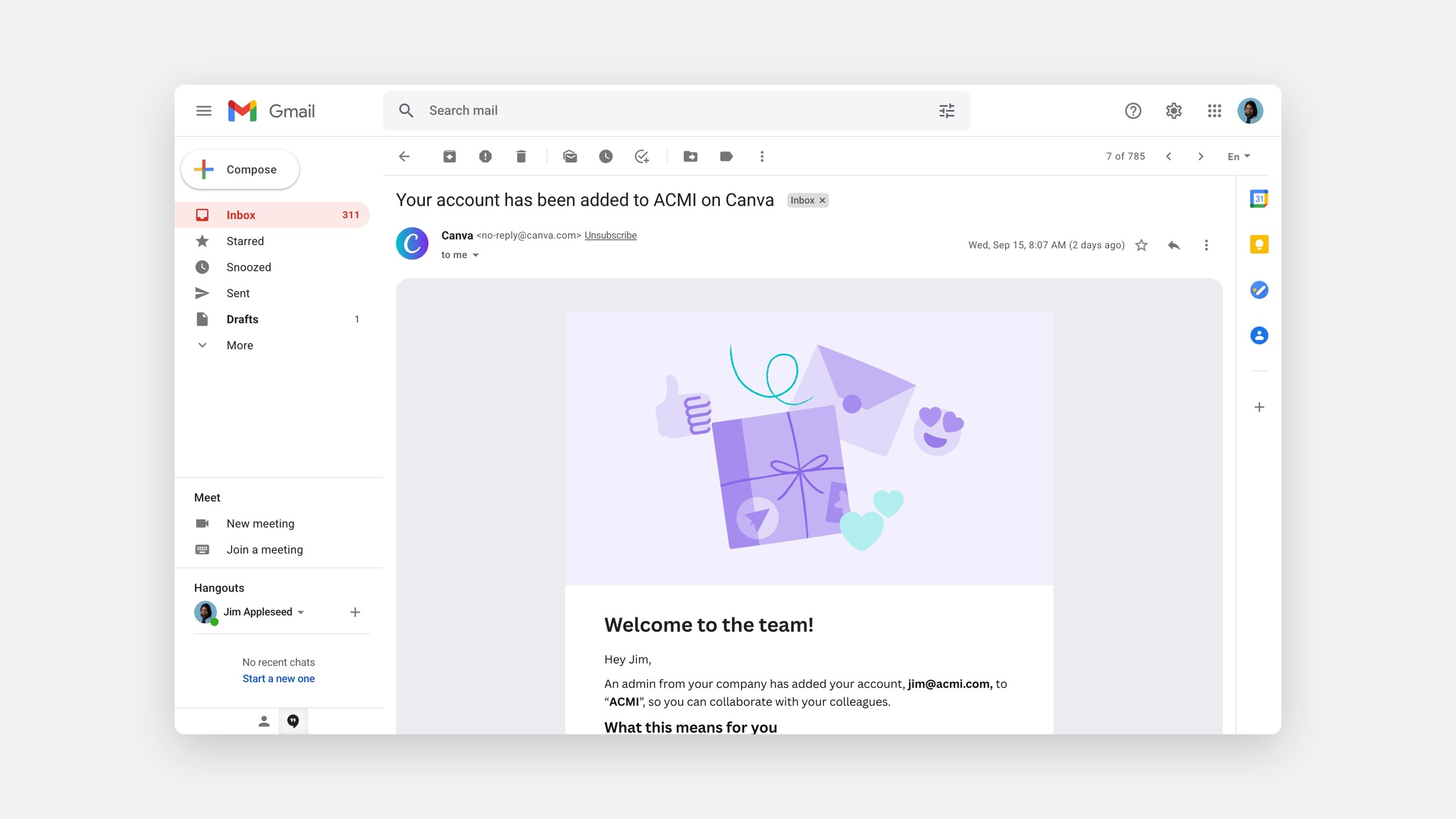
Keeping personal work
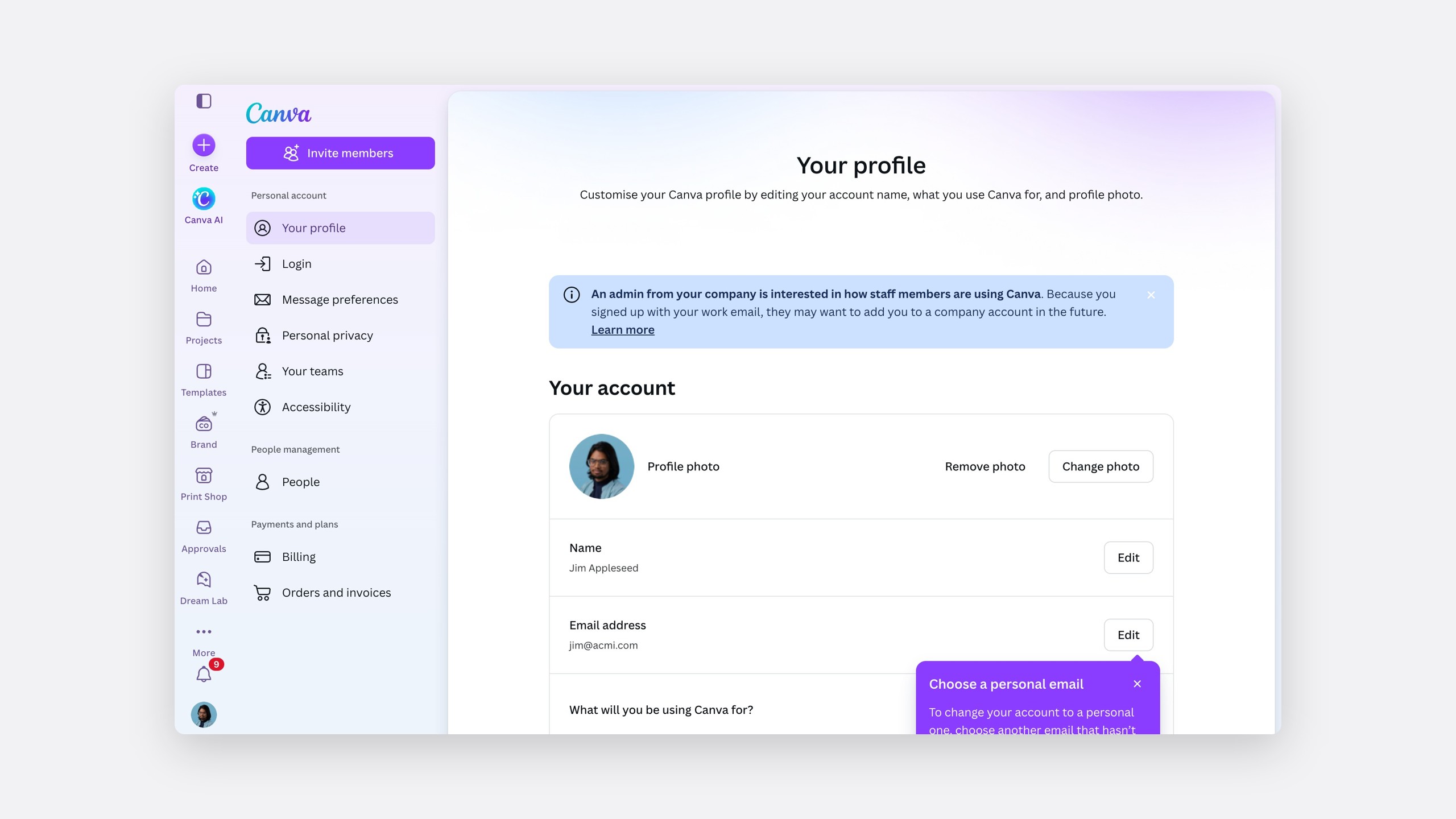
Ryan, the unconsolidated user, end to end
Signing in through SSO
A guided activation, not a rebuild
The first release was sales-assisted, then self-serve. The order never changed.
The domain report
So an admin can see unmanaged use.
Then the people
Asked, notified and given time.
Then the content
Moved with the people, or kept by them.
The impact
A path into organisations people could trust
More than 20 clients joined the pilot, inside a product that grew to 2,800 organisations and 22.4 million users. Content copy, which I designed earlier with JR, has been used 19.5 million times.
- 20+
Clients on the pilot
- 12.5%100%
First-time success switching teams
- 19.5M
Uses of content copy
- 2,800
Organisations, with 22.4 million users
Reflection
The design was mostly the notice
I would rather ship a slower flow than a sentence we were not allowed to say. Weekly time with Legal felt slow, and it is why the flow shipped without being rewritten.