Australian Tutoring Association — News and Course Shop
Information architecture, Web design, Development
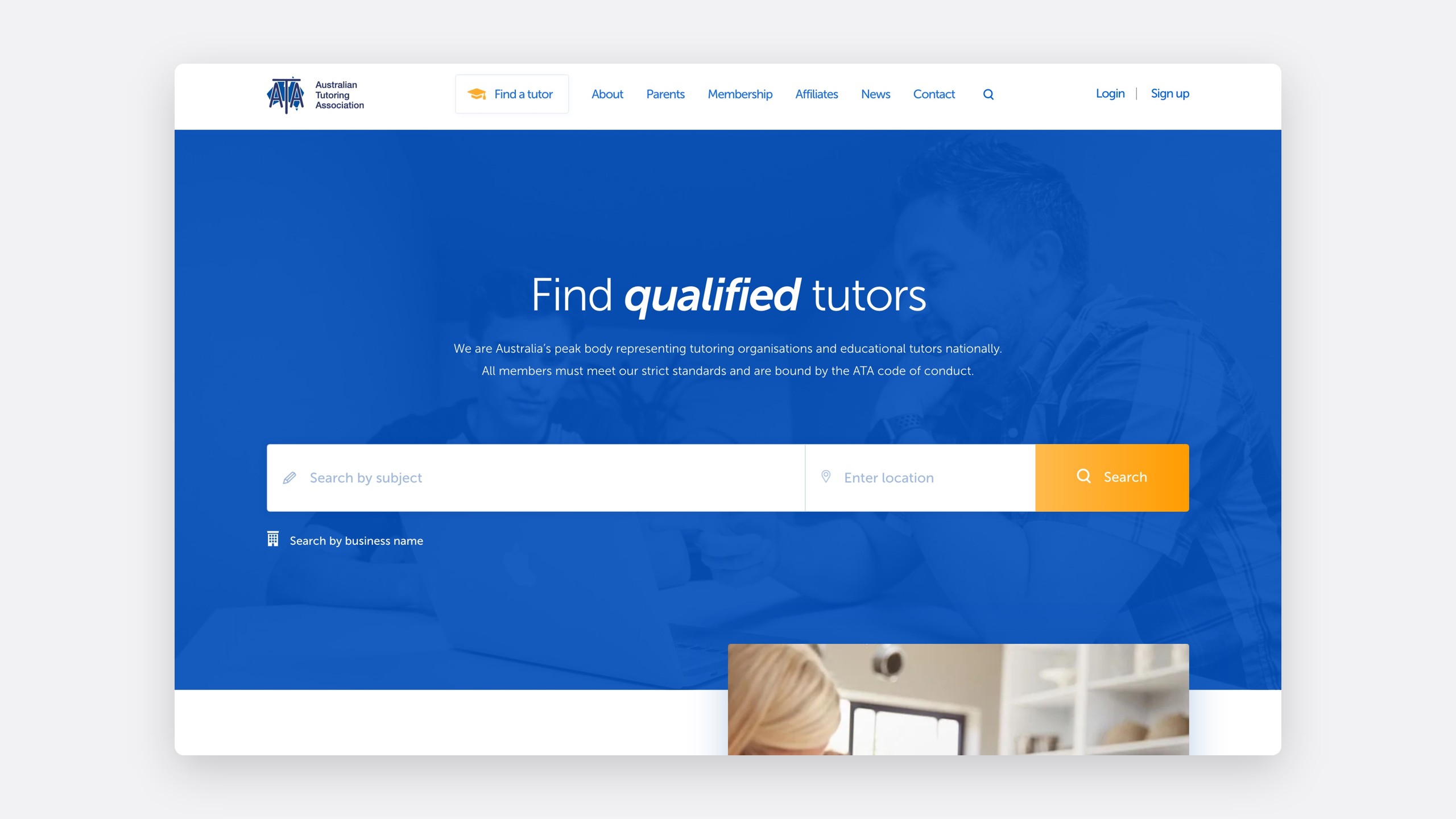
The Australian Tutoring Association is Australia's peak body for tutoring organisations and tutors. It runs three sites: ata.edu.au for members and parents, ATA College for tutor qualifications, and Tutoring Scholarships, its charity. I was one of the first developers on ata.edu.au, at Wax. In October 2026 the CEO, Mohan Dhall, asked me back through Owlry to make the sites easier to run, starting with news.
- Role
- Original developer, back as designer and developer
- Team
- Mohan Dhall, CEO, through Owlry
- Timeline
- 2026
- Platform
- WordPress and WooCommerce
15
news pages split into linkable sections
26
newsletter issues with own pages, back to 2015
0
emails or renewals from staging
The problem
Everything lived under /news
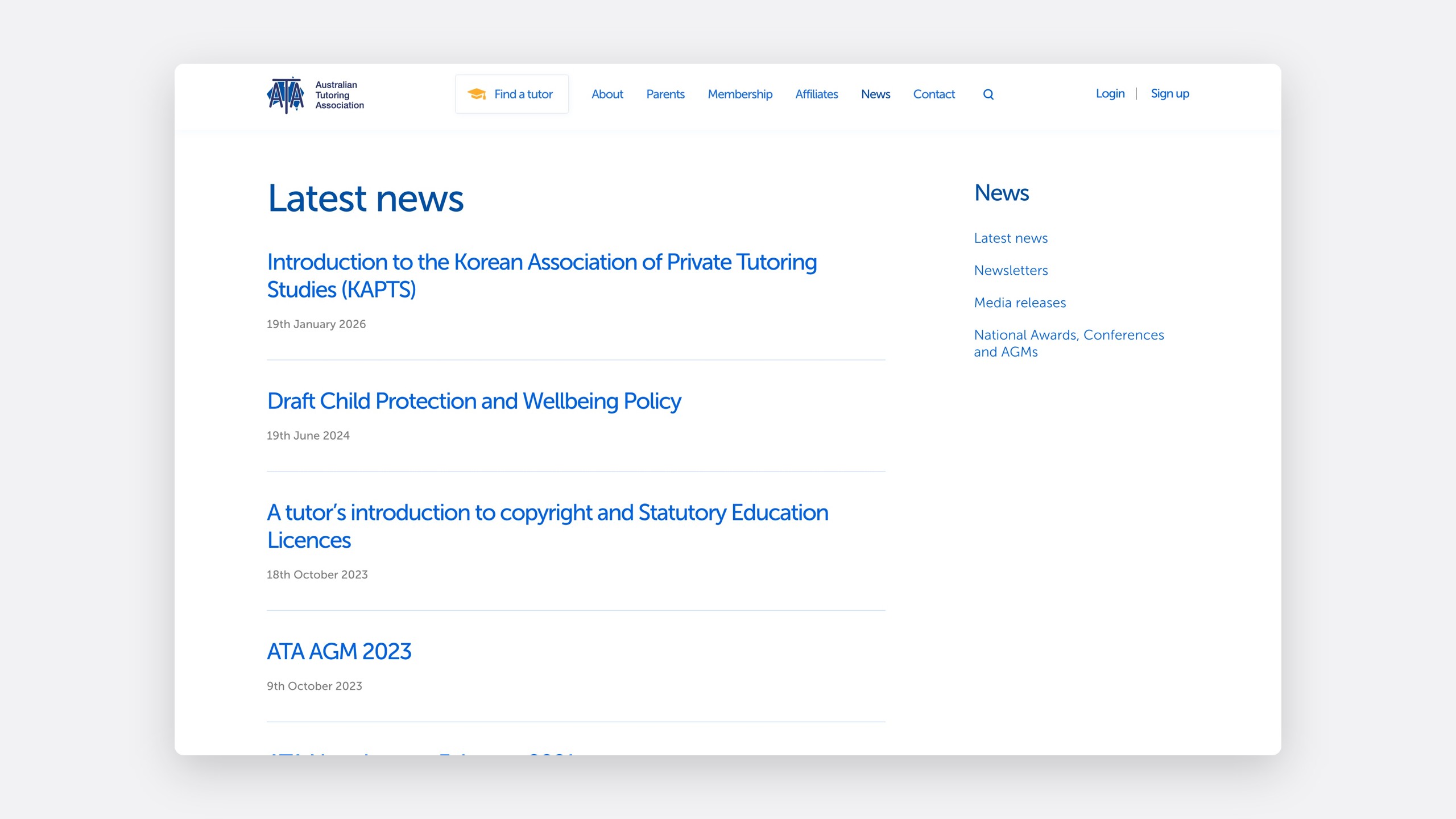
Newsletters, media releases, AGM papers and award announcements all sat under one News menu, where only Latest news held real posts and the rest were long pages of file links.
Date-based links
News posts lived at /2026/01/19/…, so a link didn't say whether it was news, a newsletter or a release.
One editing screen
Newsletters, media releases and AGMs shared one editing screen.
Mixed and mis-filed
Latest news mixed every type of content, and some AGMs sat under the wrong year.
My role
Original developer, back to streamline it
I scoped the work with Mohan, quoted it, drew today's site and the proposal in Figma, and built it in the theme once he approved.
October 2026
27 October
Quote approved
The news restructure, a how-to guide and three revision rounds.
30 October
Designs approved
Today and Proposal, side by side in Figma.
30 October to 1 November
Built on staging
Post types, templates, migration, redirects and a cutover script.
The process
Draw today first, then the proposal
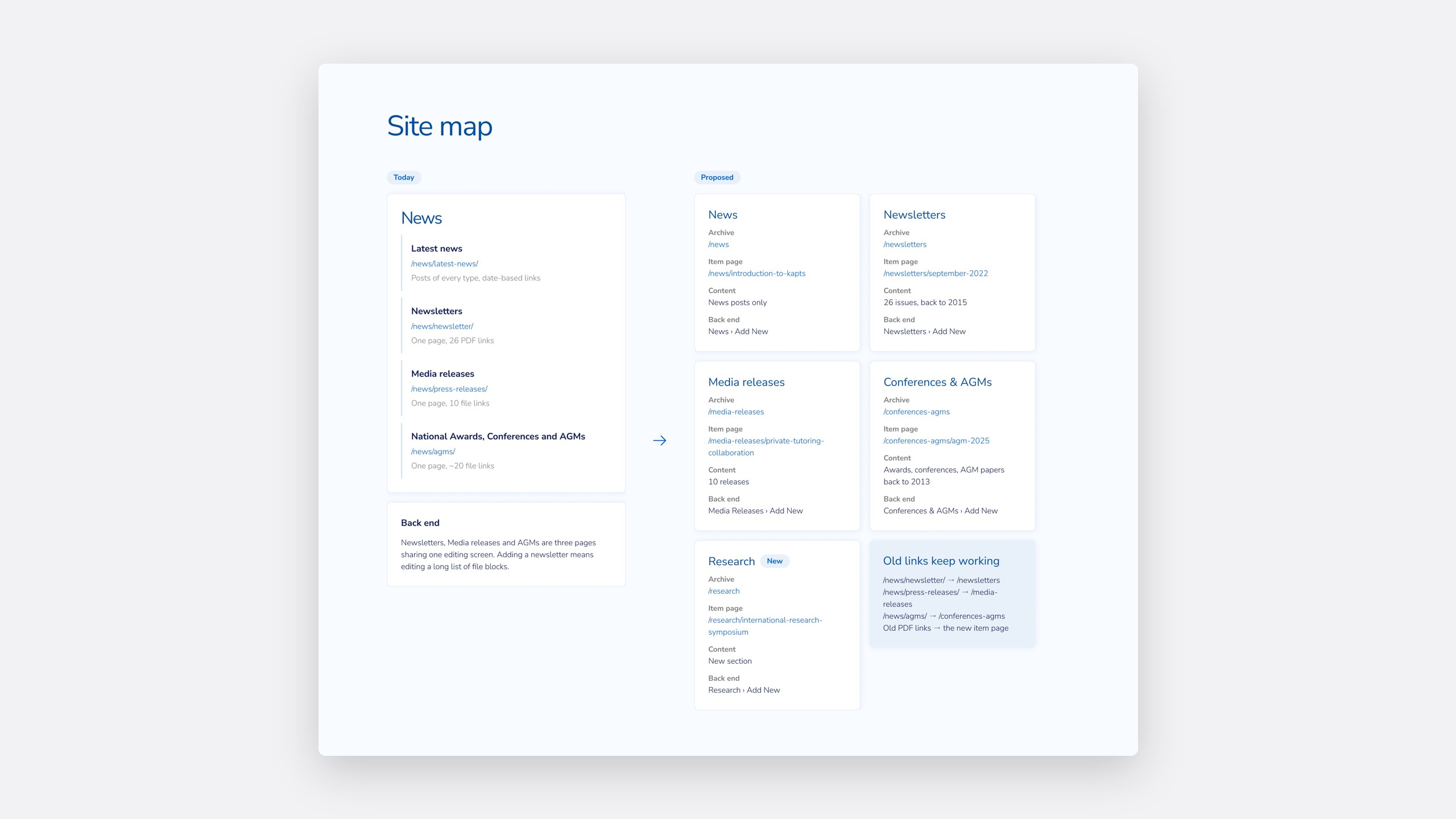
I redrew the current news pages and site map first, so Mohan and I were looking at the same problem.
01
News
/news
News posts only.
02
Newsletters
/newsletters
26 issues, back to 2015.
03
Media releases
/media-releases
10 releases.
04
Conferences & AGMs
/conferences-agms
Awards, conferences and AGM papers, back to 2013.
05
Research
/research
A new section.
The solution
A section for every kind of content
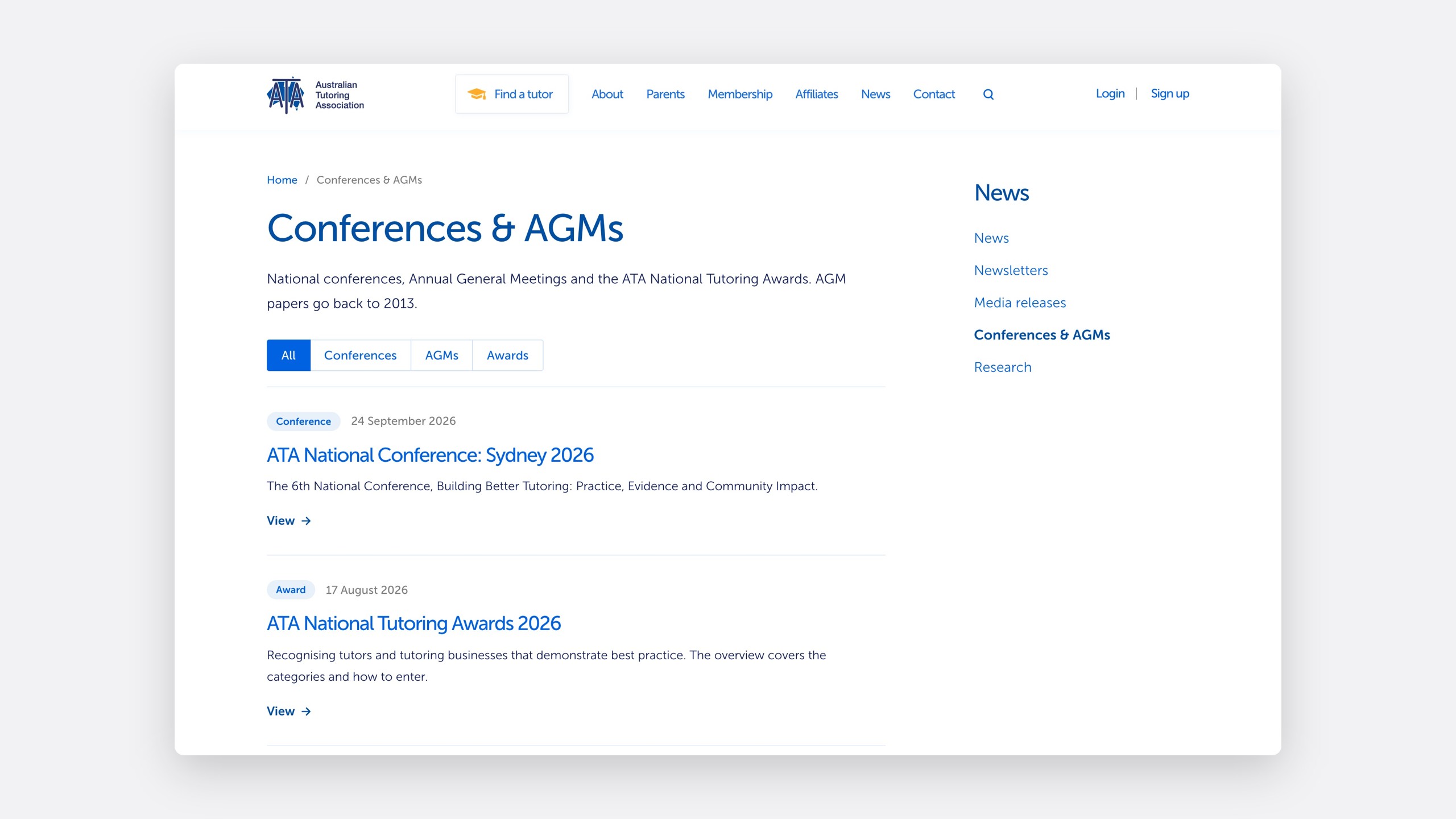
Every section has an archive, newest first, then a page for each item. Newsletters filter by year, and Conferences & AGMs by type.
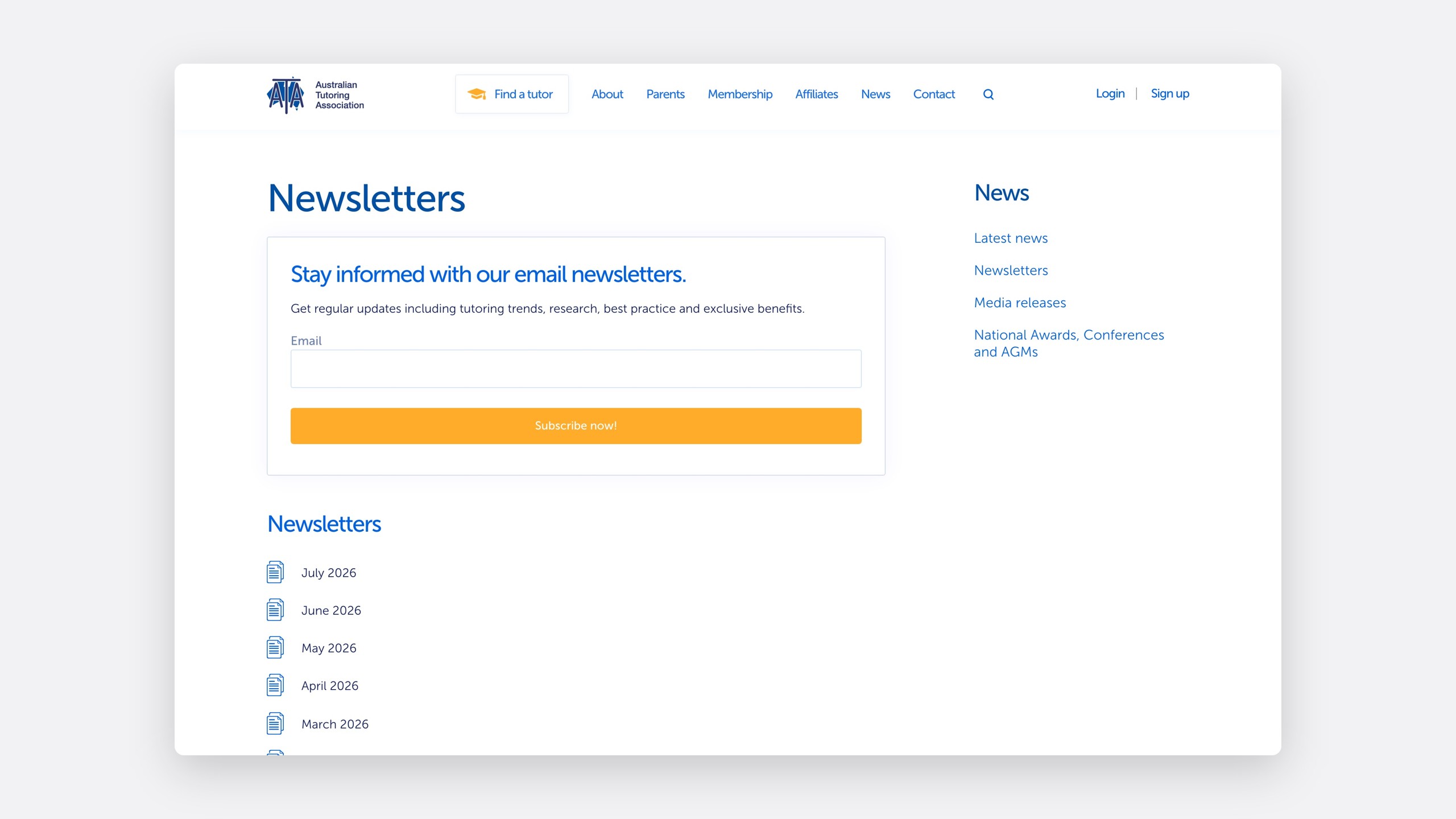
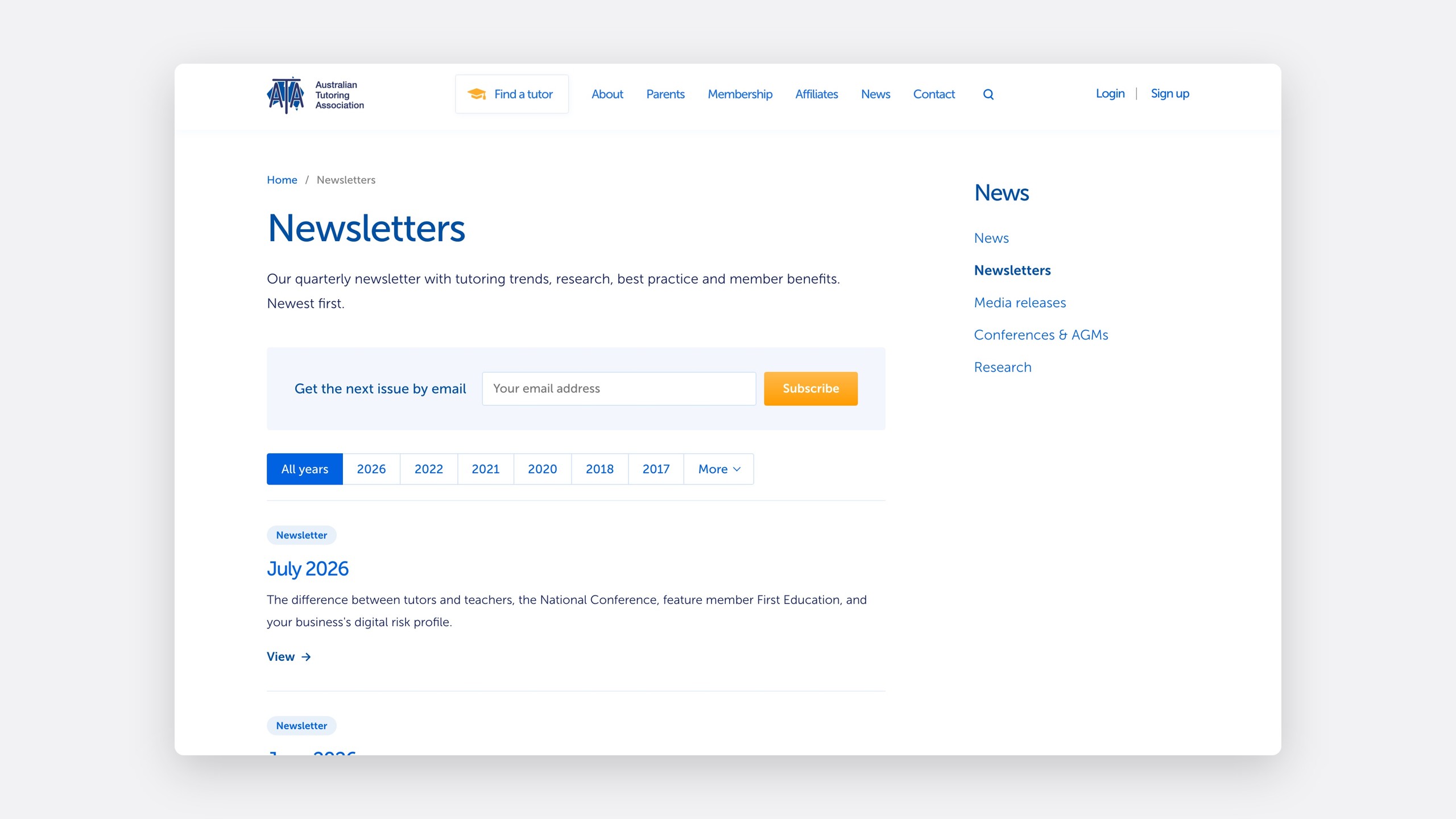
Every item gets a page
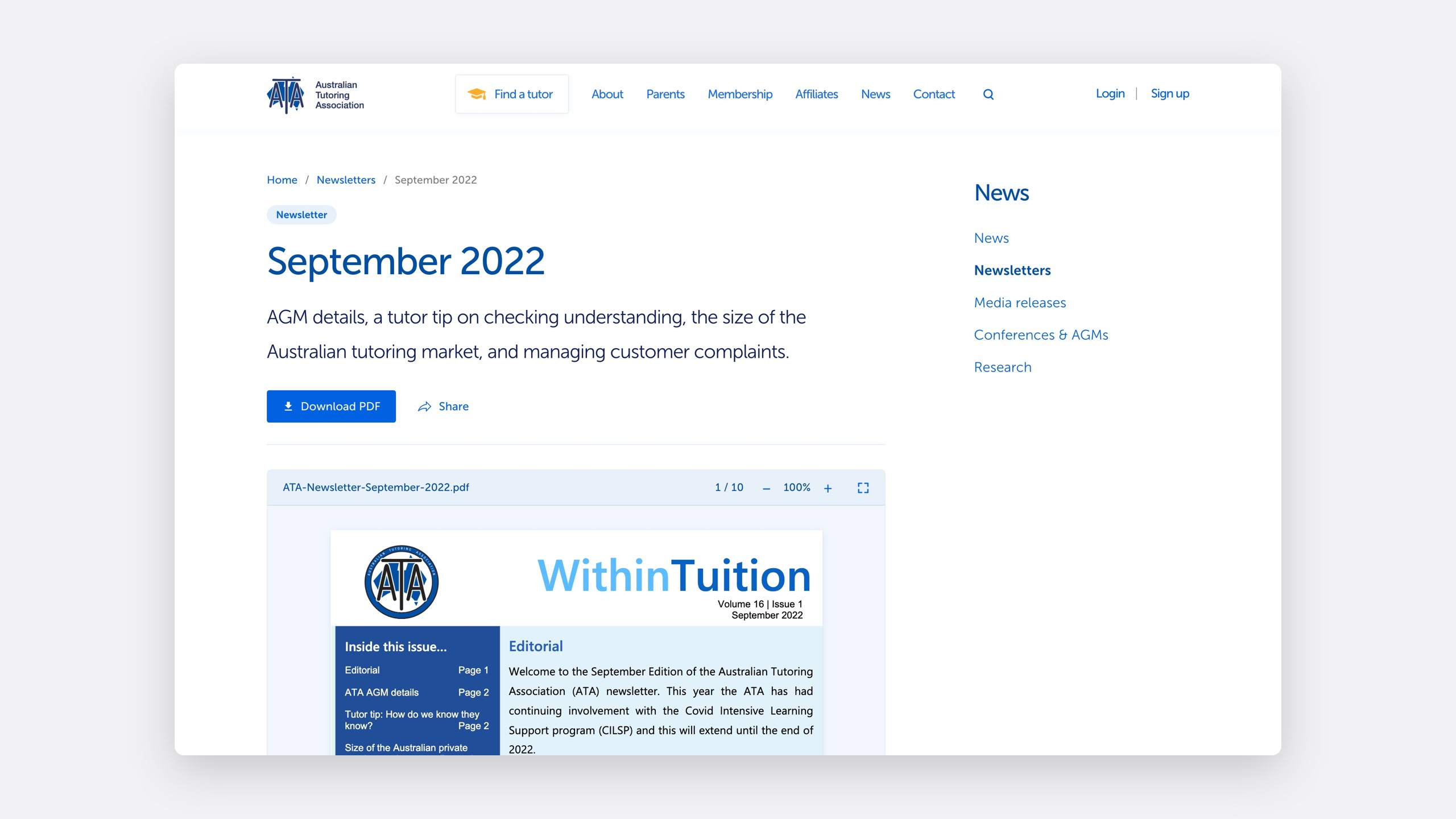
Each issue, release and set of AGM papers has its own page with a clean URL, so a newsletter link says it's a newsletter. The PDF opens in a lighter, ATA-blue viewer.
A migration script inventoried every file and described each item, as a dry run first, then for real.
One editing screen per section
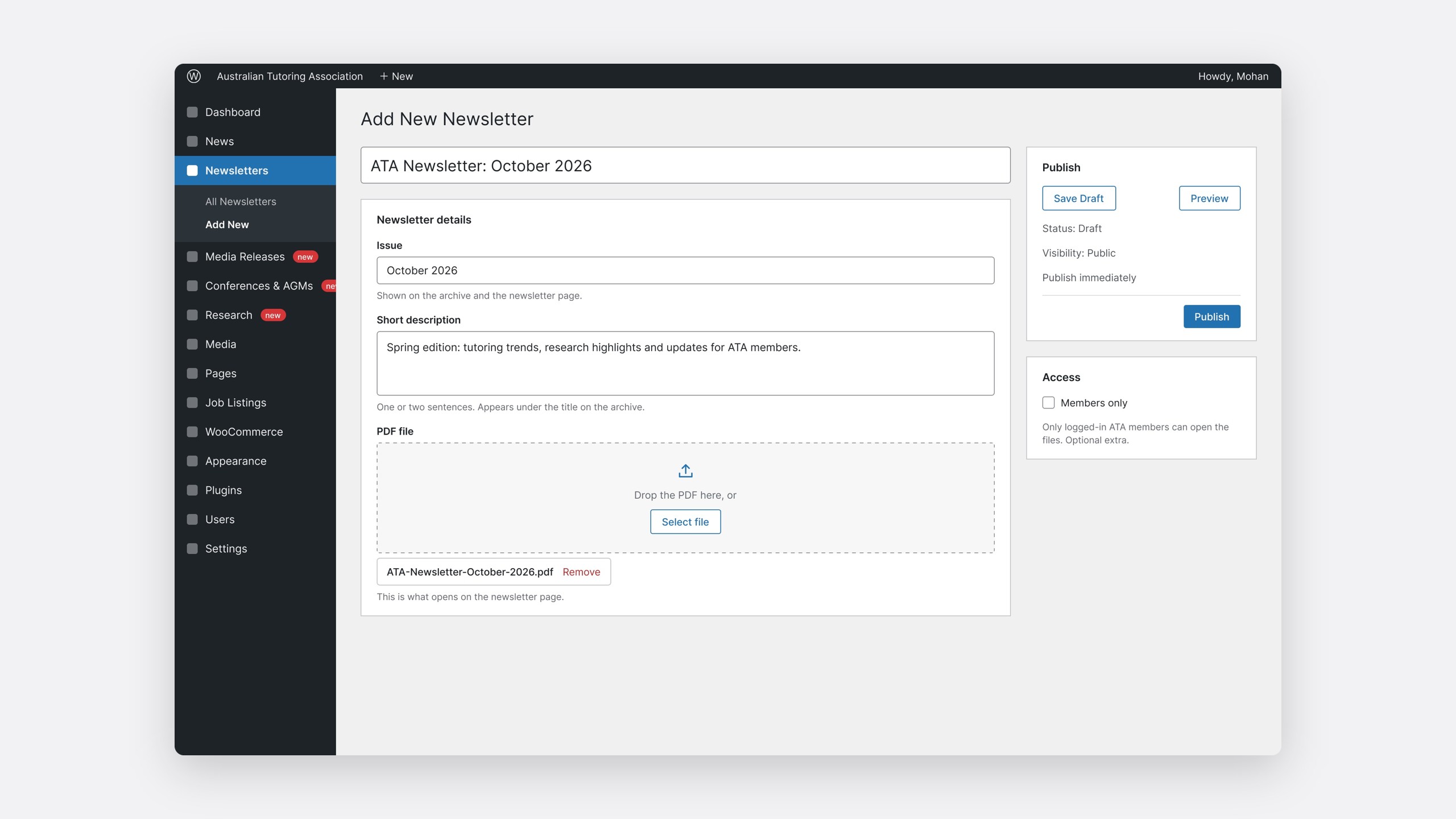
Each section gets its own Add New screen: a title, issue date, one-line description and the PDF. Members-only access is an optional extra.
Old links keep working
Links shared over a decade, including links straight to a PDF, redirect to their new pages.
| Old link | New link |
|---|---|
/news/newsletter/ |
/newsletters |
/news/press-releases/ |
/media-releases |
/news/agms/ |
/conferences-agms |
| An old PDF link | That item's new page |
A one-page guide means the office doesn't need me to add content.
Keeping members safe
A staging site that can't reach members
I needed a staging copy of production, but ata.edu.au emails members and renews subscriptions, so an ordinary copy could email or charge real members.
An environment guard
Off production, the site sends no email or texts, charges no renewals and makes no calls to ATA College.
A refresh script
Copies production to staging, keeping only the admin accounts.
The right order
Other users are removed without sending deletion emails.
Also on the site
Affiliates and partners
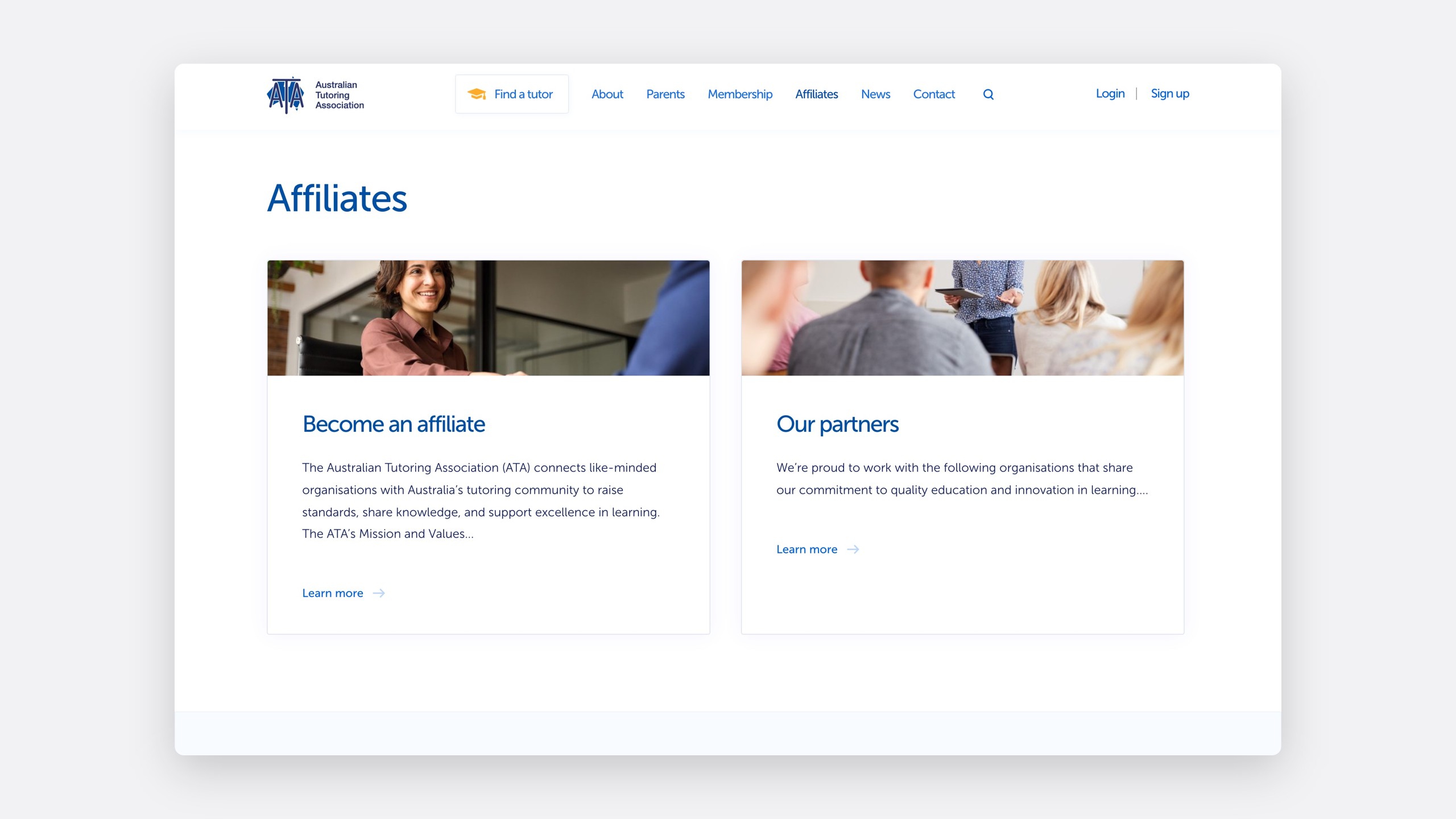
The affiliates page holds a prospectus and four partner tiers, Platinum to Bronze, all edited in fields so the office can add partners itself.
ATA College
A course shop priced by module
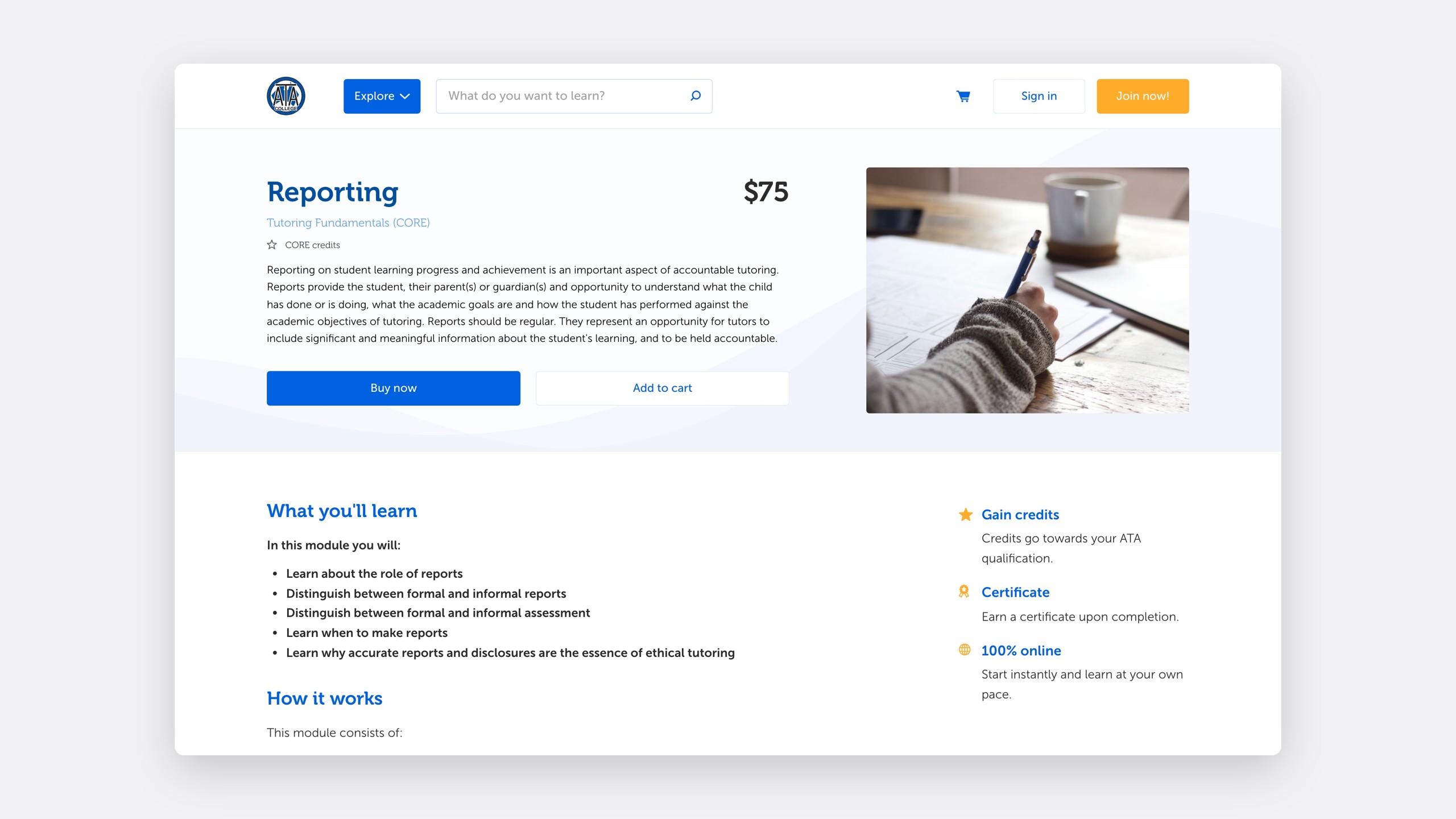
ATA College sells the courses that qualify tutors. Each module is a WooCommerce product, and each course is a group of modules.
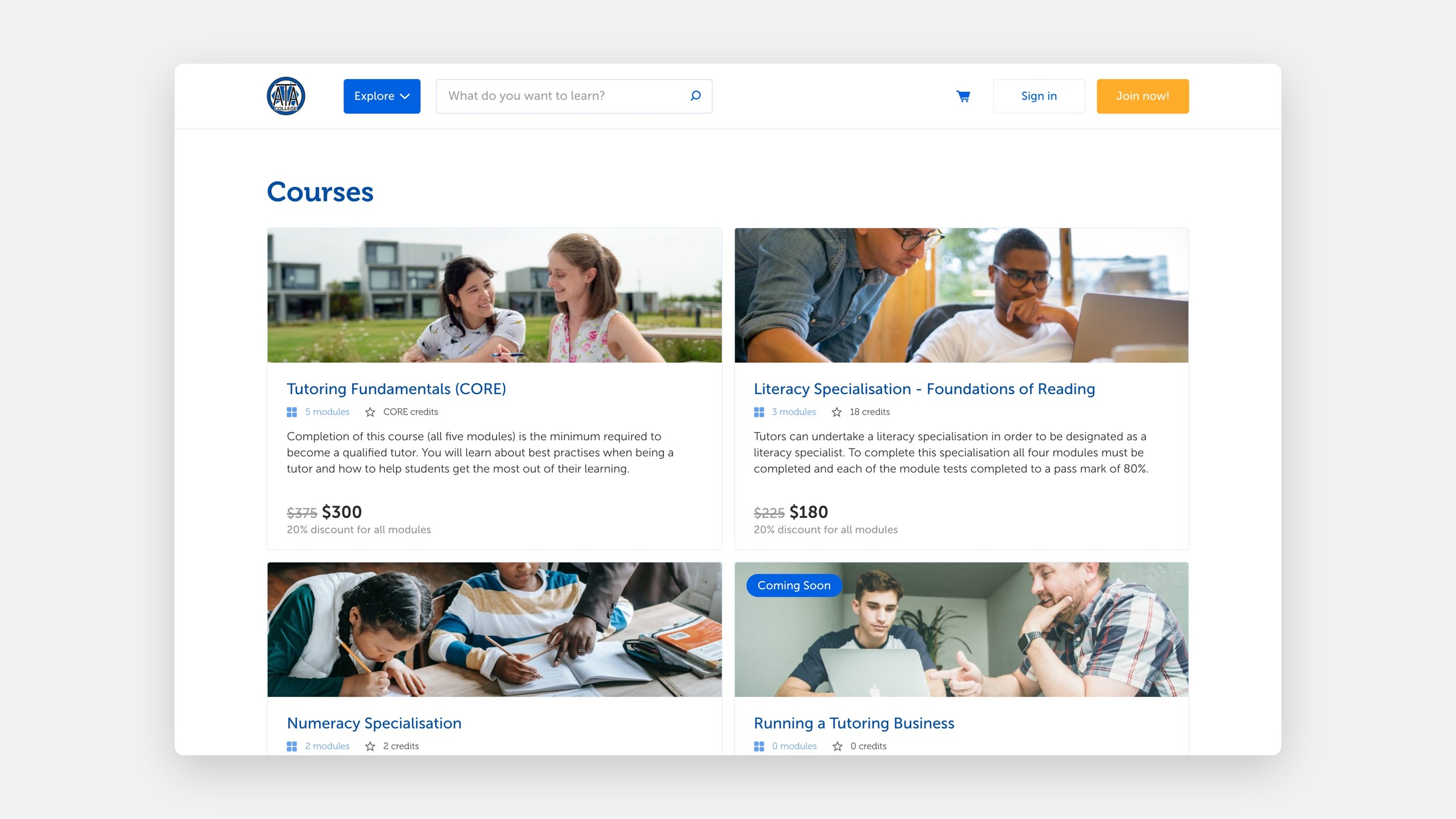
The theme also shows a remaining price, so a tutor who has finished some modules pays only for the rest.
Where it is
Built, and ready to switch over
The restructure is on staging, and the production switch is scripted: change the permalinks, draft the old News pages, add the new menu items and flush the rewrite rules in a fresh process.
Reflection
Make the link say what it is
After the first call, I wrote that a shared newsletter link should say newsletter. That sentence decided the URLs, templates, editing screens and redirects. Small organisations don't need more features; they need a site they can run themselves.
Built through Wax; 2026 work through Owlry.