Afterpay — Spending Limits
Product design, Research, Content design
Afterpay has more than 4.1 million Australian customers. On 10 June 2025 buy now, pay later became regulated credit, and every new limit had to be assessed rather than handed out. I designed the flows that set it in the Afterpay app, as the app moved to Arcade, Block's design system: the first limit, limit increases, and spend cap.
- Role
- Contract Product Designer, Credit and Limits
- Team
- Afterpay Financial Services, Arcade, Legal and Compliance, Credit Risk
- Timeline
- 2024–2025
21s
median time the money questions added to sign-up
63%
of increase requests skipped the questions, inside 120 days
−18%
support contacts about limits
The problem
A checkout built for seconds had to ask about money
Afterpay grew on a sign-up that took moments. Until June 2025, every new customer got the same $600 starting limit, and it grew as they paid on time.
The new law changed that. Under ASIC's guidance, RG 281, a provider must ask about a customer's income, expenses and credit history, verify them, and check the credit isn't unsuitable, both before opening an account and before raising a limit. Afterpay now runs a credit check on new applications, with consent first.
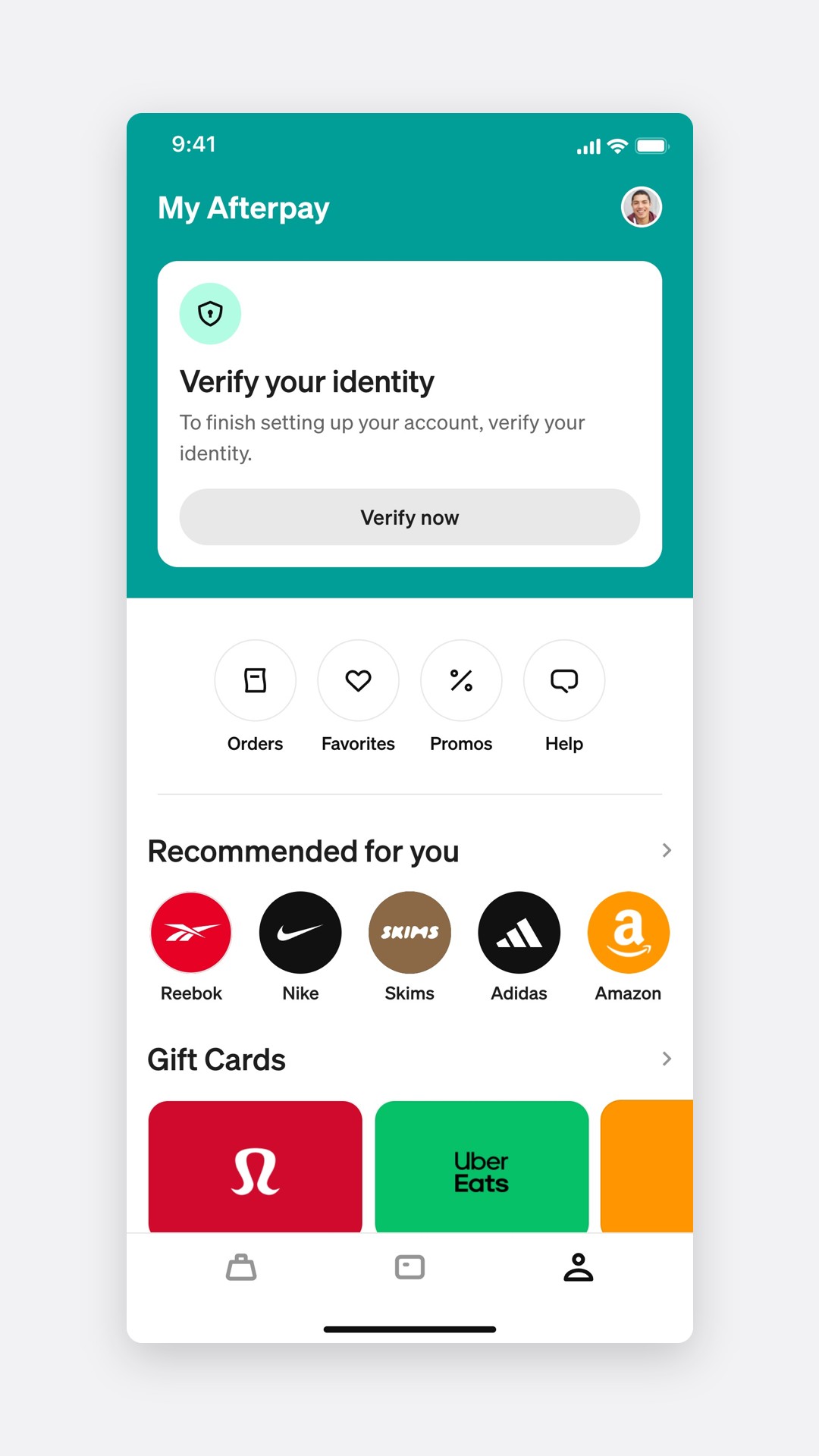
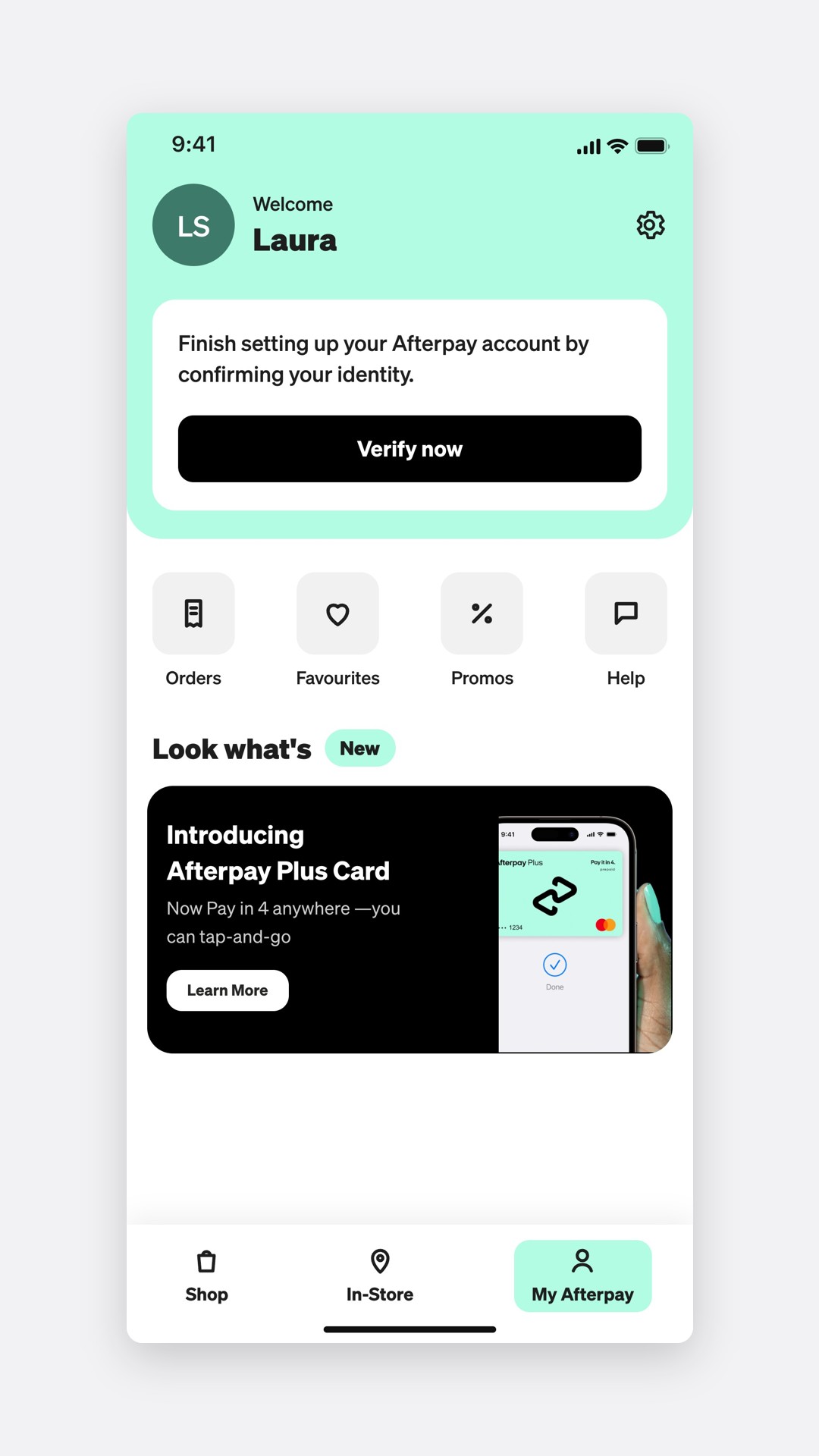 BeforeAfter
Why the rules came in
The regulator had been watching the sector for years, in its 2018 review and its 2020 findings.
- 1 in 6
Providers checked income and existing debts, in 2018
- 16%
Of users were overdrawn, delayed bills or borrowed more because of buy now, pay later
- 21%
Of users missed a payment in a year, in 2020
Afterpay's own record was strong. Globally, 98% of purchases incurred no late fee. The risk was in the design, not the lending: if sign-up began to feel like a loan application, customers would leave at the first question about their income.
My role
Product designer for credit and limits
I designed the limit flows end to end: the first limit at sign-up, the two declines, limit increases and spend cap, for Australia first and then New Zealand, Canada and the UK. I worked with Afterpay Financial Services, Legal and Compliance, Credit Risk and the Arcade design system team, and ran the research and testing.
Research
What people feared about being asked
I interviewed 12 people, six new to Afterpay and six existing customers who had asked for a higher limit, then surveyed 412 Australian customers about being asked about money.
- 12
One-on-one interviews
- 412
Survey responses
- 120 days
How long an assessment can stand under RG 281
Most people would answer, as long as the questions were short and the reason was clear.
Asked two questions about money to get a limit
What "credit check" made people think
The interviews and open answers clustered into five themes.
The affinity map, in customers' words
Why do you need this?
34%It's $200 of sneakers, not a mortgage
Tell me what you're doing with it and I'll tell you
Will this hurt my credit score?
27%If it's a hard check I'm out
I don't want every app I sign up to on my file
Just tell me my limit
19%I don't care how you work it out, I want the number
I was declined and don't know why
12%It just said unsuccessful. Was it me or them?
Let me set my own limit
8%I'd rather it stopped me at $500
QIn their words
I'll tell you roughly what I earn. I'm not typing in my payslip.
I asked for more and it asked me everything again, like it didn't know me.
A lower limit would actually help me. Christmas gets away from me.
Four principles came out of it: ask only what the law needs, ask in ranges, say why before asking, and never make a returning customer repeat themselves.
The first limit
Two questions, as ranges, in a sheet
The sign-up keeps its old shape. Identity, then how Afterpay works, then the two money questions, then a limit.
Signing up for a limit
- Verify your identityLicence or passport
- How Afterpay worksLimits start small, within $2,000
- A little bit about youIncome and expenses, as ranges
- Checking your detailsWith consent, a credit check
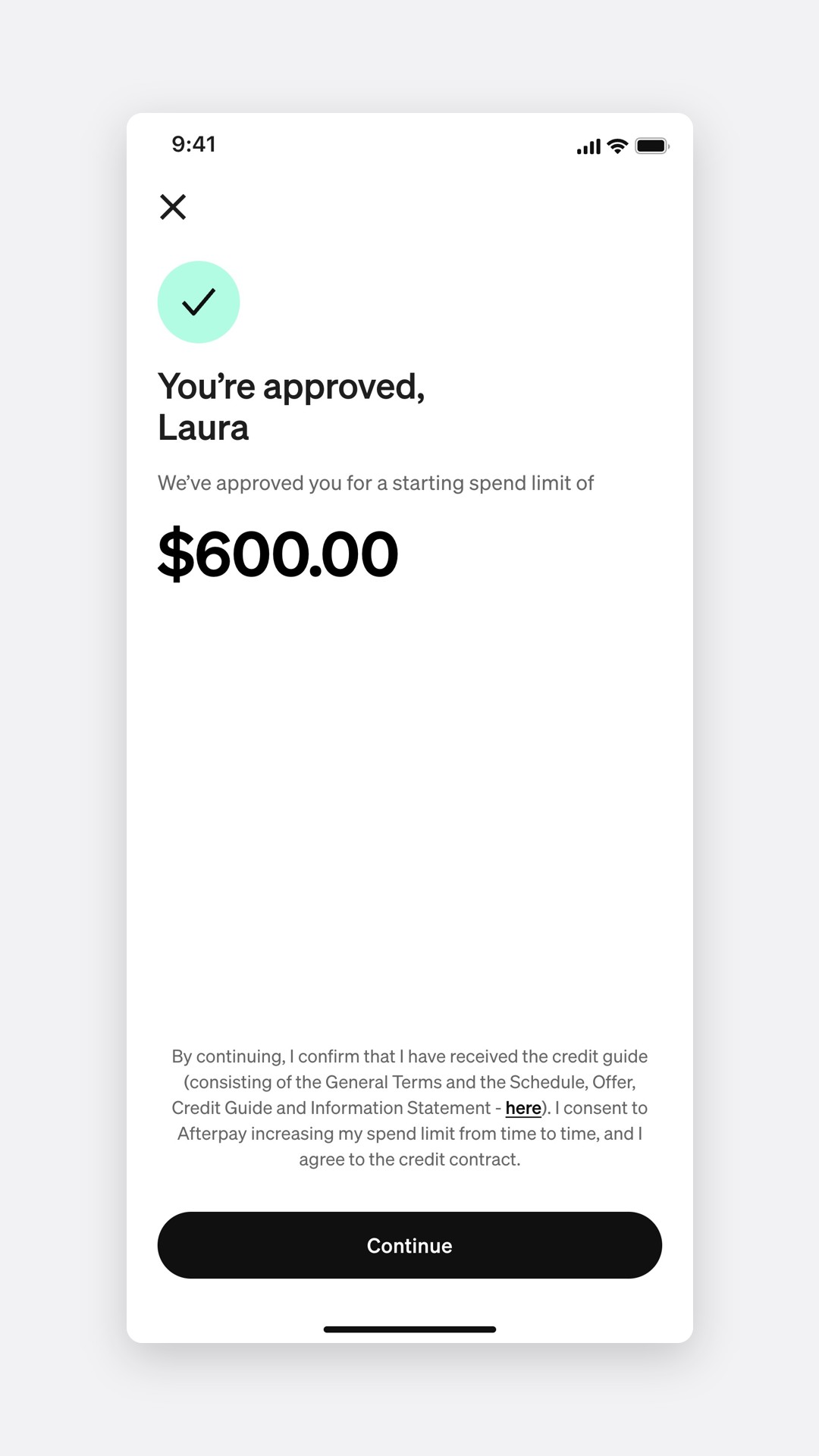
- You're approvedA personalised starting limit
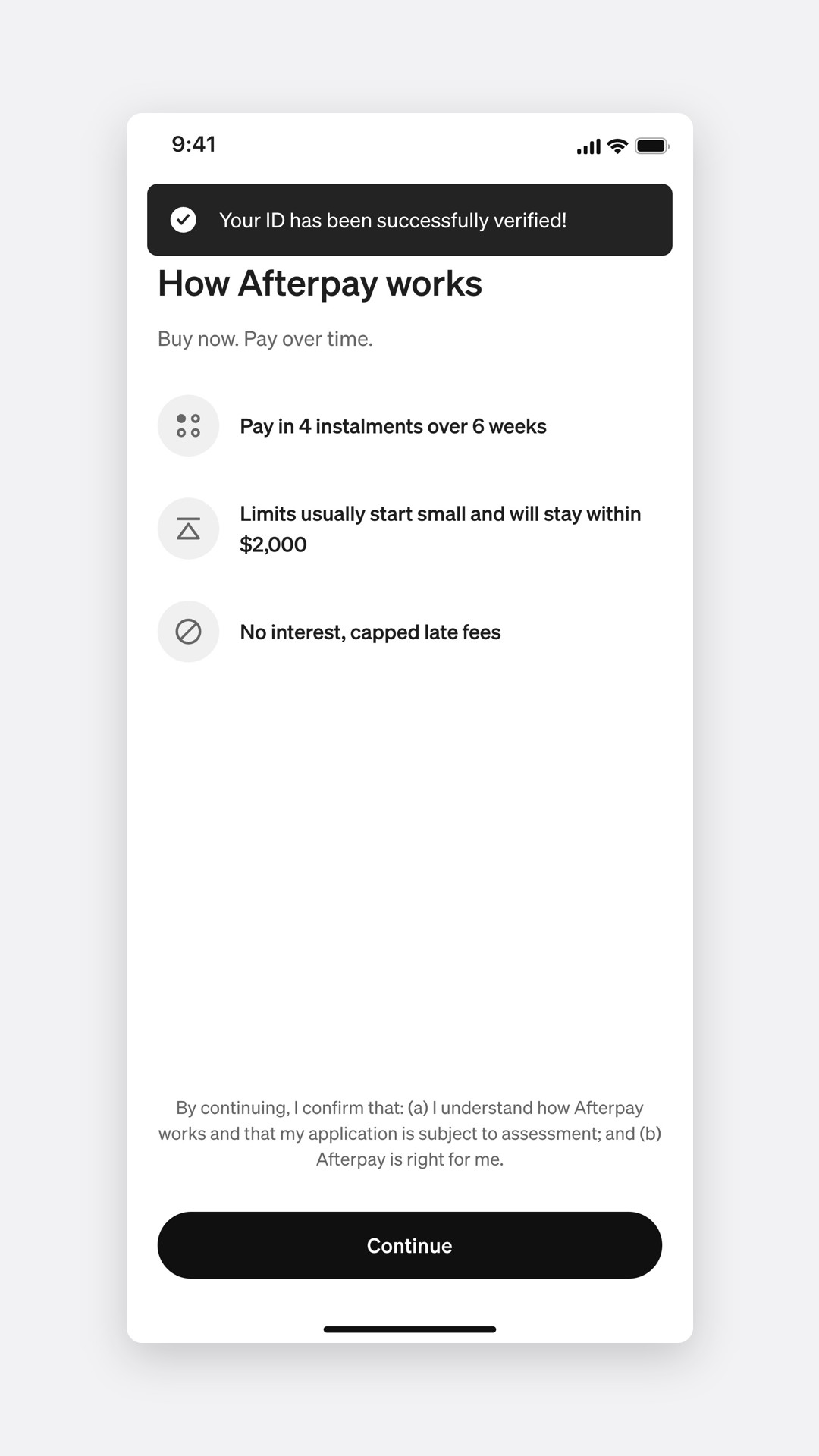
How Afterpay works
Income and expenses
Ranges, not amounts
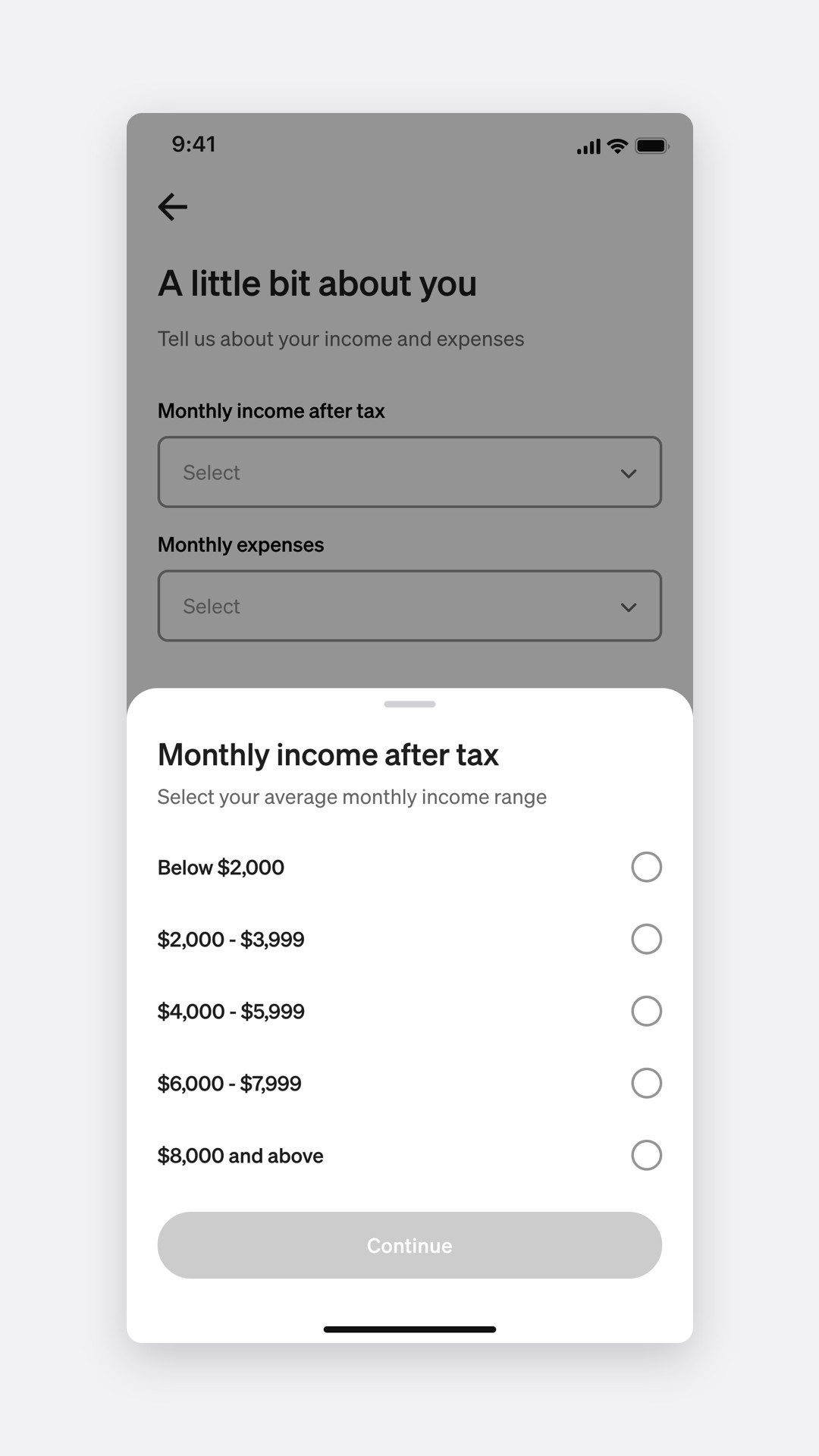
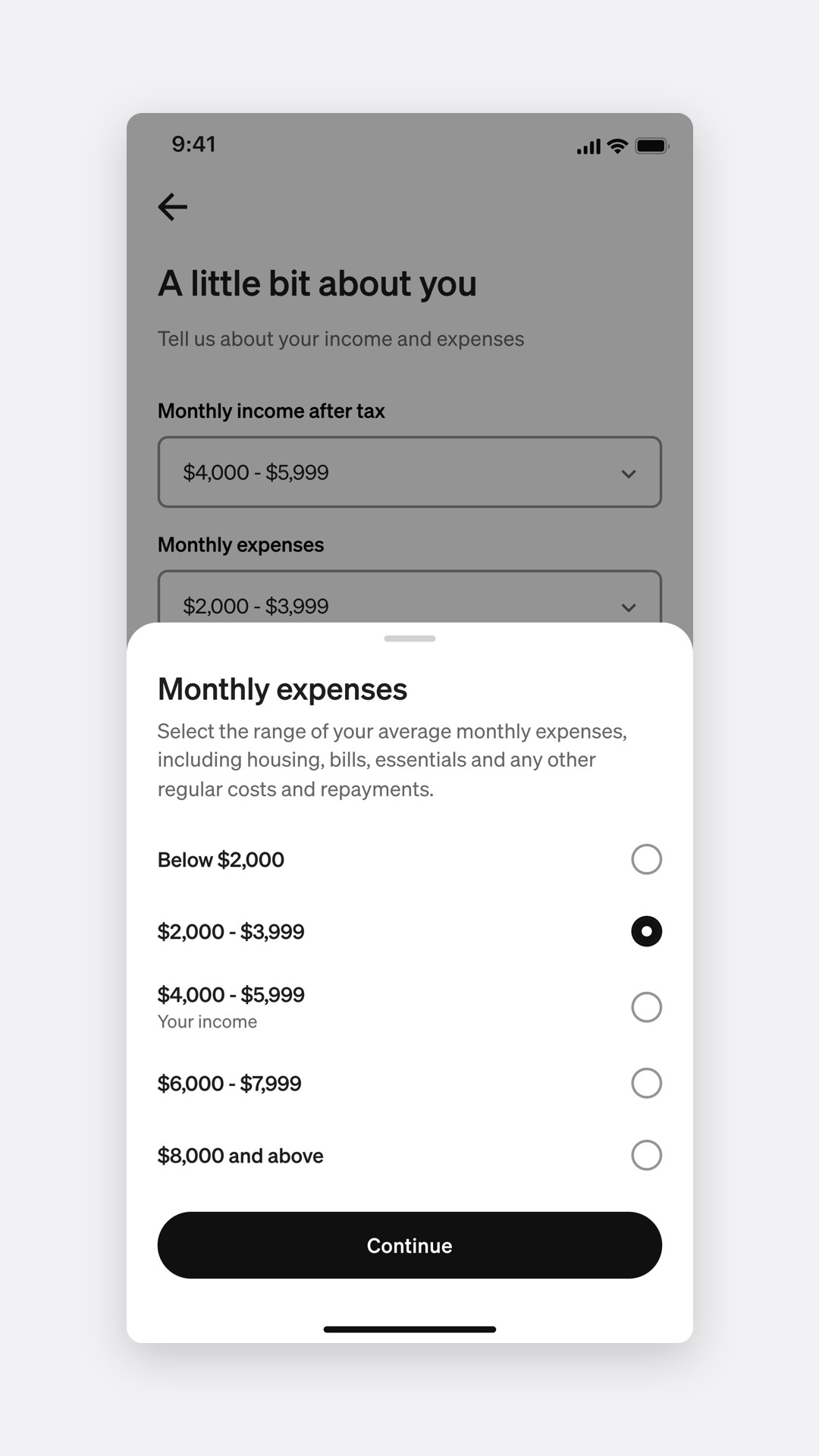
Nobody knows their monthly expenses to the dollar, and asking for an exact figure makes it feel like a test. Each question opens a bottom sheet of five bands. With so few options, radio buttons beat a drop-down: people see every choice at once.
Income
Expenses
Approved
In the first round of testing, ranges against free text, 94% finished with ranges and 71% with amounts, in a median of 19 seconds against 48.
Why before what
"How Afterpay works" comes before the questions, not after. It says limits usually start small and stay within $2,000, the level the guidance presumes meets a customer's needs, so the questions read as the way to a limit, not a hurdle in front of one. The consent line for the credit check sits on the screen that triggers it.
Saying no well
Two declines, because there are two reasons
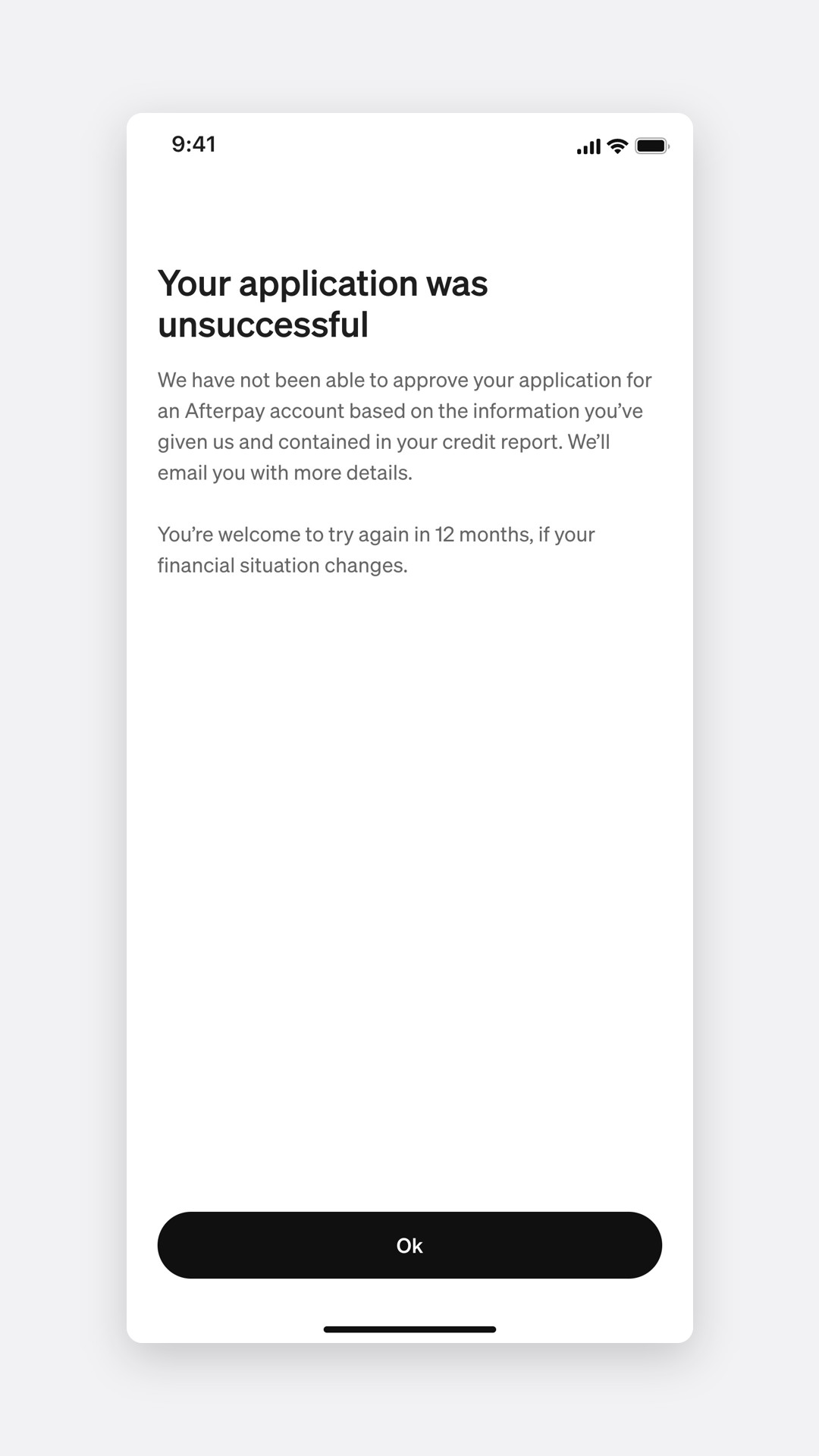
Some applicants would now be declined, and a single "unsuccessful" left them guessing. There are two reasons, and each has a different next step, so each gets its own message.
Credit report
Income and expenses
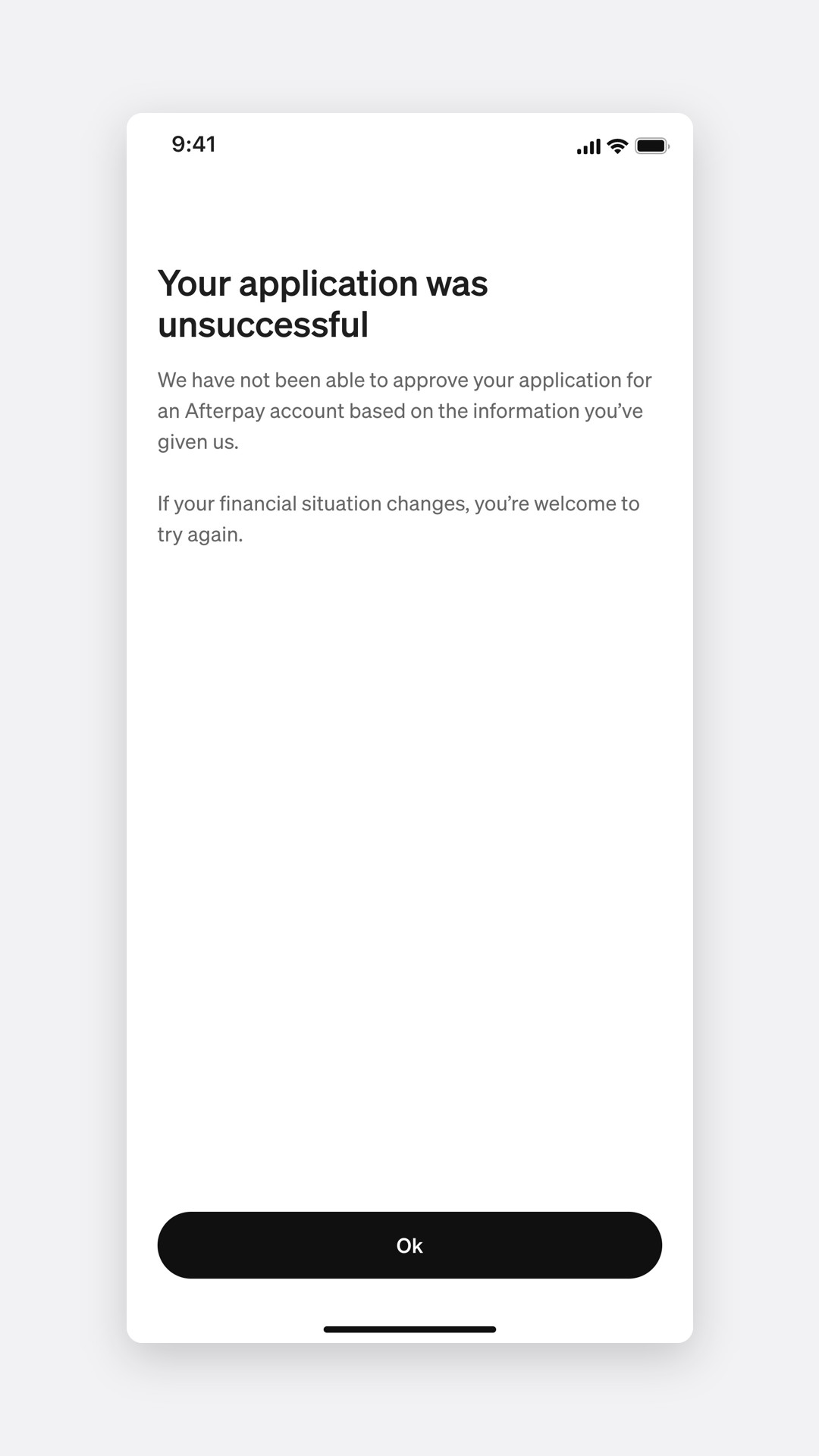
Something went wrong
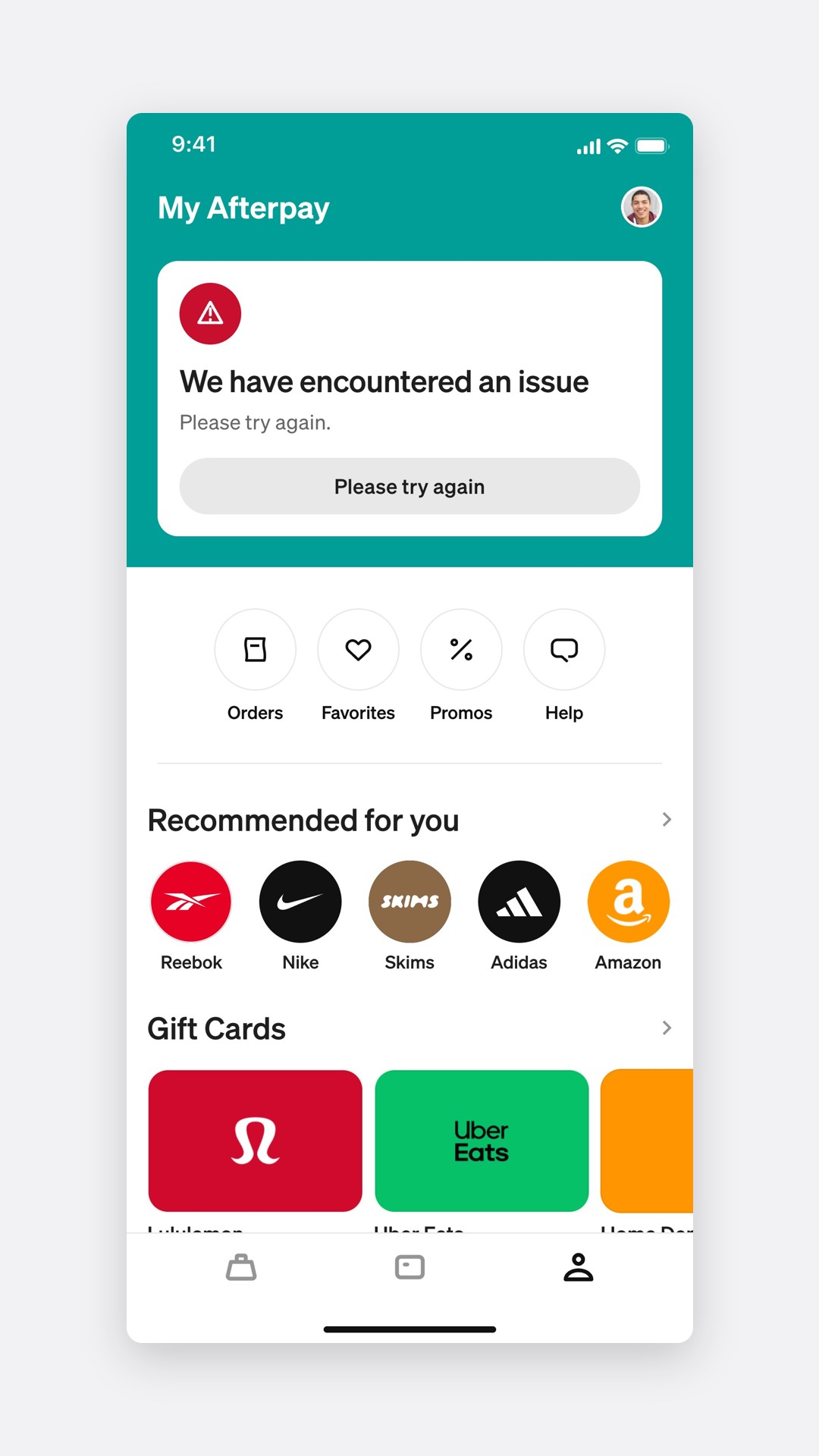
Credit report: try again in 12 months
We say when, and an email follows with what the report showed and where to get a free copy.
Income and expenses: try again when things change
No waiting period. If income goes up or expenses go down, the customer can apply again.
With two specific declines, 88% of participants knew what to do next, against 41% with one generic message.
Asking for more
The law gave us 120 days, so we used them
Increases were the hardest flow. Existing customers had never been asked about money, and the law now required it before a limit could rise. But RG 281 lets an assessment stand for up to 120 days. Inside that window, we don't ask again.
Updating details
Inside 120 days
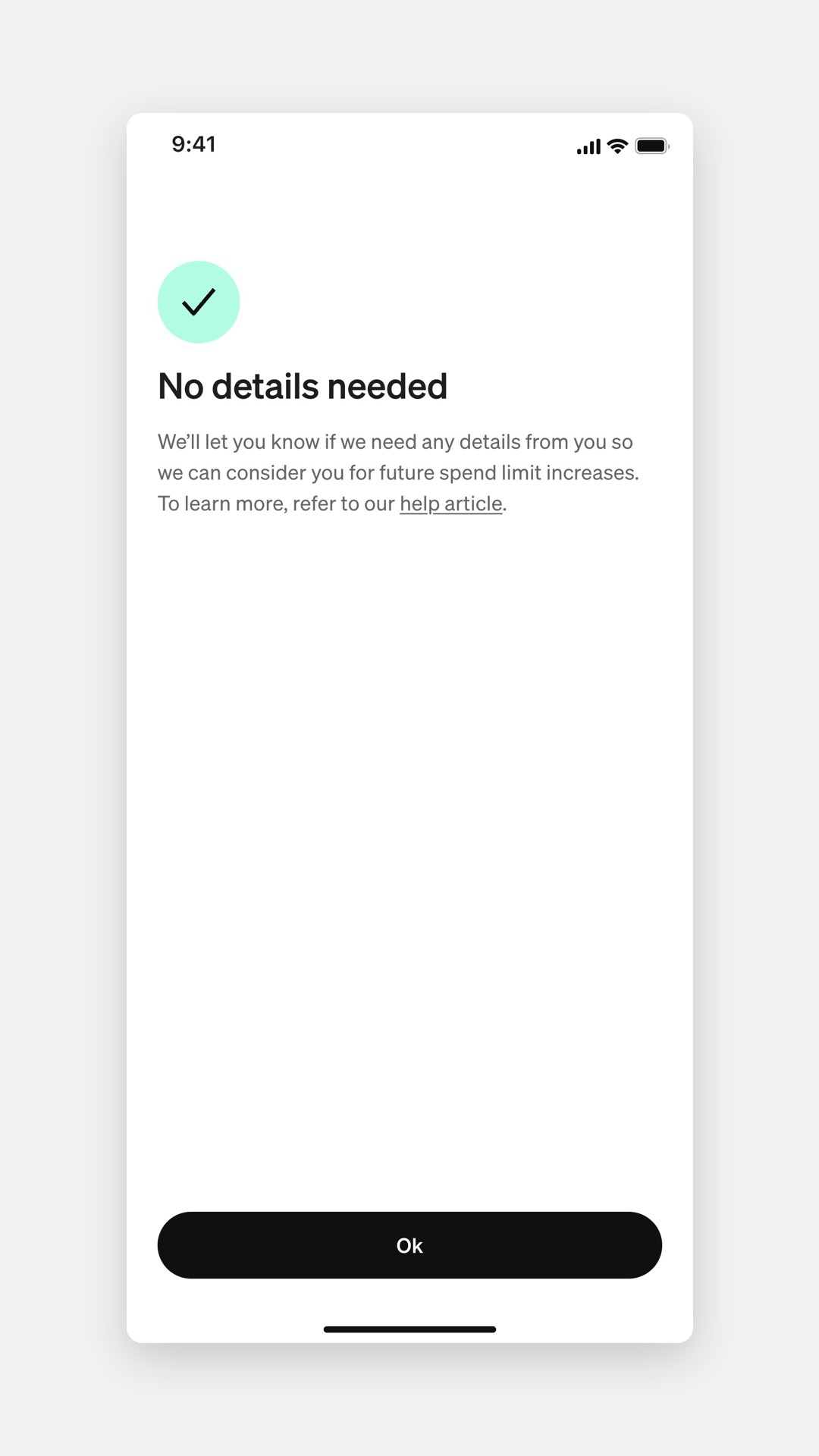
Asking for a limit increase
What a customer sees, by when they last answered
Within 120 days
No details needed
Nothing to fill in. Afterpay considers them for increases using what it already has.
After 120 days
Is this still correct?
Last time's ranges come prefilled. Most people confirm with one tap.
Never asked
A little bit about you
The same two sheets as sign-up, after a screen explaining consent in four steps.
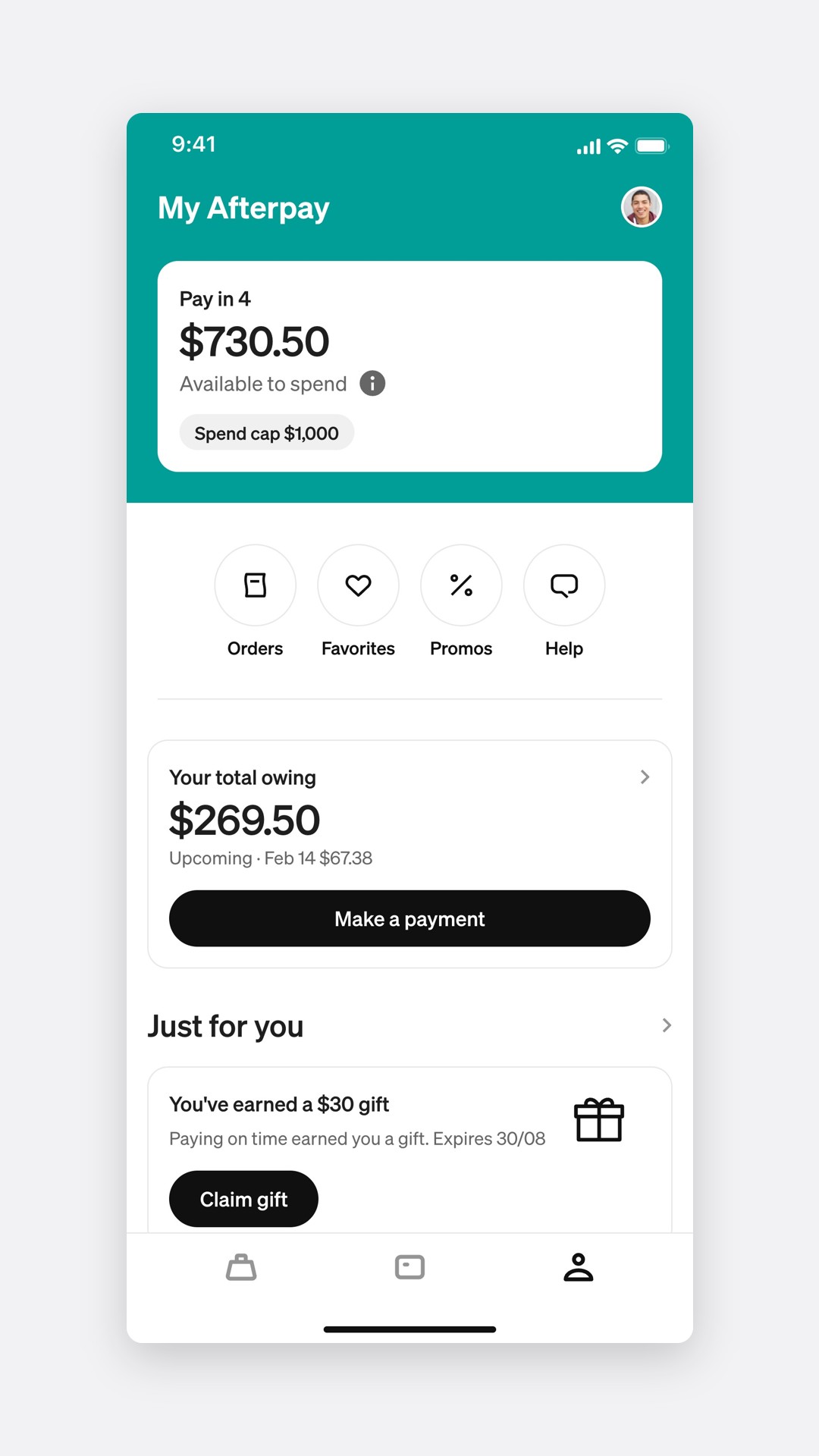
The tile
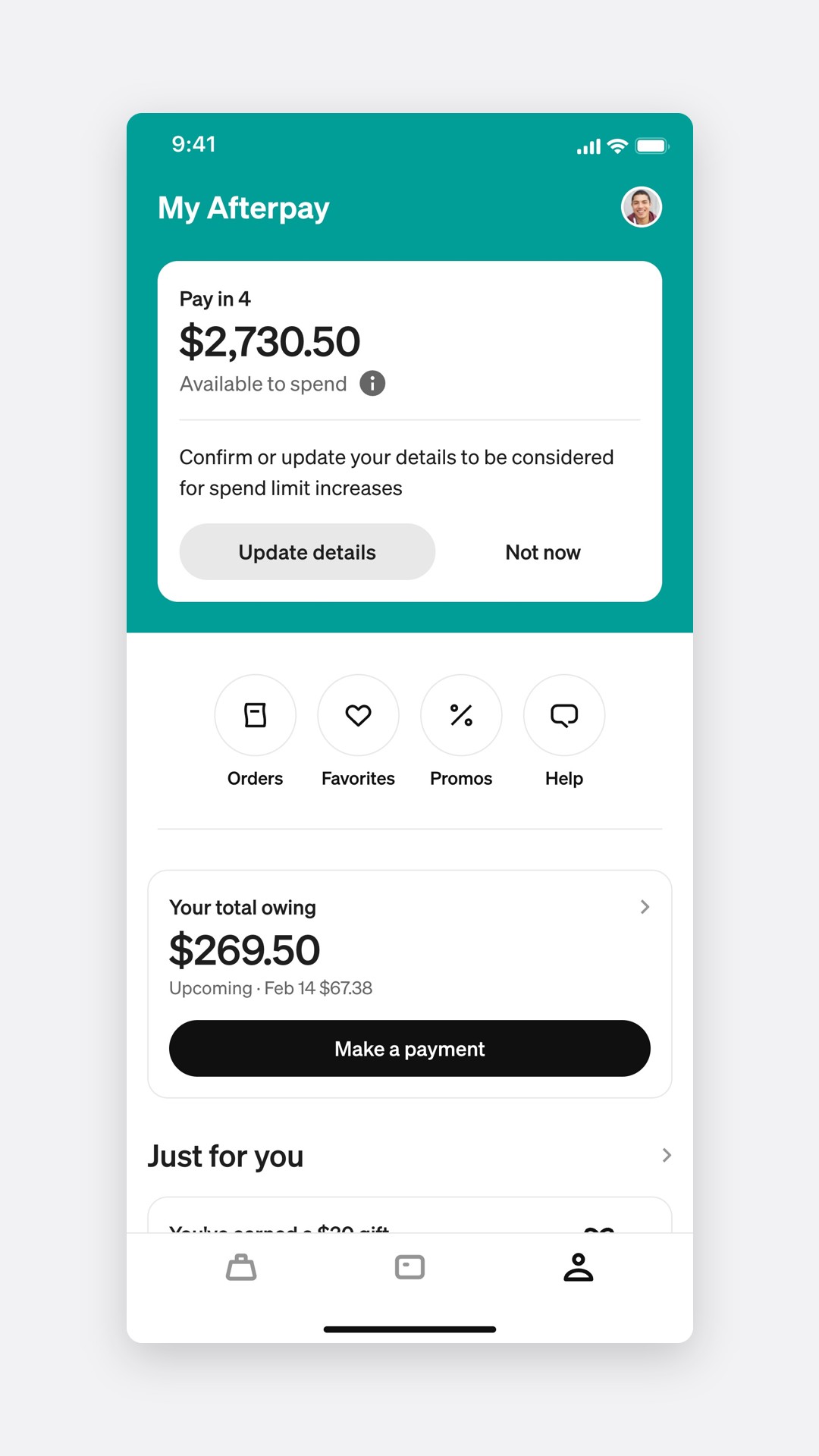
How it works
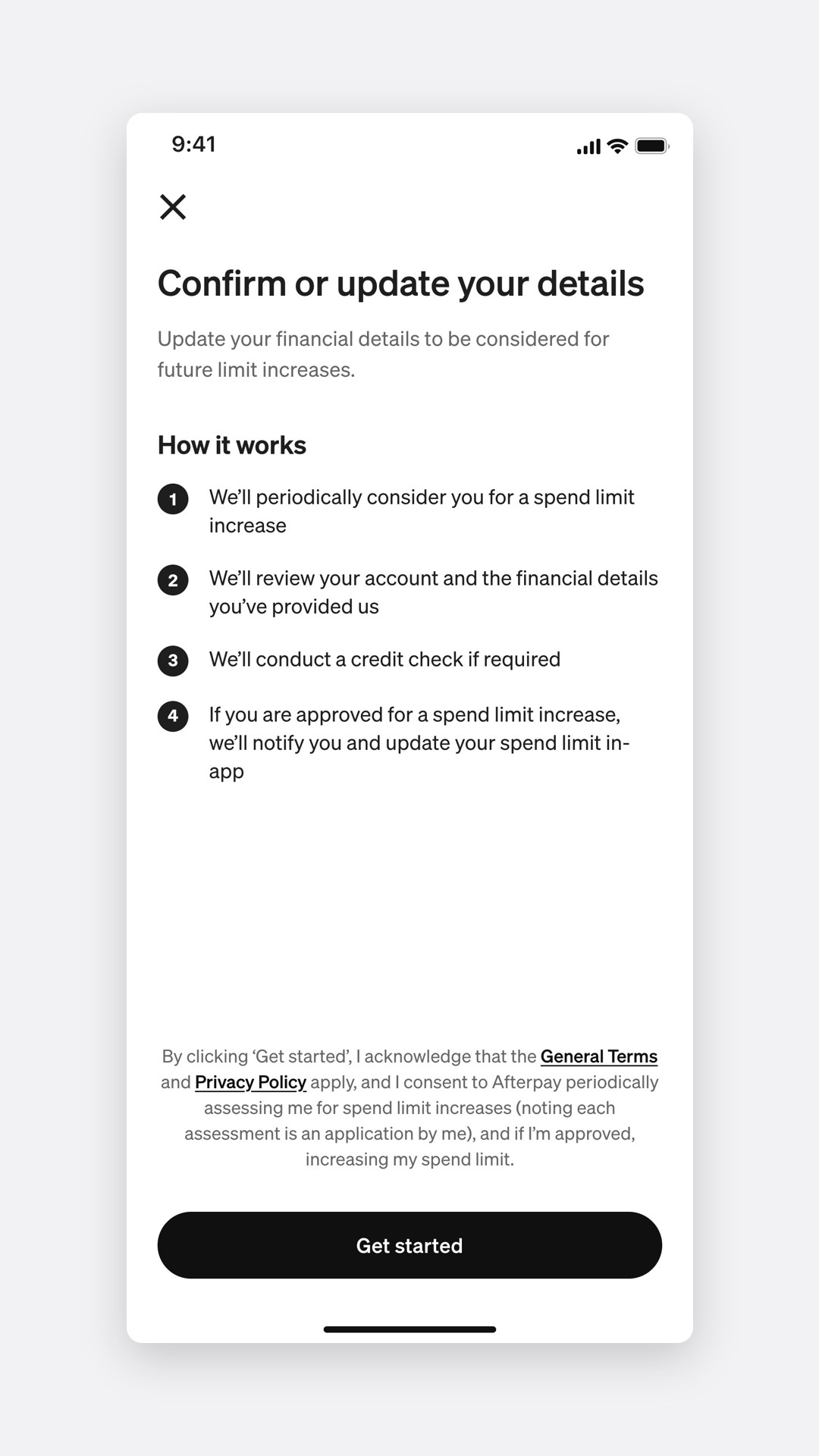
Still correct?
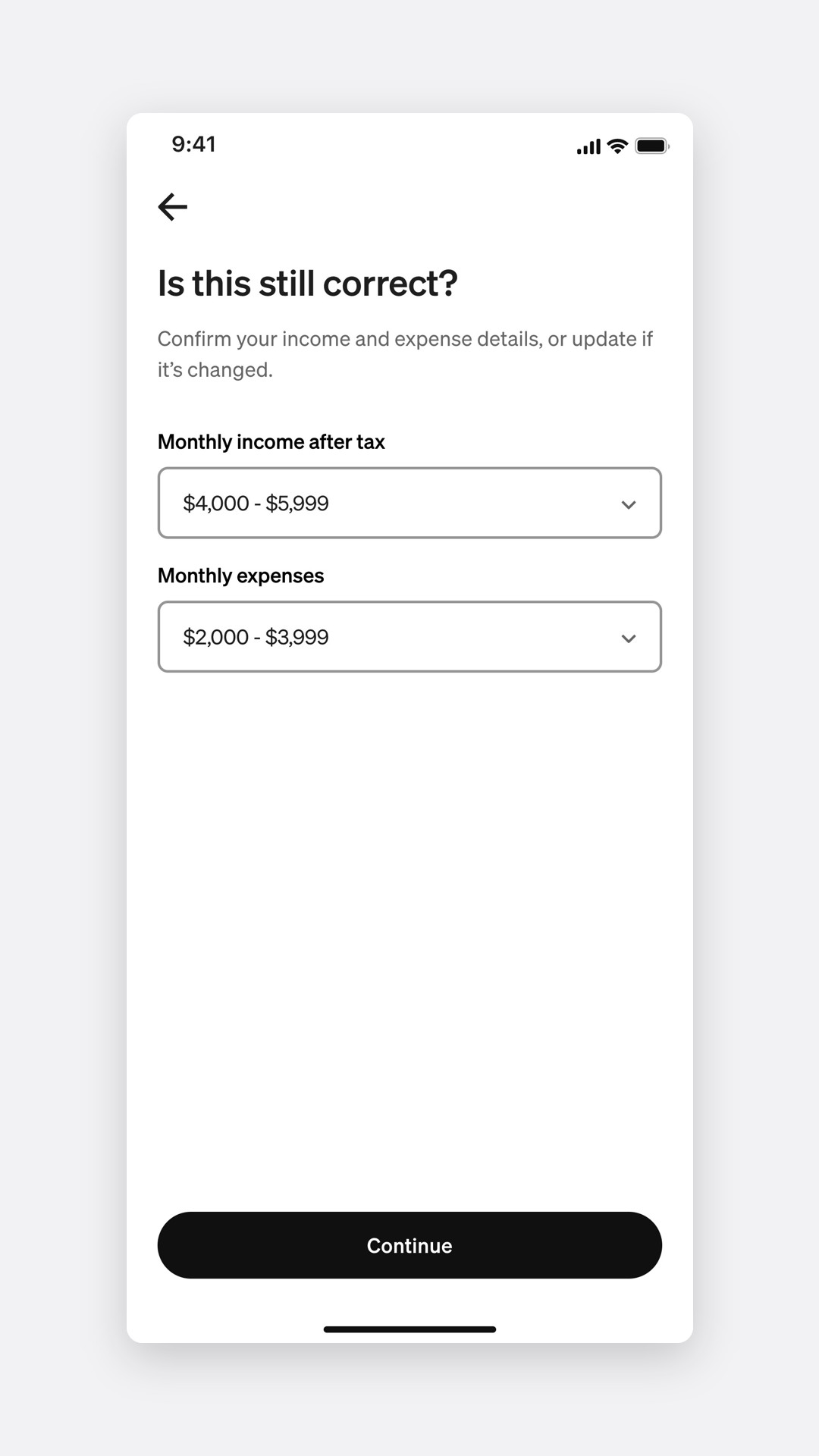
In testing, 15 of 16 returning participants confirmed prefilled details in under 10 seconds.
Asking for less
Spend cap, a limit customers set themselves
Some customers told us they wanted less, not more. Spend cap lets them set a personal limit, from $100 up to their spend limit, and change or remove it at any time.
Setting a cap
The result
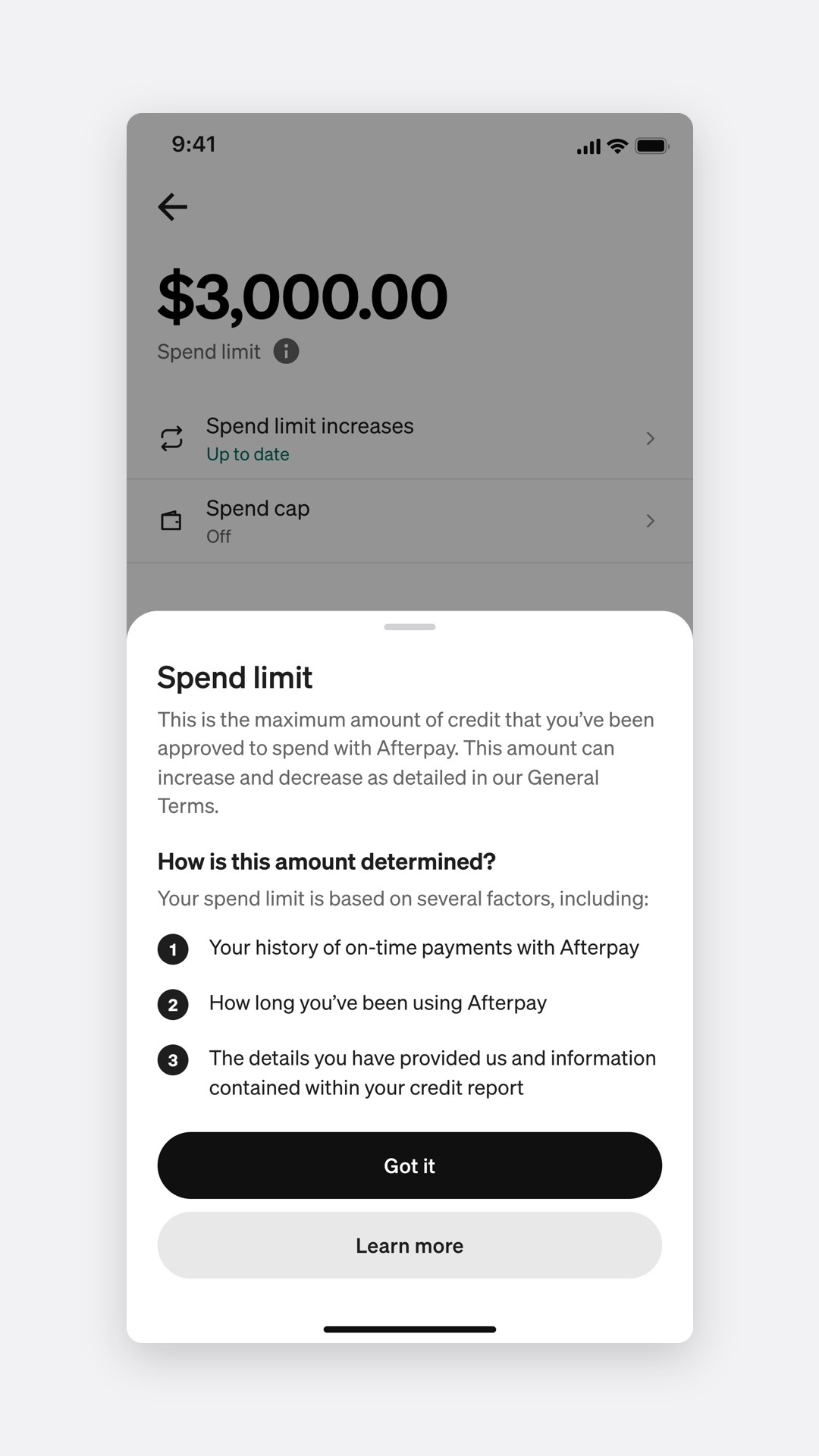
Spend limit and spend cap sound alike, so each has a one-sheet explanation, opened from an info button where the word appears.
Spend limit
Spend cap
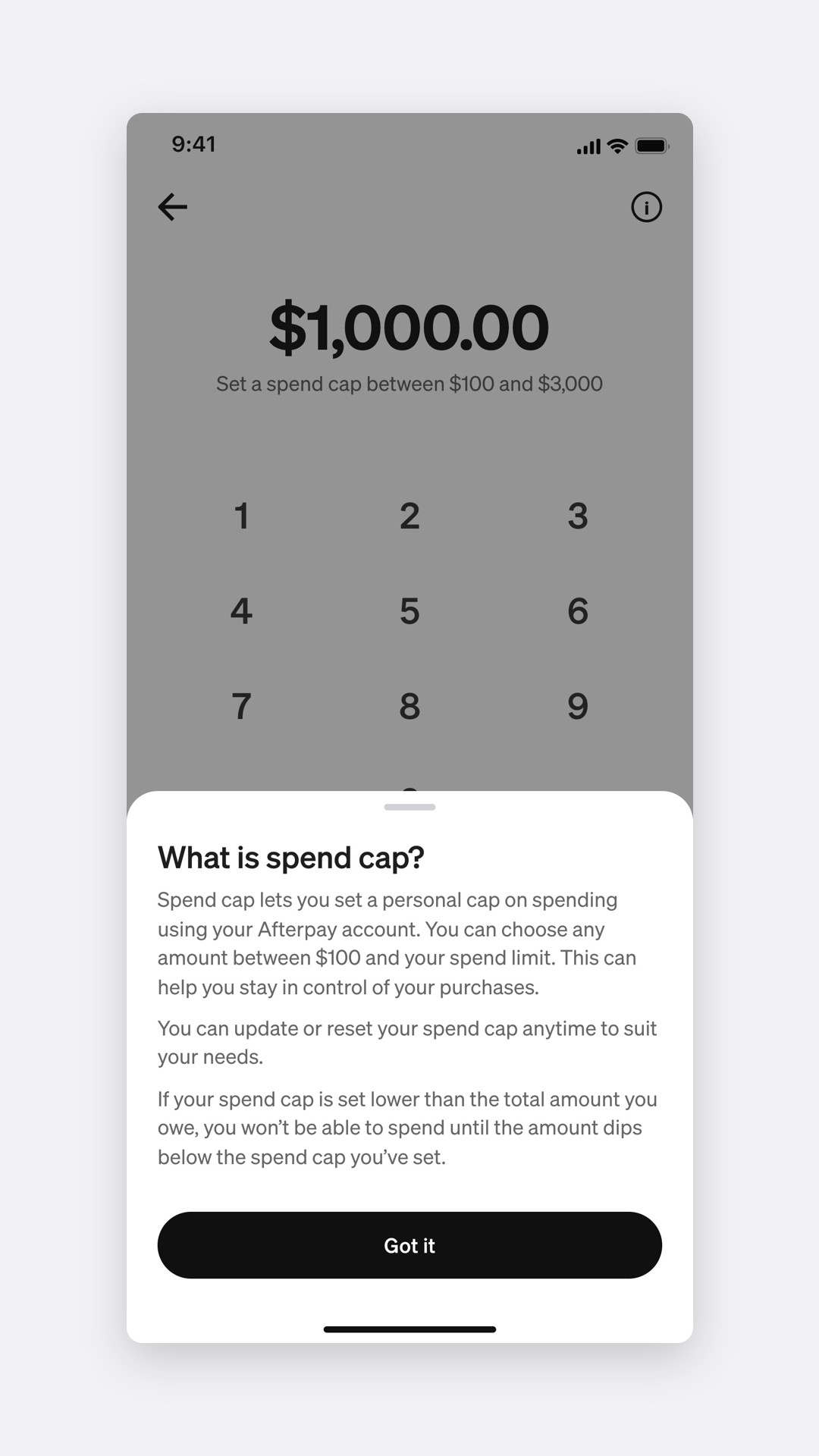
Over the limit
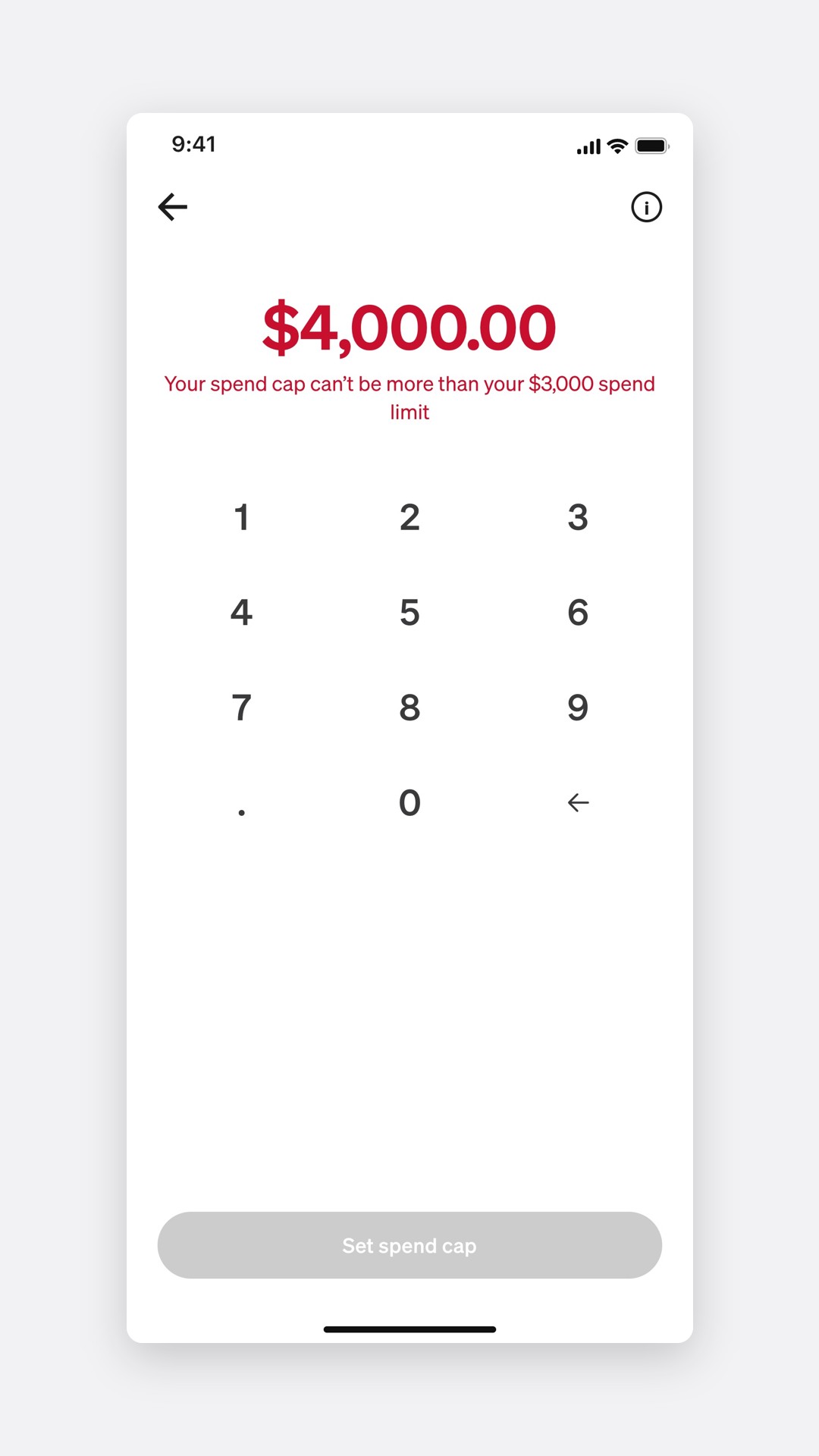
90% of participants found spend cap from Settings. After the info sheet, 83% could explain the difference between a cap and a limit, against 52% before it.
Four markets
One pattern, four rulebooks
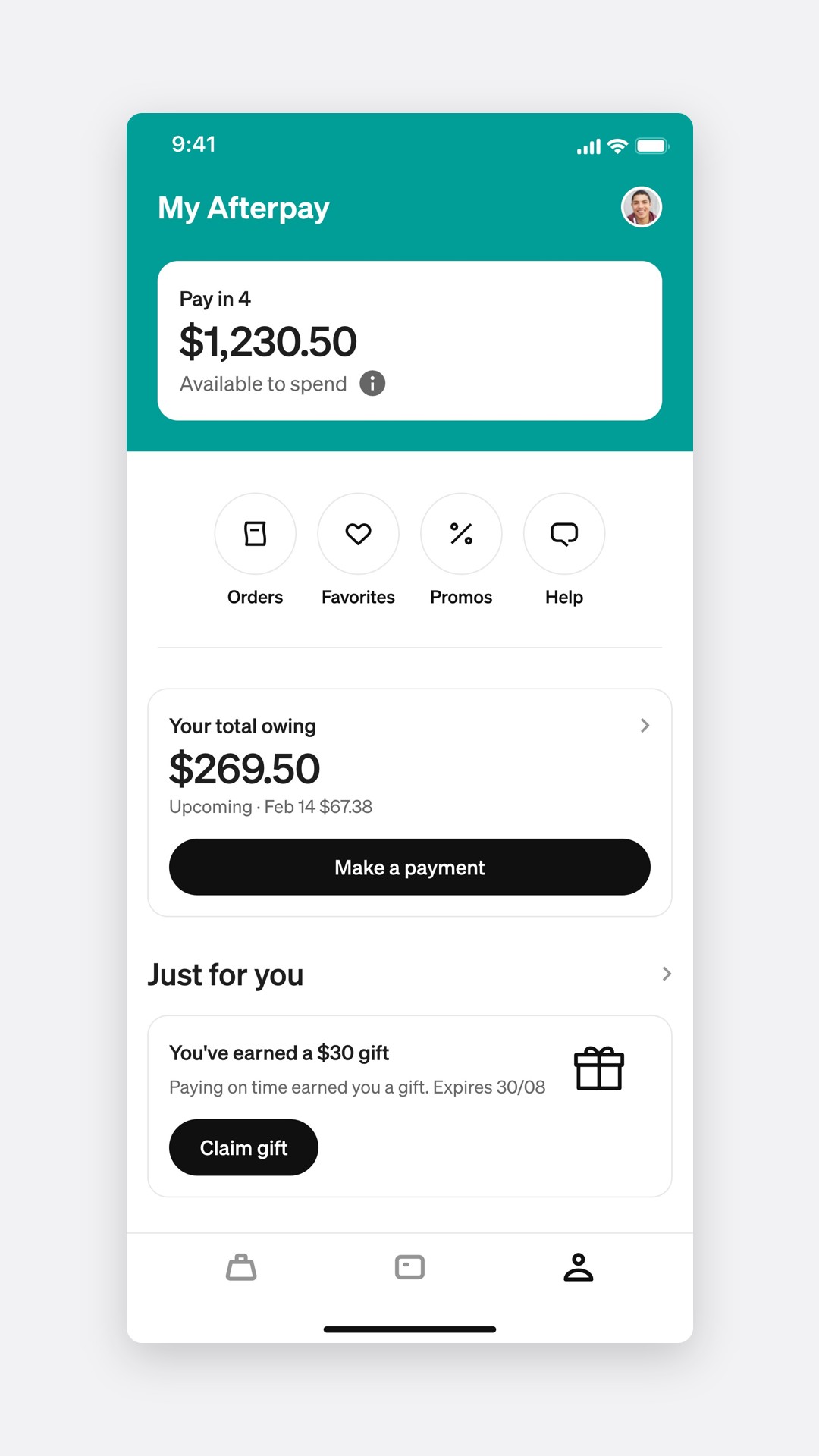
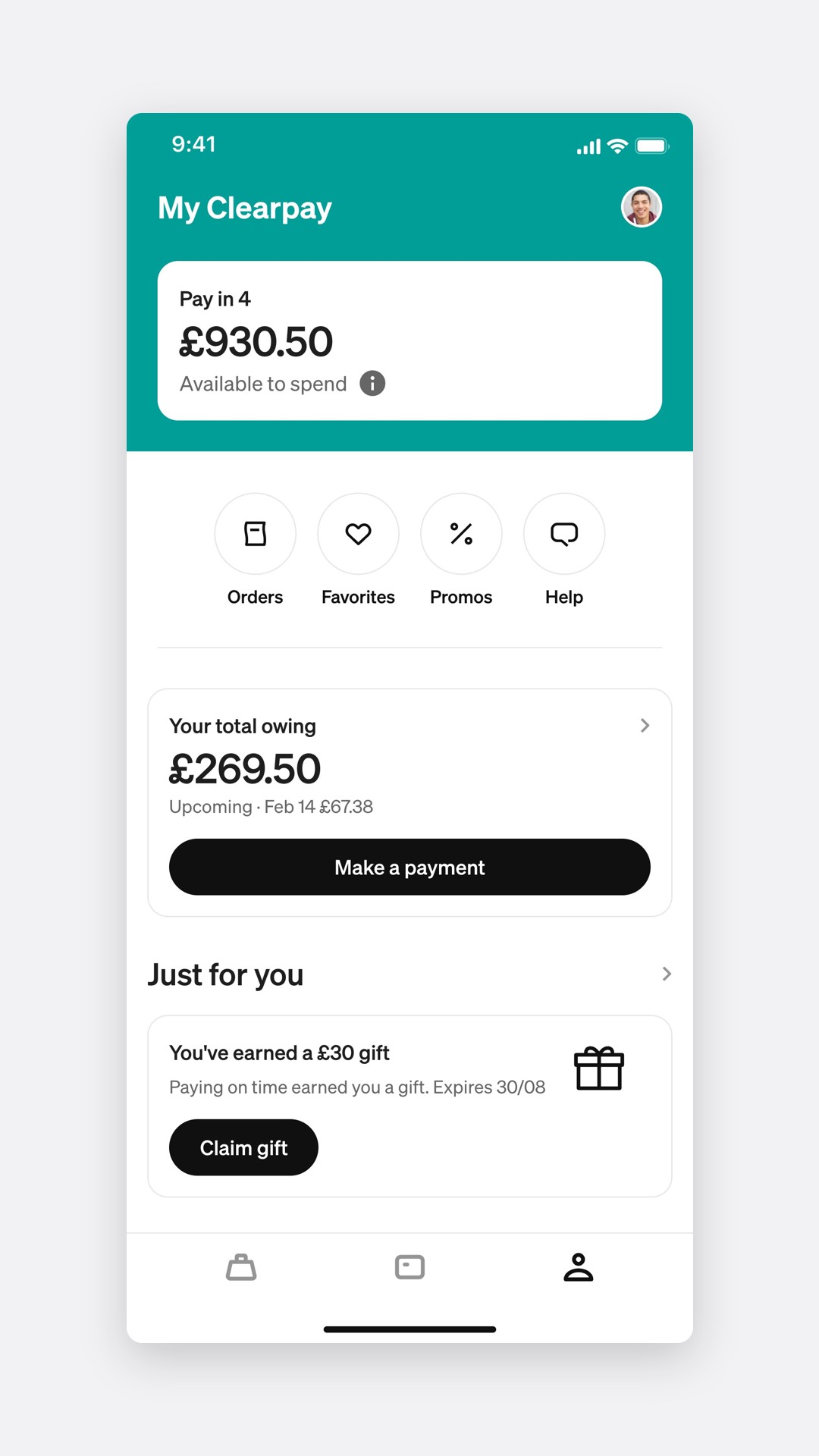
The same components carried to New Zealand, Canada and the UK, where the product is Clearpay. Copy, currency, licence lines and limits change by market, but the flows don't.
Australia
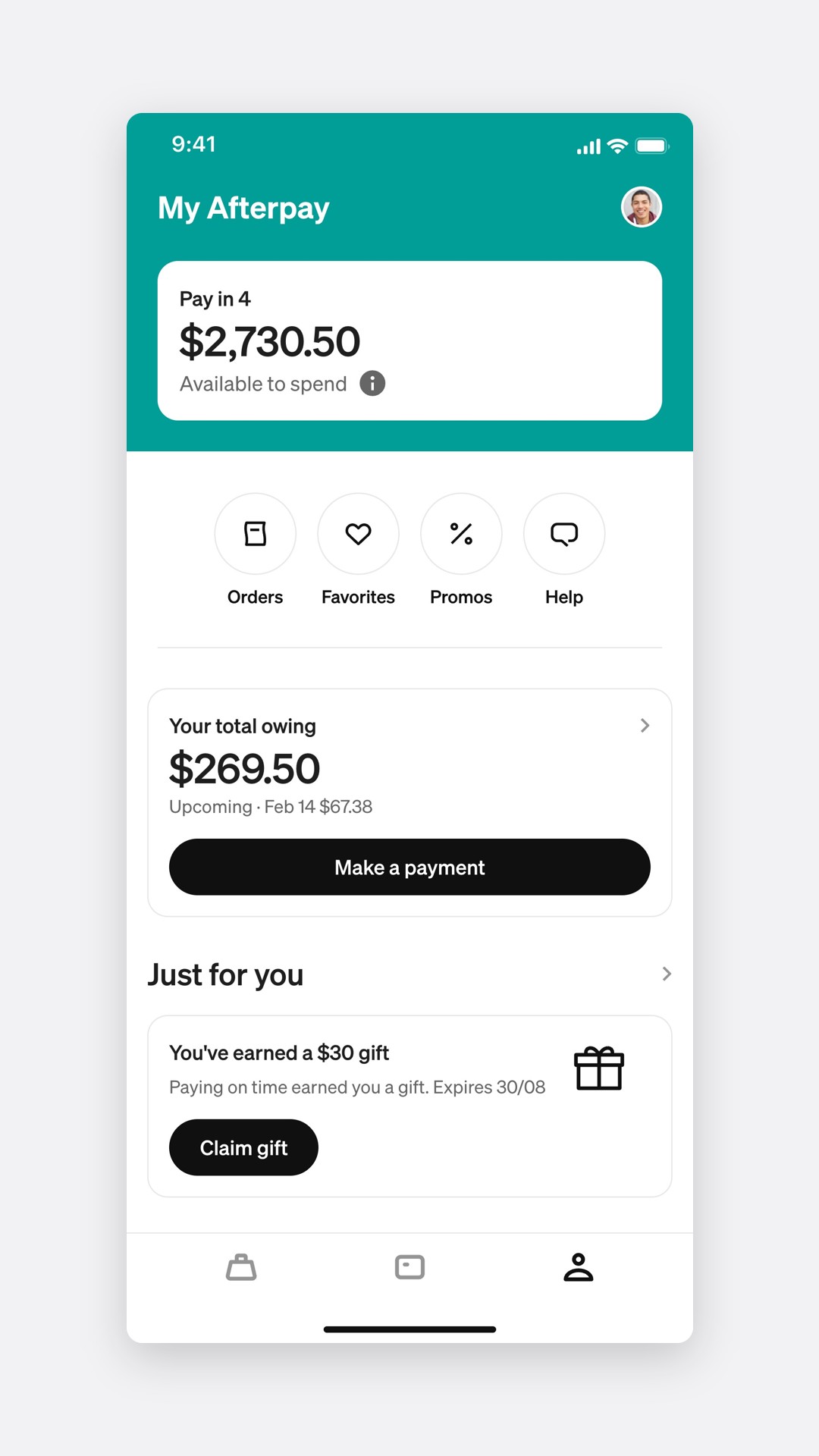
New Zealand
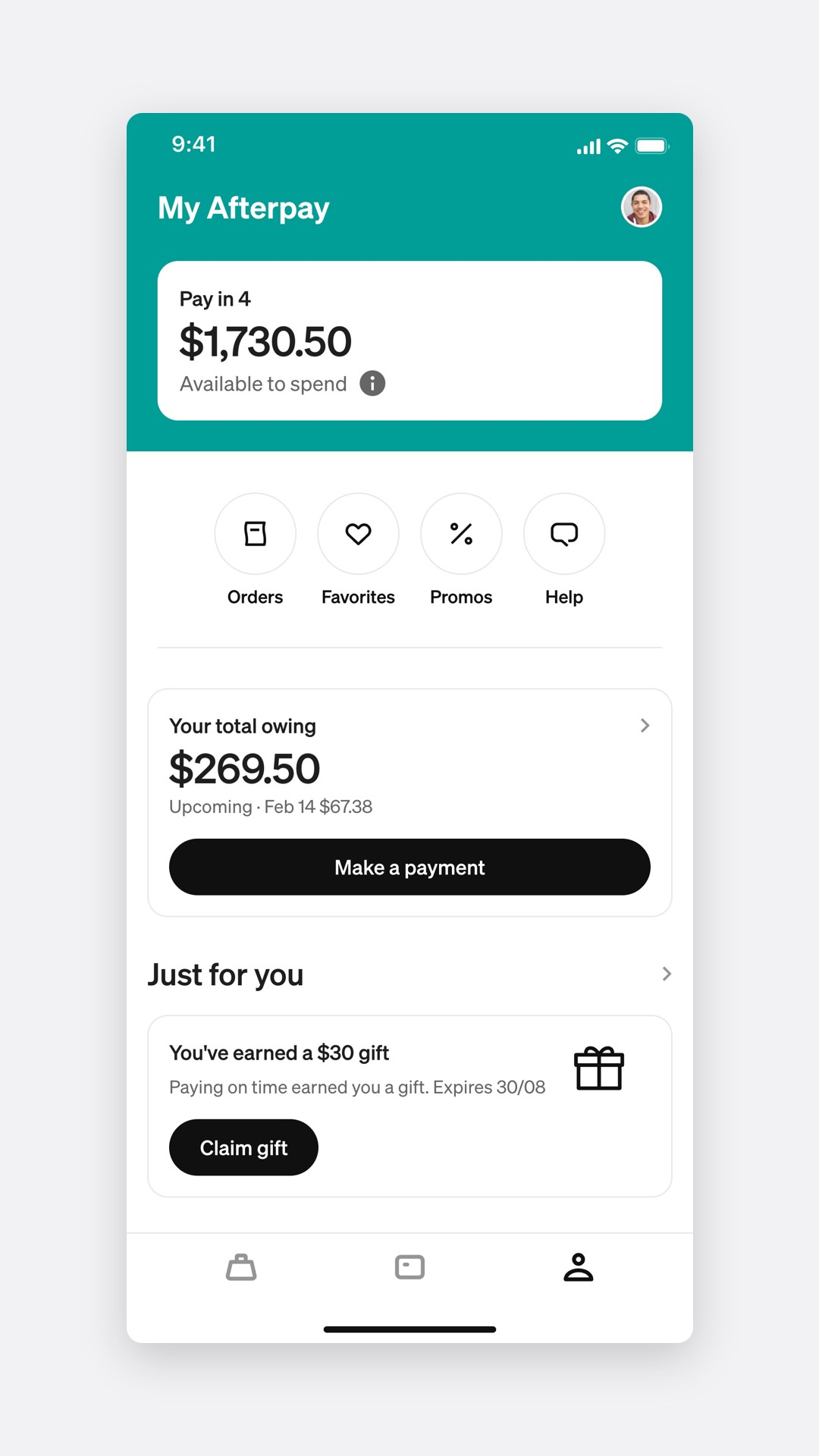
Canada
United Kingdom
| Market | Brand | Buy now, pay later regulated as credit |
|---|---|---|
| Australia | Afterpay | 10 June 2025 |
| New Zealand | Afterpay | 2 September 2024 |
| United Kingdom | Clearpay | 15 July 2026 |
| Canada | Afterpay | No federal rule. The move to Arcade only |
Testing
Four rounds, 64 participants
Each round tested one flow, against the design it replaced or an alternative.
Usability testing, rounds 1 to 4
Asking in ranges, and only when needed, kept people going
94%finished the money questions with ranges, against 71% with amounts
94% finished with ranges.Round 1, against 71% with free text.
88% knew what to do next after a decline.Round 2, against 41% with one message.
15 of 16 confirmed prefilled details in under 10 seconds.Round 3, limit increases.
83% could explain cap against limit.Round 4, against 52% before the info sheet.
What testing changed
Four ideas didn't survive testing.
What did not work, and what changed
Income as a free-text amount.Slower, and people guessed anyway. Ranges replaced it.
Asking at checkout.It interrupted a purchase. The questions moved to sign-up and the limits page.
One generic decline.Fewer than half knew what to do next. It split in two.
Showing a credit score.It made the check feel bigger, not clearer. We explain the check instead.
The impact
Asked once, and answered
Through the first quarter after launch, the questions cost little time and most increases didn't need them.
- 92%
Of new applicants completed the money questions
- 21s
Median time the questions added to sign-up
- 63%
Of increase requests fell within 120 days and skipped the questions
- −18%
Contacts to support about limits, the quarter after launch
4% of active customers set a spend cap in the first three months. A small group, but they were the people who had asked for it.
Prototyping with AI
A working app, not a deck
For this case study I rebuilt the limit flows as a coded prototype with AI agents: sign-up, both declines, increases, spend cap and the home in four markets. Every video on this page is that prototype, played by a script.
Every state is a link
Income band, expenses, cap, keypad entry and market are all in the URL, so any screen can be opened, compared or recorded directly.
Four markets, one switch
Brand, currency, licence line and limit change with one setting, the same way the components carried across markets.
Videos from code
A script drives the cursor, camera and timing at 60 fps. Change a sheet, run it again, and every shot updates.
Reflection
What I would do differently
I would have tested spend cap with the people most at risk, not just with customers who found it. The customers who most need a cap are the least likely to go to Settings for one.
I would also design for the end of the 120 days. The prefilled confirm screen works, but nothing tells a customer their details are about to expire before they ask for more.